

🔑 FinderGit 0.39.0 — your own AI key, and the file that made your repo heavy

🔑 FinderGit 0.39.0 is out.
Three things I have wanted in a Git browser for a long time, and they all landed in the same release.
1. Commit messages on your own key ✨
The free built-in mode is unchanged and still the default — nothing to set up. But if you would rather use your own provider, you can. The key lives in the macOS Keychain under its own entry, and the diff goes straight from your Mac to the service you picked. It never passes through FinderGit.
Run a server on your own machine and nothing leaves the Mac at all.
The key is verified before it is stored, so one that would be refused never gets saved. And if the check can't reach a verdict, it says "saved unconfirmed" instead of pretending it knows.
2. Send every change to Kaleidoscope at once 🔍
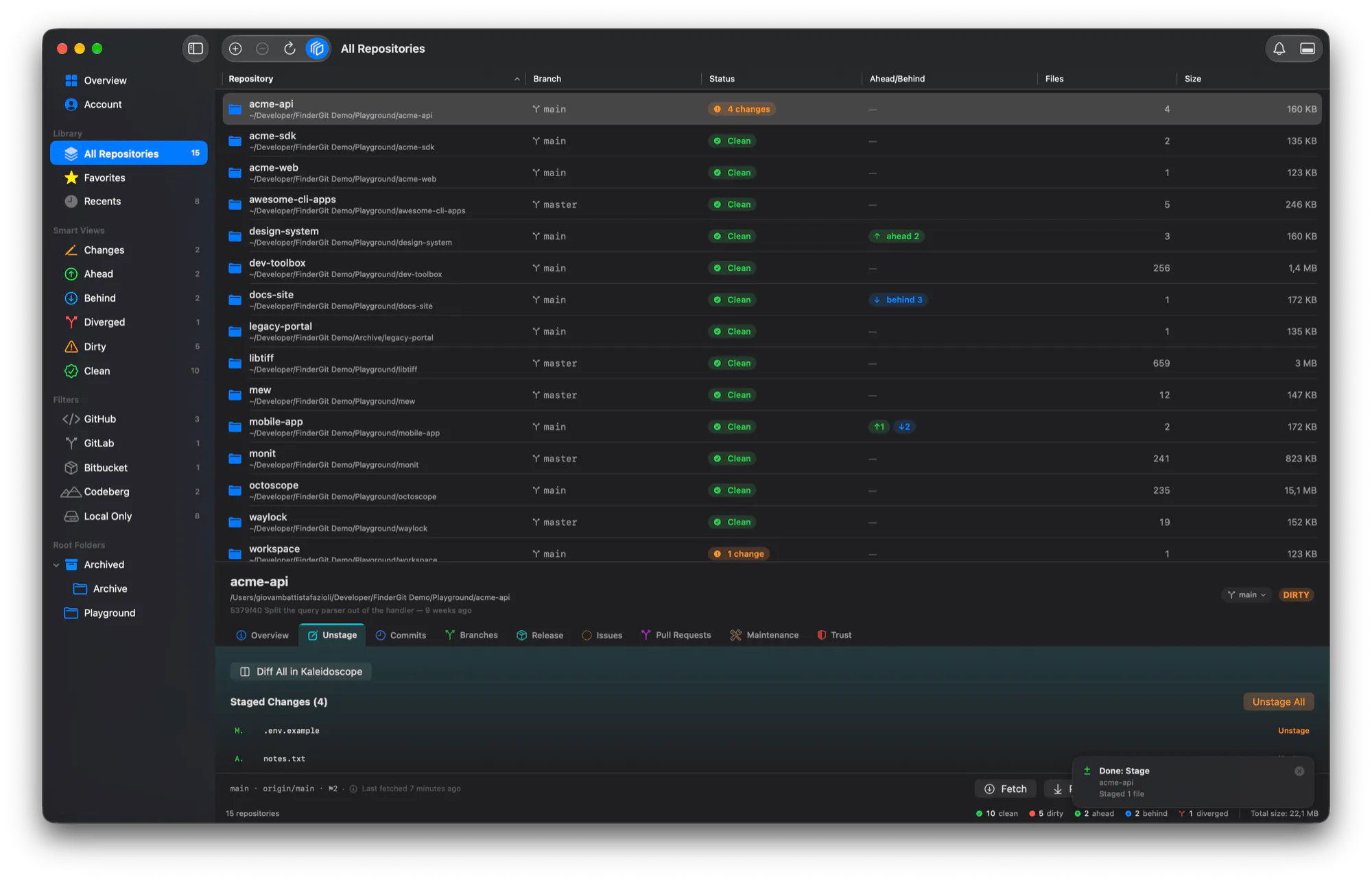
Diff All sits at the top of the Unstage tab. Staged and unstaged, together, as one changeset — not a tab per file.
Filter the tab to a directory and only that goes. Everything is pinned to the same commit, so a commit landing mid-prepare can't mix two baselines into one review. And whatever can't be sent is listed with the reason, rather than quietly missing.
3. Finally: WHICH file made my repo 2 GB? 🐘
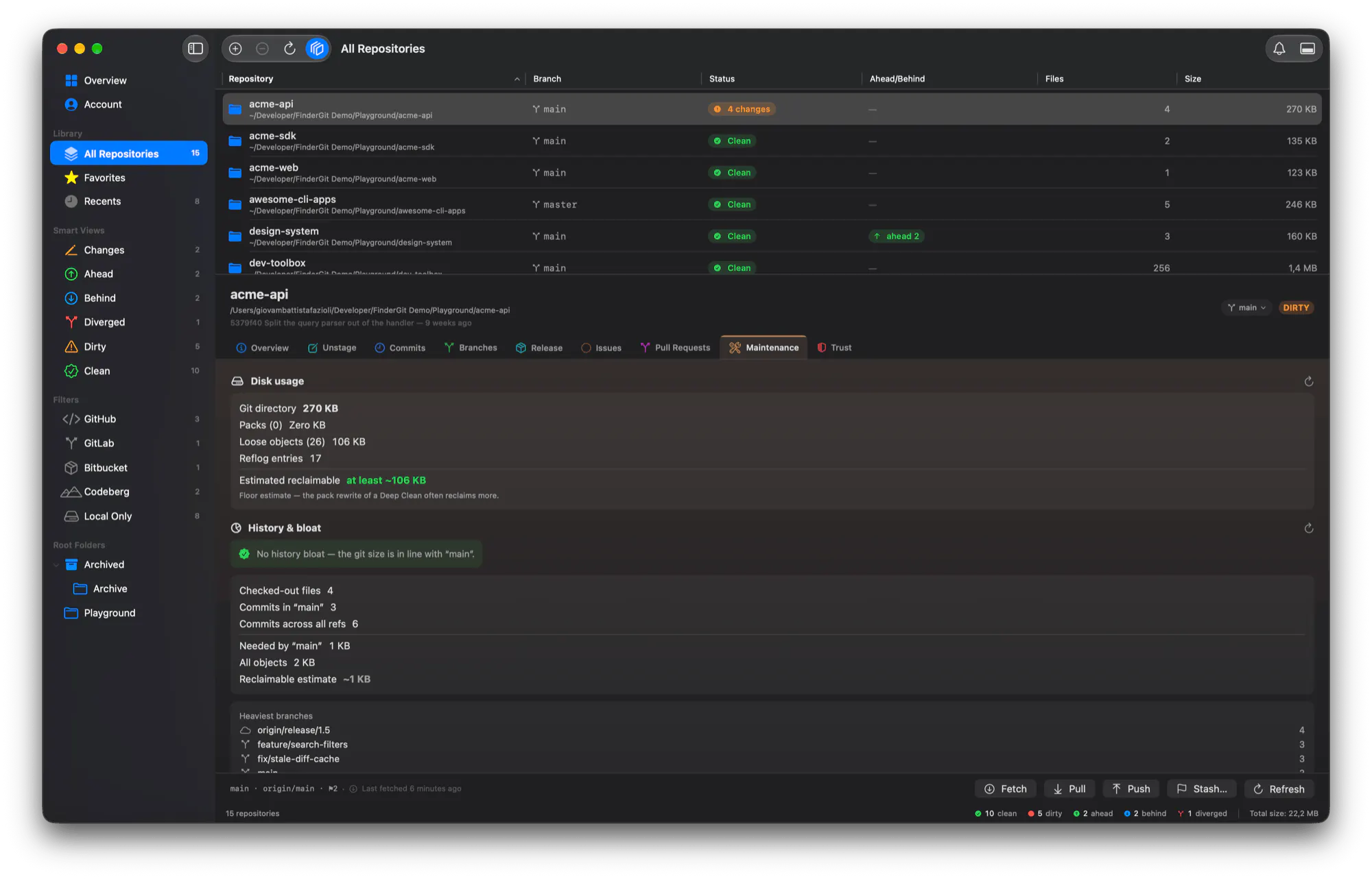
Largest objects in history — the twenty biggest, each with the path it was stored under. Including files you deleted from your working tree years ago, which is exactly why you could never find them by looking at your folder.
The tell-tale one: an object under a top-level folder your checkout doesn't even have. That's a clone that swallowed a larger upstream.
And the Maintenance tab now separates bloated from merely big — a monorepo is legitimately gigabytes; a fork whose history ate one weighs the same and is a mistake.
Removing it is a runbook, not a button. You get the exact commands, to run against a fresh clone, opening with what a history rewrite costs everyone else. FinderGit never runs them — that's on purpose. It can't be undone and it reaches every clone.
Also in 0.39.0
📖 Help → Release Notes… — every release the app carries, in one window, unread ones still marked
🔒 Two windows can no longer act on the same repo at once; a scheduled fetch steps aside for you instead of refusing you
Free · universal binary · macOS 15+ · signed and notarized
👉 Try it / see what's new: https://findergit.app
👉 Ready to vote https://www.producthunt.com/products/lancetta?launch=lancetta
Which of your repos is secretly hiding a 300 MB file from 2019? 👀
Replies
Be the first to reply
Have a question or a thought to share? Add a comment above to start the conversation.