

🎨 FinderGit 0.47.0 — make it look your way
by•

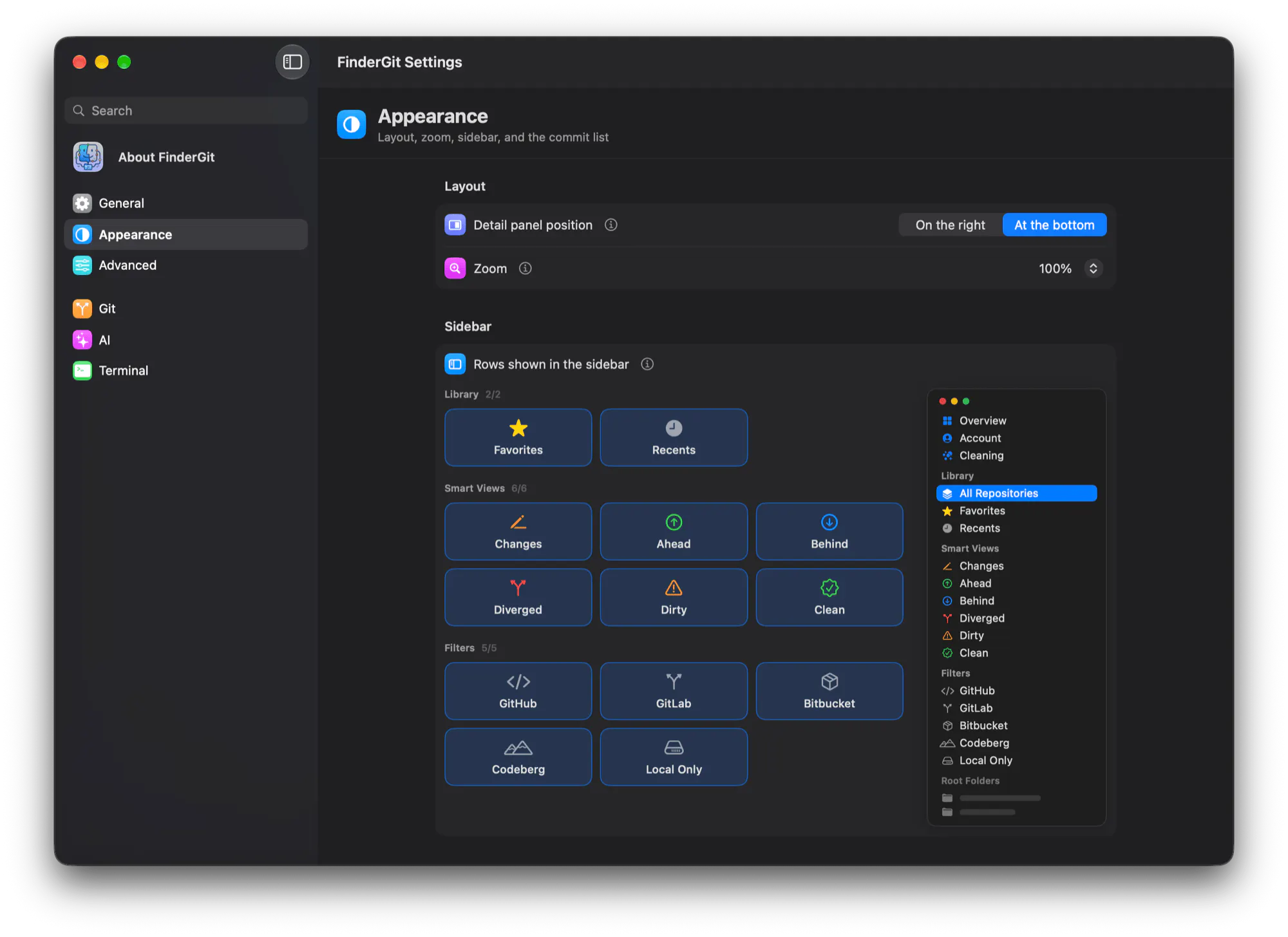
🎛️ A new Appearance pane: detail panel position, zoom, sidebar rows and the commit list, all in one place
🗂️ Collapse Library, Smart Views, Filters and Root Folders from their headers, like in Finder
🙈 Hide the rows you never use, right-click or from Settings, with a live miniature of your sidebar as you click
🧭 A detached HEAD now says so, with the commit you're on and Switch Branch right there
⏳ Busy repo? The buttons that would wait are dimmed and tell you why
👉 Try it / see what's new: https://findergit.app
Which rows would you hide first? 👀
3 views
Replies
Be the first to reply
Have a question or a thought to share? Add a comment above to start the conversation.