


Dev Ports: seeing and managing local dev servers across your Mac


We just shipped Dev Ports in Room Service.
A new way to see and manage active local development servers across your Mac.
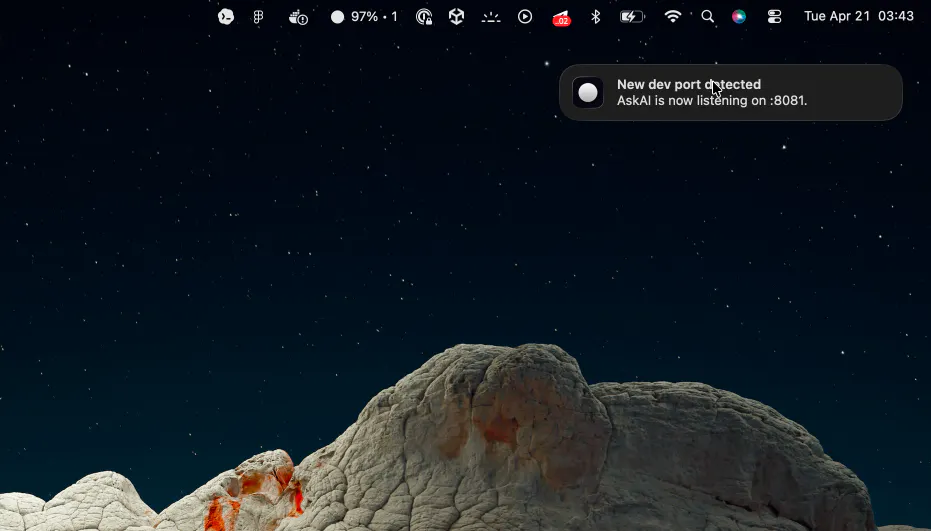
Dev Ports brings local server visibility into the parts of the app where it is most useful: Home, the menu bar, smart notifications, Ops Feed, and the command panel.

The goal was simple:
make active local servers easier to notice and easier to act on, without constantly switching between terminal tabs, browser tabs, Activity Monitor, and Finder.

When Room Service detects a project-backed local server, you can open the local URL, reveal the project in Finder, open it in Terminal, or stop the server directly from the app.
We also added shared local port scanning to the CLI, so there is now a `roomservice ports` command with JSON output, optional non-project listeners, and direct kill support.

On top of that, this release also expands Downloads review, improves low-disk alert behavior with a new Settings control, and continues the broader cleanup of desktop consistency and command naming across the app.
Full changelog:
Replies
Menu bar + notifications feels like the right surface for this. It’s something you want ambient awareness of, not another window to manage.
Room Service
@debra_salt yeah exactly, this is more “ambient awareness” than something you want to actively manage all the time
the `roomservice ports` CLI with JSON output is the sleeper feature here — scriptable port cleanup is something i end up rigging with lsof + awk way too often. does it show which process started each listener too?
Room Service
@tijogaucher haha yeah, the CLI is kind of a sleeper feature here 😄 it shows the pid and process name, and when we can resolve it reliably, the project path too. the whole point was to avoid having to do the usual `lsof` + `awk` dance every time.