


🚀 @mnexium/chat — Drop-In AI Chat for Any Web App

We just shipped @mnexium/chat: a single npm package that adds a polished, production-ready AI chat widget to any website. React, Next.js, Express, or plain HTML — it just works, and most importantly it remembers.
The Problem
Adding AI chat to a product usually means:
Designing and building a custom UI
Handling streaming responses
Managing conversation state
Securing API keys
... and it still wont remember anything about your users
That’s a lot of engineering just to let users ask questions.
Demo
Visit mnexium.com or mnexium.com/docs and try it out on the @Mnexium AI website.
The Solution
NPM Package - https://www.npmjs.com/package/@mnexium/chat
npm install @mnexium/chatOne package. Three ways to use it:
⚛️ React / Next.js
import { MnexiumChat } from '@mnexium/chat';

export default function App() {
  return (
    <>
      <YourApp />
      <MnexiumChat endpoint="/api/mnx" />
    </>
  );
}
A floating chat button appears. Click. Chat. Done.
🌐 Plain HTML / Express
<script
  src="/mnexium-chat.js"
  data-endpoint="/api/mnx"
  data-theme="dark"
></script>
Same UI. No React. No build step.
🧩 Headless (Bring Your Own UI)
import { MnexiumClient } from '@mnexium/chat/core';

const chat = new MnexiumClient({ endpoint: '/api/mnx' });
chat.onMessage((messages) => renderYourOwnUI(messages));
await chat.send('Hello!');
We handle streaming + state. You control the interface.
What You Get
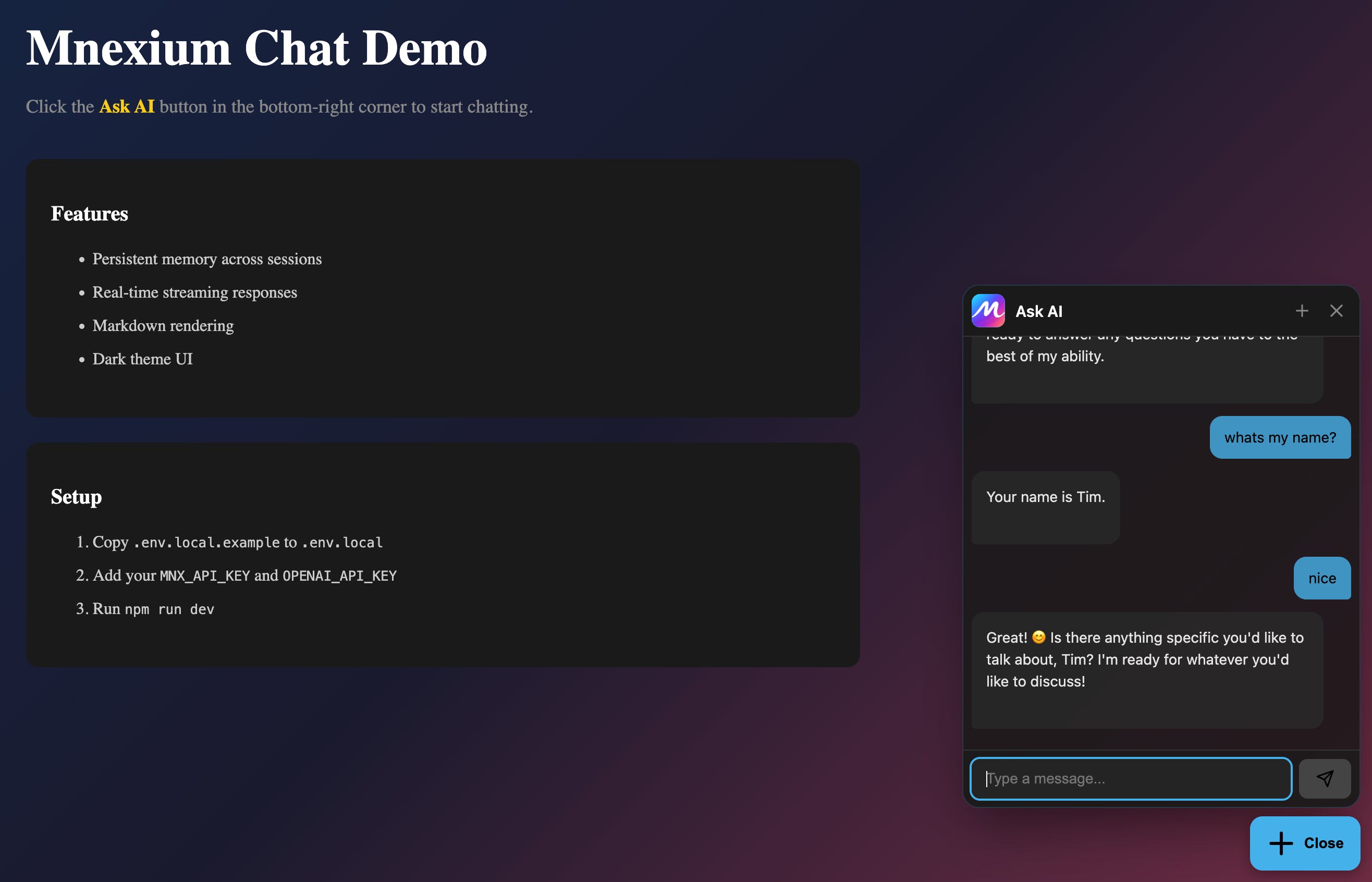
Floating widget with modern glass design
Real-time streaming responses
Markdown rendering
Dark/light themes + custom colors + logo
Multi-provider support (OpenAI, Anthropic, Gemini)
Persistent memory across sessions
Why Mnexium?
The widget is powered by Mnexium, which gives your AI:
🧠 Memory across conversations
📚 Automatic learning from users
🎯 Personalization over time
You get a smarter assistant without building memory infrastructure.
@mnexium/chat v2.0.0 is live on npm.
One package. Any framework. Instant AI chat.
Replies
The part that stands out most isn’t the UI (though the widget looks solid), it’s persistent memory without teams having to build their own infra. That’s usually where “just add AI chat” projects quietly die or turn into long-term maintenance debt.
I also like that you’re not forcing a framework opinion — React, plain HTML, or headless is the right call if this is meant to be dropped into real products, not demos.
Curious how teams are thinking about memory boundaries here (per user vs per org vs per page). That’s usually the next hard question once people ship something like this.