Launched this week

Agent Activity
See what your AI agents do behind
42 followers
See what your AI agents do behind
42 followers
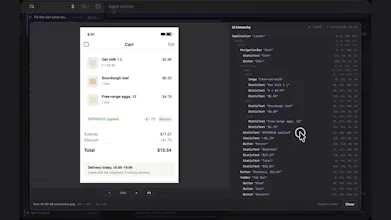
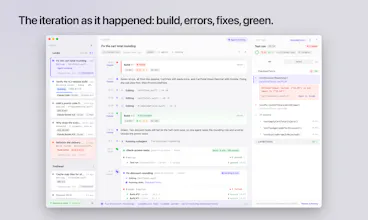
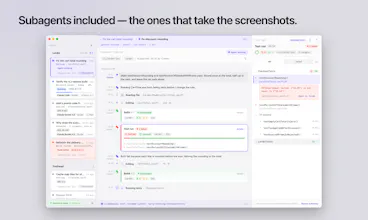
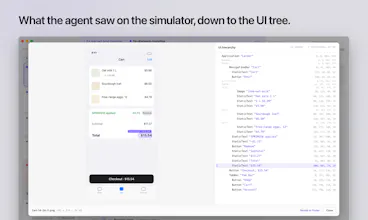
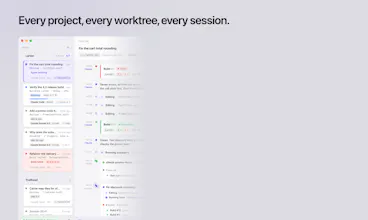
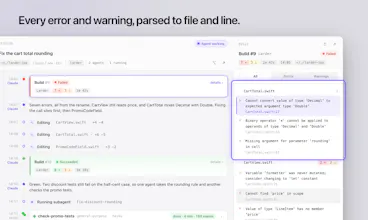
See what your AI coding agents are doing behind the scene: every session, build, test run and screenshot, live and per agent. Reads what Claude Code and Xcode leave on disk, all on your Mac — usage and crash data only after you say yes. macOS 26 + Xcode 27.


saw a forum post this morning making the case that this whole category - Cubicle, Singularity, bmux, this one - is a symptom, not a product, because agents fail quietly and a live view only catches it if someone's actually watching. your build/test/screenshot timeline is honest about that since it's just surfacing what's on disk, not claiming confidence or correctness. but that's also my question: when a test run shows green and a screenshot looks fine, does Agent Activity ever flag the result as suspicious on its own, or is the value entirely "the data exists now, go look at it yourself"? genuinely not sure which answer I'd prefer.
@galdayan Mostly the second. Agent Activity doesn't judge whether a green run or a screenshot is right. It shows what Xcode and the agent left on disk, and it keeps the history, so you can read a session afterwards instead of having to watch it live.
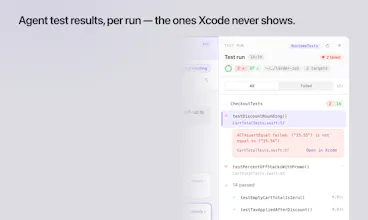
What it does is make a quiet green visible. The test run inspector shows passed, failed and skipped counts for each target. One I ran into myself: when an agent runs a parameterised test through Xcode's MCP by its function name, Xcode runs a single case and reports success. The agent says the tests passed; the run says 1 passed.
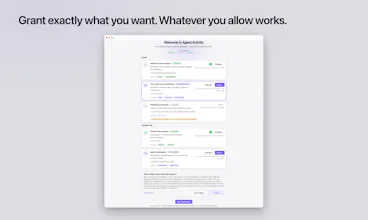
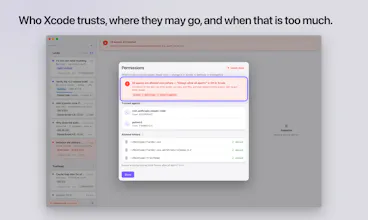
The one thing it flags on its own is permissions: a banner when Xcode is set to always allow all agents, and one when an agent works outside the folders you allowed.
I've kept verdicts out for now. A check that guesses wrong teaches you to ignore it, so I'd rather show the counts than a confidence score.