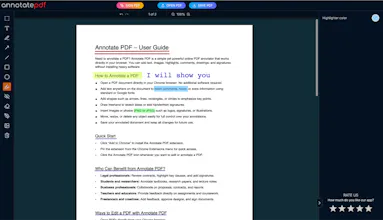
Annotate PDF is a fast, 100% client-side online PDF annotator. Edit and sign PDFs directly in your browser without uploading files to a server. Add text with Google Fonts, draw signatures, insert shapes, and use the whiteout tool for private PDF redaction. It’s a secure, free PDF editor that requires no installation. Perfect for students, lawyers, and researchers who value privacy and speed. Stop using bloated software—just select your file and start marking up.
Hi Product Hunt! 👋
I’m the developer behind Annotate PDF, and I built this tool because I was tired of the "PDF trap."
We’ve all been there: you need to sign a quick contract or highlight a research paper, but you’re forced to choose between heavyweight, expensive software or cloud tools that demand you upload your private documents to their servers.
I wanted an online PDF editor that felt like a "digital escape" something light, fast, and 100% private.Why Annotate PDF is different:
Privacy by Design: It's a completely client-side PDF annotator.
Your files never leave your machine; all the processing happens in your browser’s RAM.
No Friction:
No accounts, no "pro" paywalls, and no installation. Just a clean interface to edit PDF online for free.
Deep Toolset:
From custom signatures and shapes to secure PDF redaction (whiteout) and support for Google Fonts.
The Tech Journey:
Building this was a fun challenge. I combined PDF.js for rendering and pdf-lib for the final export. The biggest "war" was with the coordinate systems mapping web coordinates (top-left) to the PDF spec (bottom-left) required some intense matrix transformations, but the result is pixel-perfect markup every time.
I’d love to get your brutal feedback! What features are missing for your daily workflow? Are there any specific PDF tasks that still feel like a chore?
Check it out at annotatepdf.io and let me know what you think in the comments! 🚀
Report
No reviews yetBe the first to leave a review for Annotate PDF