
Launching today

Bluor AI
Beautiful emails, in seconds
89 followers
Beautiful emails, in seconds
89 followers
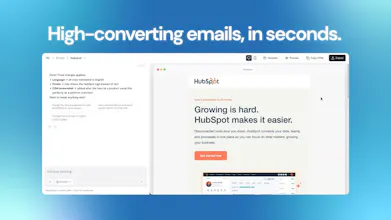
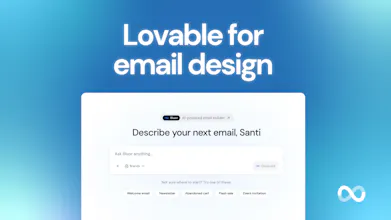
Bluor is the AI email designer that's actually good at design. Most tools give you blocks to rearrange. Bluor gives you a finished email (beautiful, responsive, on-brand) in under 60 seconds. Describe your email design and watch it come to life. The kind of result that used to take a designer hours now takes you one prompt. Stop wasting hours on email design.


Bluor AI
Bluor AI
Happy to share! You can try it free at bluor.ai
@santifarre How does it differ from @Migma AI or DreamLit AI?
Bluor AI
@rohanrecommends The core difference is design quality. Bluor is obsessed with the output looking genuinely stunning, not just functional. The emails it generates look like a senior designer built them.
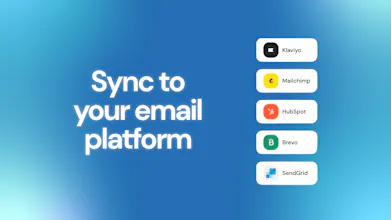
And we don't try to replace your ESP. You keep Klaviyo, Mailchimp, whatever you use (Bluor just handles the design step and pushes directly to it).
We're not an all-in-one platform. We're the best possible design layer for the stack you already have.
@santifarre That makes sense, thanks for helping me understand. :)
Good job on the new Bluor launch, @santifarre! Changing from drag-and-drop to prompt-based design is a good move. Email tools should have done this many years ago.
I visited your website. One thing caught my eye. Your homepage says: "Stop wasting hours on email design." Then it shows this example: [A welcome email for a new SaaS product launch.]
That is okay.
But the real power of your tool is not just speed. It is consistency.
You have a brand kit section. Users can upload their logo, colors, and fonts there. This makes emails match their brand without extra work.
Any AI can make an email. But not every AI can make an email that looks exactly like the brand. This brand kit is the big difference.
Right now, this feature is hidden. It is under the words [your brand in every email.]
A marketer who visits your page first sees the speed message. But what they really need is consistency for many emails.
Speed is just one feature. Brand consistency is the real value.
Also, your "works with your stack" part shows logos of Klaviyo, Mailchimp, HubSpot, Brevo, and SendGrid.
That is good. But it does not explain how the integration works.
Does it push with one click? Or do users still need to copy and paste HTML?
People want to know this to feel safe. I saw a few more small things that can make your message clearer. Happy to share if you want.
Bluor AI
@taimur_haider1 Thank you Taimur, this is genuinely useful feedback. You're right, brand consistency is probably the deeper value and we're burying it under the speed message. That's something we'll revisit.
On the integrations: it's one click. No HTML copy-pasting. You connect your ESP once and push directly from Bluor. We should make that clearer on the page.
Would love to hear the rest of your observations if you're happy to share 🙏
This is interesting. Email design is one of those things that always takes longer than it should, especially if you want it to actually look good.
Getting something usable in seconds is a big shift if the quality holds up.
How close are the outputs to being ready to send without tweaking? That’s usually the sticking point.
Bluor AI
@becky_gaskell That's exactly the question we obsessed over. Honestly the output quality is what we're most proud of. It's not functional-but-generic like most AI tools, it actually looks like a senior designer spent time on it. Most people send it as-is. Give it a try and let us know what you think 👉 bluor.ai
This is surely a pain point I've been experiencing. I even thought of building something like this, thanks for not making me go through that phase :) Looks super cool. Does this also handle weird email processing of older outlook versions and whatnot?
Bluor AI
@syaman Haha glad we saved you the trouble 😄 Yes, all emails are generated to be fully responsive and compatible across clients including the older Outlook versions that still haunt everyone's nightmares.
Give it a try at bluor.ai and let us know how it holds up for your use case (your feedback would be super valuable 🙏)
Wow! Looks great. Is the website is necessary or can I upload branding and general guidance?
Bluor AI
@yotam_dahan Both work perfectly! You can either drop your website URL and Bluor extracts your brand automatically, or upload your own assets directly (logo, colors, typography, design references...) Whatever works best for your workflow.
Bluor AI
Hey Product Hunt! I'm Samuel, the developer behind Bluor.
The hardest part wasn't the ESP integrations or the AI pipeline. It was making the output genuinely look good. Most AI email tools are functional but visually mediocre. We didn't ship until we solved that.
We'd love your feedback — what ESPs or integrations would you like to see next? We currently support Klaviyo and Mailchimp, with more on the way.
Happy to answer anything technical.