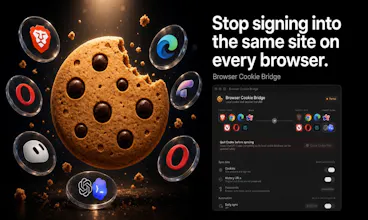
Sign in once on Brave or Chrome, then move that live session into another browser, ChatGPT Codex, or Cursor — locally on your Mac. Password managers save passwords. This moves the actual signed-in session. Local transfers never leave your machine. No cookie logs, no account, no remote relay. Also writes an encrypted Grok Bot file you attach yourself, or uploads to Browserless Cloud if you choose. Free, MIT licensed, macOS 13.5+.
No reviews yetBe the first to leave a review for Browser Cookie Bridge
Maker
📌
Hey Product Hunt — I’m Apoorv.
I got tired of signing into the same 10 sites in Brave, then again in Chrome, then again inside Codex and Cursor. Password managers don’t move live sessions. Those embedded browsers don’t give you a real import button.
I built Browser Cookie Bridge for that. Pick a source, pick a destination, sync. Local transfers stay on the Mac. That’s the difference vs cookie-export files and cloud “session sync” tools: nothing is uploaded unless you explicitly choose Browserless.
Today you can:
• Move signed-in sessions between Brave, Chrome, Edge, Arc, Vivaldi, Opera, and Comet
• Import into ChatGPT Codex or Cursor’s built-in browser
• Write a one-time encrypted Grok Bot file you attach yourself
It’s free and open source. Homebrew, DMG, or npm. Windows waitlist is open.
Curious: which session would you move first — a normal browser, Codex, Cursor, or Grok Bot?