
Launched this week

CapyCursor
Cursor highlight, screen draw, zoom & spotlight
52 followers
Cursor highlight, screen draw, zoom & spotlight
52 followers
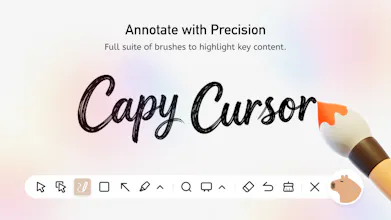
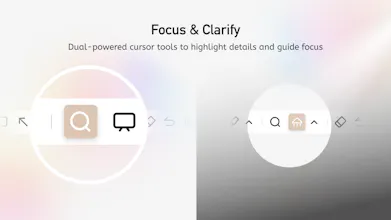
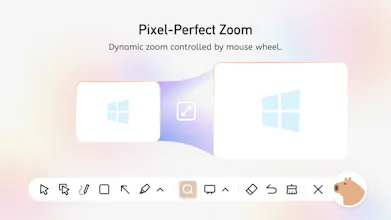
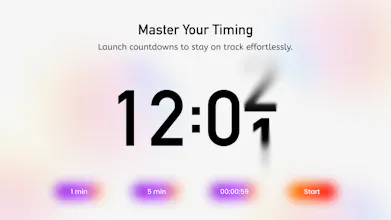
CapyCursor is a lightweight Windows tool that makes on-screen presentations clearer and more engaging. Teachers, YouTubers, and meeting presenters can use it to highlight the cursor, draw directly on the screen, spotlight specific areas, zoom in on details, and switch to a blank whiteboard — all with a single hotkey. Works system-wide alongside Zoom, Google Meet, PowerPoint, or any browser. No setup complexity, no performance lag. Ideal for online teaching, tutorial recording, and live demos.




IT is so refreshing to see new products that dont involve AI and are actually useful for our day to day.
I downloaded capy cursor and loved how easy it is to install, how little time it takes and also how user friendly it is.
I think is great that you have options for free features which are very useful for presentations.
My only feedback is that i honestly was expecting an actual cursor with the shape of a capybara. That would be amazing!
The ability to draw directly on screen is super useful. Can you detail the drawing tools?
@elena_nimchenko The screen drawing tool in Capycursor lets you draw, annotate, and highlight directly on your screen at any time. You can use a freehand pen to write or sketch, add arrows and shapes to point out key content, and switch colors and brush sizes easily. All drawing works through quick hotkeys, so you can start or stop annotating without interrupting your presentation or workflow. The tool runs locally on your device and doesn’t rely on an internet connection, ensuring stable and smooth performance whenever you need it.