Hey PH
I'm Saksham, co-founder of Cardboard (Y Combinator).
We're going live today and wanted to kick off a conversation before we're live.
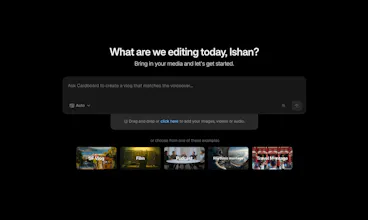
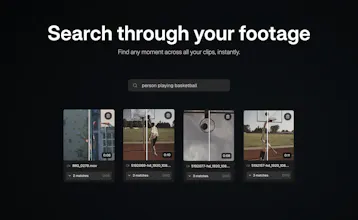
Cardboard is the Cursor for video editing, describe the edit, it executes. Runs in your browser, supports live collaboration, and lets you search footage by what's in it.






Trufflow
One of my biggest challenges with AI editing software is that the clips end up feeling disjointed and lacks the "smooth" narrative that I'm going for. Are there ways to enter into a "plan" mode so that I can specify the style of video that I'm editing for?
Cardboard
@lienchueh Great question! We don't have a dedicated plan mode right now, but the way we built the agent kind of addresses this. Wherever it's uncertain about something, instead of self-guessing, it just asks you. So the narrative stays in your control throughout.
You can also just ask it to draft a rough script or outline before you start cutting.
Curious, would a plan mode be more about setting a style upfront, or is a storyboarding experience closer to what you have in mind?
Koyal
Cardboard
@agarwalml
Browser enables us to build a collaborative, accessible, and agent-first experience which won't be possible with desktop apps.
How does Cardboard determine "good taste" in editing decisions, and to what extent can users override or customize its creative choices?
Cardboard
@mordrag
Good taste is subjective, whenever it is not sure, it'll ask you questions.
When the agent is done - you can manipulate anything you want in a traditional timeline that's much easier to use.
Hence you can override by manually adjusting things and customise by answering the questions
Great product! How does it handle longer recordings like customer calls or screen recordings where the "good parts" are buried? Does it let you describe what you're looking for semantically, or is it more keyword-based?
Cardboard
@zigapotoc Yep! You can go either way. Describe what you're looking for semantically, or search for that one specific keyword you mentioned in a webinar. Both work great.
But honestly, the best way is to just ask the agent to find the highlights. It'll figure out the sequences with the aha moments, the hooks, all of it. Would love for you to try it out!
this looks incredibly exciting, congrats on the launch. does it resync the timeline if we change the music later? that’s honestly my biggest pain point in editing videos.
Cardboard
@gourish_narang
yes, just ask it "hey i just changed the music to @mentionthetrackhere - can you resync the timeline?"
"Cursor for video editing" — okay you have my attention. As someone who uses Cursor daily for coding, the idea of an AI that actually understands what's in my footage and makes editing decisions for me sounds incredible. I've been wanting to make short demo videos for my apps but always gave up at the editing stage because it takes forever. If this can take raw screen recordings and turn them into polished product demos, I'm sold. Is that a use case you support, or is it more focused on podcast/talking-head content?
Cardboard
@sparkuu
Yes, in fact this is a use case that has got good traction as well. We can do product demos with zoom-ins / transitions / captions / etc.
Dodo Payments
Love the product!
What specific part of the 'steep learning curve' have you solved with Cardboard?
Cardboard
Traditional video editors force you to learn the timeline, keyframes, layers, color correction, audio mixing, export settings... and each skill takes weeks to get decent at. With Cardboard, you can skip that 'steep learning curve'
Dodo Payments
@saksham_aggarwal7 Impressive