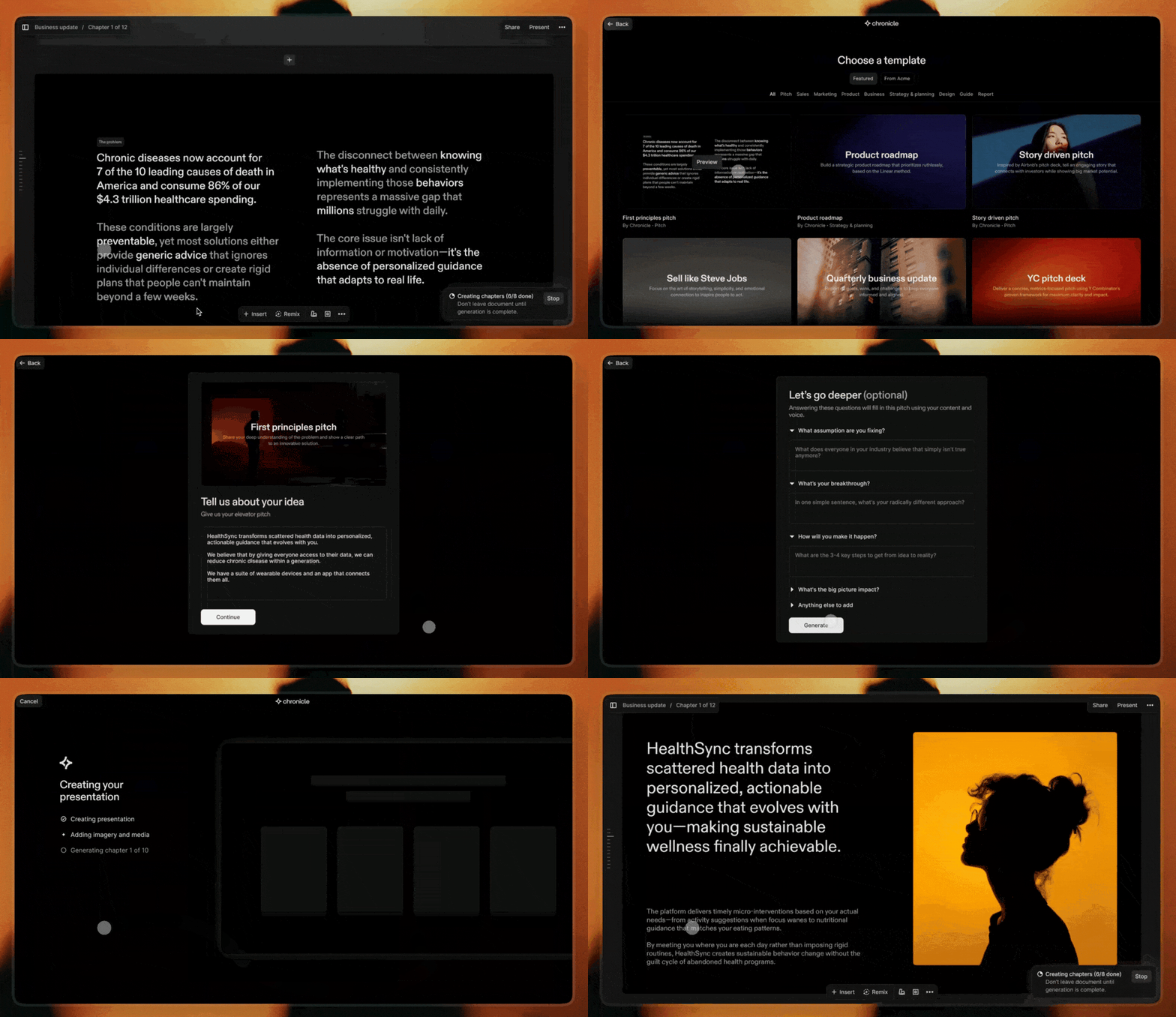
Chronicle combines AI generation with powerful editing to create stunning presentations. Start from a prompt, notes, or raw idea and generate beautiful, on-brand slides in minutes. Edit with full control and export to PPT, PDF, or any format. No design skills required.
The community submitted 17 reviews to tell
us what they like about Chronicle, what Chronicle can do better, and
more.
4.5
Based on 17 reviews
Review Chronicle?
Reviews praise Chronicle’s speed, clean flow, and collaboration, with many saying it turns rough notes into coherent, professional decks in minutes. Makers of
highlight fast, structured slide creation without fussy formatting, reinforcing strengths in AI-assisted narrative and layout. Users love tasteful design, templates, and team features, and report wins in pitching and internal alignment. Common asks: better exports (Keynote/PDF), image generation, auto-layout polish, looser sharing requirements. Some report glitches and weak mobile performance, plus occasional failures on structured tasks like SWOT.
Tried this AI tool for creating slide decks and it seriously delivered. In under 2 minutes, it built a clean, well-structured presentation with a professional look. I just gave it the topic and audience. No boring templates or clunky formatting — each slide had clear copy and logical flow.
Chronicle has basically elevated how I present anything to my product team. My previous workflow of creating a presentation from a product document now takes 1-10th of the time as I can just add the content to the prompt and watch it create a visually striking presentation. Can't see myself going back to slides ever again.
What's great
fast presentation creation (3)visual presentation (2)
Great Design and good summarisation of the data I gave. But I see that product seems to have trouble generating good images. when I tried the topic was well summarised but with no images. But great product ! Looking forward to better version.
Where other products have tried to increment on slides Chronicle has created a new category. Very powerful at turning a bullet point narrative into a story you can tell with high cut through and impact. Well done on launching such a strong v1 product.
Just tried Chronicle — and it’s a total game changer for anyone who needs to turn messy thoughts into structured, compelling presentations.
What sets it apart is not just the AI — it's how tastefully that AI is applied. From thoughtfully designed templates to collaborative workflows, Chronicle doesn't just automate content creation, it elevates it. Feels less like using a tool, and more like working with a creative partner who gets your intent.
For founders, marketers, or anyone who pitches ideas for a living — this might just become your new secret weapon. 💡✨
What's great
collaborative features (2)template availability (3)AI workflows (4)
I just started trying out Chronicle, and I'm already super impressed by what it offers. For me something that really stood out is the story. I love that this tool has been built with so much care by people who enjoy storytelling.
In our team, we use Canva Pro to make presentations and one of the main reasons for us to use it - is the access to so many beautiful templates that we can build on top of. In addition to that, there is access to lot of illustrations and graphics that we can just pick from.
But I always felt the layout aspect and the ease of storytelling missing, which you guys are doing so well. Eg: I can't even run the slides bullet point by bullet point on Canva. For that, I have to duplicate the slides.
Will you be able to give us templates on Chronicle? I couldn't find any so far. Especially since Mayuresh is a pro at presentations, if you templatise some of his presentations and let us re-use them, it will be super valuable!
Thanks a lot @gayathri_meka1 We are working on some curated templates made by experts right now. It is coming to the product very soon. Here is a sneak peek:
Chronicle has been making it so fast for me to create short, sharp and beautiful pitch decks to explain new products and get alignment with my team. No more playing around in Google Slides, crying while I try to use PowerPoint or getting lost in the back hole that is my MIRO boards. Thanks Chronicle!
Used this twice and already won two deals for my business. An incredible and transformative change in experience for pitching prospects. Im not sure what "cursor for slides" means but honestly for me it was a "turn your slides into a Christopher Nolan movie" (at least that's how my prospects felt when they gave me the immediate sign off).
I'd call this the future, but to be honest, feel like this is the standard for winning business. Can't wait to implement it internally in my team.
Just wish this came sooner so it would've saved me from having 100 tabs of Pitch and beautiful.ai tabs opened scouring for templates and stitching good design from scratch
The details which the team have added to improve the user experience is mind blowing. The URL embedding and deep hover mode are definitely a stand-out. Cheers to the team!
It took me less than 3 minutes to create a presentation and change layout. It was quite easy to find the layout I want and change the text with the help of AI. A must try product 🙌. One feature request: I need to generate images with AI as well and directly to the layout.
What's great
ease of use (1)fast presentation creation (3)AI workflows (4)
Chronicle makes building beautiful, professional presentations effortless. The AI templates save time, and the team features are perfect for collaboration. It's a must-have for anyone creating slides regularly!
What's great
collaborative features (2)template availability (3)design quality (5)
Chronicle
Thank you Sam, it means so much to us to build alongside users like yourself!