
Cipherly
Encrypt, disguise and hide messages — 100% offline
21 followers
Encrypt, disguise and hide messages — 100% offline
21 followers
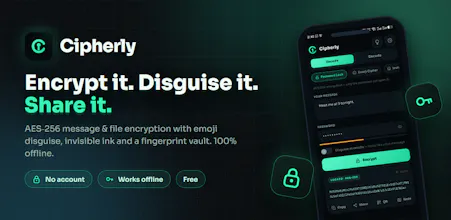
Cipherly locks messages and files with AES-256, disguises them as innocent emojis, or hides them inside a normal sentence with invisible ink. Paste anything and it auto-detects what it is. Notes live in a fingerprint-locked vault. Everything runs on your phone — no account, no cloud, no tracking. Works fully offline. Free.


Dial
fully offline + fingerprint-locked vault is the right tradeoff for this category, most "secure notes" apps quietly want an account and a cloud sync which defeats half the point. the emoji/invisible-ink disguise is a fun touch too, curious if that's just steganography on the display layer or if the disguised output is actually safe to paste into places that strip unicode/formatting
@omri_ben_shoham1 Appreciate that — the no-account thing was the whole reason I built it. It bugged me that every "private notes" app quietly wants a login and cloud sync before it'll lock a single note.
On the disguise: it's actual steganography in the string, not a display-layer trick — the data lives in the real characters, so it travels with copy-paste. But you're asking exactly the right thing. Invisible-ink mode uses zero-width unicode, so yeah, anywhere that strips or normalizes unicode will kill it — I'd keep that one to plain-text spots (WhatsApp, Telegram, notes, email body).
The emoji cipher holds up better there, since those are visible emoji characters that survive basically anywhere emoji works. And if you want something that pastes clean literally everywhere, the plain AES password-lock output is just text — no fancy unicode to strip. Kind of different tools for different destinations.
Dial
@muhammadnazim thanks for the detailed breakdown, that makes sense. one more thing on the emoji cipher specifically - since some platforms normalize or strip variation selectors and skin tone modifiers on emoji, does the cipher only rely on base emoji characters to stay safe, or does it lean on those modifier codepoints too and just accept that a handful of platforms might mangle it
@omri_ben_shoham1 Yeah, totally fair concern — but no worries there. It sticks to plain base emoji only, no skin tones or variation selectors in the mix, so it copy-pastes cleanly across whatever platform you throw it at. Haven't run into mangling in testing.
Appreciate you digging into the details — hit me up anytime if you've got more questions.Appreciate you digging into the details — hit me up anytime if you've got more questions.
how well does the invisible ink method hold up if someone just selects all and copies the text?
@nehir240588 Yeah, you've basically nailed it. The invisible ink is real characters baked into the sentence, so a select-all + copy carries the hidden part with it — that's on purpose, it's what lets it survive a paste into WhatsApp or wherever.
But grabbing the text isn't the same as reading it. To them it just looks like a normal sentence, nothing's off — they'd have to actually suspect something's hidden and run it back through a decoder to even see it. And if you set a password, whatever they pull out is still encrypted, so it's junk without it.
So I treat the disguise as "hide that a secret exists" and the password as the real lock. Anything sensitive, use both — or just go full AES password mode and skip the disguise. It's stego, not magic though: someone already suspicious can spot zero-width chars, and a few apps strip them on paste. Built for everyday privacy, not to beat a forensics lab.
Dial
@Muhammad Nazim good to know, plain base emoji is the right call then - way more durable. and the no-account thing is honestly the main reason I'd pick this over a normal notes app for anything sensitive, one less place for the data to leak from. nice work on this.