Launched this week

Codiclens
Local AI powerd Mac launcher and file finder
29 followers
Local AI powerd Mac launcher and file finder
29 followers
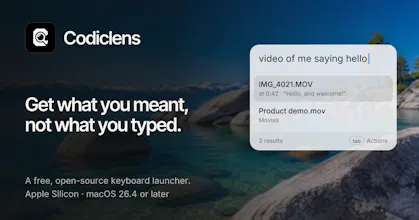
Describe what you want and Codiclens finds it: an app, a file or something you copied, by what's in it, not just its name. A free, open-source launcher that runs on your Mac. 100% local.



Launch Team / Built With


Render Sandboxes: a computer for every agentRun untrusted code safely. Idle sandboxes cost nothing
Promoted


I built Codiclens because I kept losing files I knew I had.
I'd remember what was in them, but not what I'd called them, and Spotlight only knows names...
So Codiclens searches by meaning.
Type "video of me saying hello" and it finds the video and opens it at the moment you say it.
It works for PDFs, screenshots, voice memos and videos, and it all runs on your Mac. Nothing leaves it.
It also comes with what every launcher should: clipboard history, emoji by name, and opening applications the usual way.
It's free and open source. I'd love to hear what you search for and what it misses.
ugh I HATE IT WHEN I CANT FIND MY FILES!!! especially when I know I need to attach a specific something, but Finder for somewhat reason doesn’t search for the name I need. I never rename my screenshots and videos, so Codiclens is gonna be a lifechanger for me!! Thank you and happy launch 🤍
I’d try this on screenshots first. Those filenames usually tell me absolutely nothing..
@marianna_tymchuk Exactly! Nobody can remember that Screenshot 2025-01-07 at 10.04.53.png was an image of a cat.
Searching by what's in a file instead of its filename is exactly the pain — my screenshots all have useless names, so describing one to find it would save me a lot of digging. The 100% local part is what sells it for me. Does it search voice memos by transcript, or by the audio itself?
Jumping straight to the relevant moment in a video is a useful detail. A search result is much easier to check when it takes you back to the source rather than stopping at a summary.