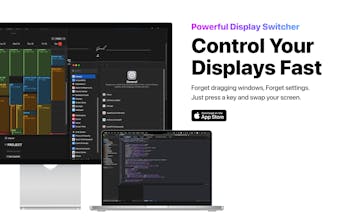
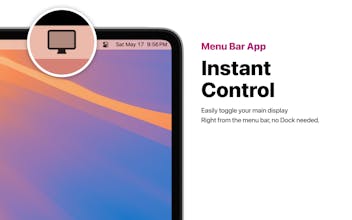
DisplayGo lets macOS users instantly swap their main display using a single shortcut key. Perfect for dual-monitor setups — no more dragging windows or fiddling with settings.
When using a dual-monitor setup on my Mac — one for main work and the other for AI chatbots or messengers — I often found it inconvenient to keep turning my head to switch focus.
I wanted a tool that would let me swap the actual content of the screens with a single shortcut, so I could stay focused in the same direction without physically moving.
That’s why I built DisplayGo.
Report
Awesome tool! Could you please add a direction switch option—like left-to-right or right-to-left—for display arrangement, especially when connected to an iPad with a Mac for mouse and keyboard sharing?
Report
Simple idea, powerful impact. DisplayGo solves a real daily friction for macOS users with dual monitors. Love how seamless and intuitive it is — one shortcut, instant results.
Report
DisplayGo is a fantastic tool for macOS users with dual-monitor setups! With just a single shortcut key, it allows you to instantly swap your main display, saving you from dragging windows or adjusting settings. I’m excited to see how it simplifies multitasking and boosts productivity by making display management seamless and quick!
This is such a handy tool for anyone rocking a dual-monitor setup! 🙌 Instantly switching main displays with just a shortcut key is a real time-saver—no more dragging windows around or digging through system preferences. Super excited to give DisplayGo a try! 🚀 Thanks for making multi-display life so much easier! 👏🖥️✨
💻 DisplayGo – One shortcut to control your dual monitors
I use DisplayGo every day along with ShareGo.
Whenever I plug in my monitor, macOS messes up the layout — and DisplayGo fixes it instantly with just one shortcut.
It’s so much faster than fiddling with System Settings every time.
Honestly, I can’t go back.
🚀 Displaygo is a game-changer for anyone using dual monitors.
With just one shortcut, I can instantly swap or control my screens — no more fiddling with settings!
Super lightweight, fast, and just works. Huge time-saver for my daily workflow.
Highly recommend for Mac users with multiple displays 💻🖥️
What's great
fast performance (1)lightweight (1)time-saving (1)dual monitor support (1)single shortcut key (1)
If you’re constantly switching between tasks and windows, this is the ultimate tool to ease that fatigue. Make multitasking smoother than ever — don’t miss out, download now!




Displaygo
Simple idea, powerful impact. DisplayGo solves a real daily friction for macOS users with dual monitors. Love how seamless and intuitive it is — one shortcut, instant results.
DisplayGo is a fantastic tool for macOS users with dual-monitor setups! With just a single shortcut key, it allows you to instantly swap your main display, saving you from dragging windows or adjusting settings. I’m excited to see how it simplifies multitasking and boosts productivity by making display management seamless and quick!
Pokecut
This is such a handy tool for anyone rocking a dual-monitor setup! 🙌 Instantly switching main displays with just a shortcut key is a real time-saver—no more dragging windows around or digging through system preferences. Super excited to give DisplayGo a try! 🚀 Thanks for making multi-display life so much easier! 👏🖥️✨