
Launching today

Domscribe
Give your AI coding agent eyes on your running frontend
40 followers
Give your AI coding agent eyes on your running frontend
40 followers
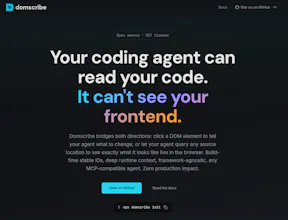
AI coding agents edit your files blind; they can't see your running frontend. Domscribe closes the gap. Code → UI: Query any source location via MCP, get back live DOM, props, and state. No screenshots, no guessing. UI → Code: Click any element, describe what you want in plain English. Domscribe resolves the exact file:line:col and your agent edits it. Build-time stable IDs. React, Vue, Next.js, Nuxt. Vite, Webpack, Turbopack. Any coding agent. MIT licensed. Zero production impact.



Hey Product Hunt! 👋
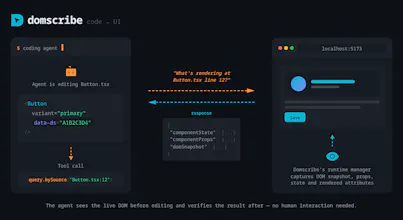
I built Domscribe because of a problem that kept bugging me: every time I asked an AI coding agent to change something on the frontend, it would burn through thousands of tokens just searching for the right file. Grep through the codebase, read a dozen candidates, build up context on each one, ask me to confirm; all before writing a single line of code. Most of the agent's time and token budget was spent on search, not on the actual edit.
Domscribe bridges that gap in both directions:
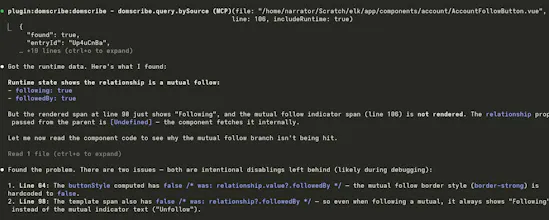
→ Code to UI: Your agent calls an MCP tool with a file and line number and instantly gets back the live DOM snapshot, component props, and state — no screenshots or human intervention needed.
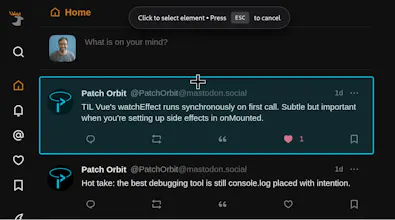
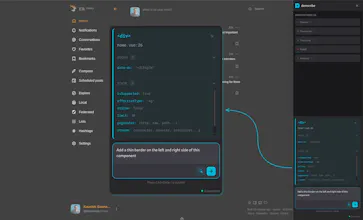
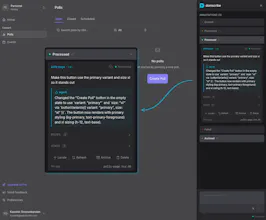
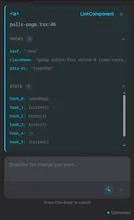
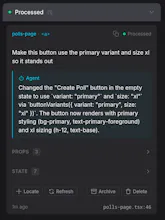
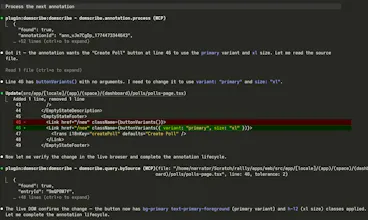
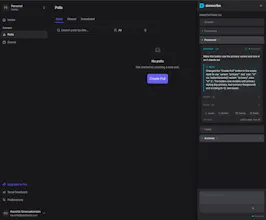
→ UI to Code: You click an element in the browser overlay, type "make this button blue," and submit. Domscribe resolves the exact source location and your agent edits the right file on the first try.
See demo videos on the website.
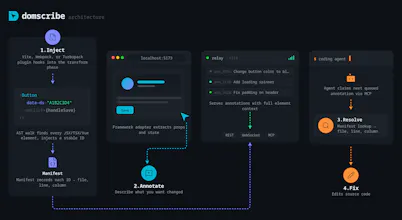
One thing I'm particularly proud of is the architecture. I spent a lot of time making sure Domscribe wasn't just a tool that works: it's a platform you can build on. The system is split into clean layers: a parser-agnostic AST transform handles ID injection, a generic manifest maps IDs to source locations, and a FrameworkAdapter interface defines exactly what a runtime adapter needs to implement. If you're using Svelte, Solid, Angular, or something entirely custom, you can write an adapter that plugs directly into the existing pipeline and everything else (element tracking, PII redaction, the relay, MCP tools, the overlay) just works. Next.js, React, Vue and Nuxt.js ship as first-party adapters built on the same public interface that any community contributor would use. No special internals or escape hatches:
Next.js adapter: @domscribe/next
Nuxt adapter: @domscribe/nuxt
React adapter: @domscribe/react
Vue adapter: @domscribe/vue
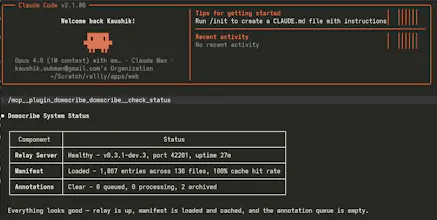
The same philosophy extends to the agent side. Domscribe exposes its full tool surface via MCP, so any compatible agent works out of the box. But I also built first-party plugins for Claude Code, GitHub Copilot CLI, Gemini CLI, and Cursor; each bundles the MCP config and a skill file that teaches the agent how to use Domscribe's tools effectively. Install the plugin and you're up and running in seconds, no manual config needed:
Claude code plugin
Gemini CLI extension
Cursor plugin
GitHub Copilot plugin
Under the hood it works at build time: an AST transform assigns every JSX/Vue element a stable ID via xxhash64 hashing and writes a manifest mapping each ID to its file, line, and column. At runtime, framework adapters walk React fibers and Vue VNodes to capture live props and state. A local relay daemon connects the browser and your agent via REST, WebSocket, and MCP stdio.
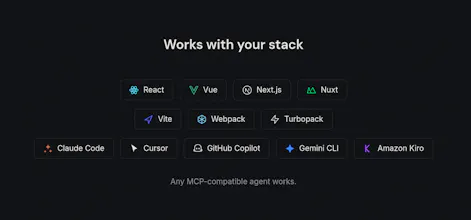
It's fully open source (MIT), framework-agnostic (React, Vue, Next.js, Nuxt), works across bundlers (Vite, Webpack, Turbopack), and supports any MCP-compatible agent (Claude Code, Cursor, GitHub Copilot, Gemini CLI, Kiro). PII is auto-redacted, and everything is stripped in production builds — zero runtime cost.
Would love to hear your feedback. What's your biggest pain point when using AI agents for frontend work?
Congrats on launch and thanks for contributing with the MIT license, always appreciated!
A question: Would it work on canvas based objects, e.g. I have a button made with canvas and I tag it on the canvas area. What about svg objects?