Iconize Folder is a tool that lets you easily customize folder colors, icons, and text to enhance visual appeal and improve file management efficiency.
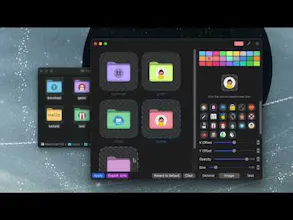
Iconize Folder is a macOS tool that helps you visually organize your workspace by customizing folder colors, adding over 5000+ icons, and even inserting text labels. It’s designed to bring clarity and personality to your file system.
Here’s what’s new and exciting:
🎨 Customize folder colors with vibrant presets or your own palette
🔠 Add symbol icons, text, or even image icons to any folder
🧊 Adjust icon size and transparency for a better visual balance
📂 Quickly import folder paths into the Dock
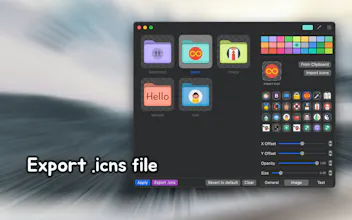
🧳 Export your customized icons as .icns for reuse
Whether you’re a designer, developer, or just love a clean desktop — this tool helps make your folders functional and beautiful.
We’d love to hear what you think or what features you’d want next — feel free to drop a comment or question below! 🙌
Report
Simple but super useful tweak for staying organized 🎨🗂️ Love how a bit of visual flair can boost workflow 💡👌
Report
Amazing work - excited to see where you take this next! 🙌




RightMenu Master
Simple but super useful tweak for staying organized 🎨🗂️ Love how a bit of visual flair can boost workflow 💡👌
Amazing work - excited to see where you take this next! 🙌
RightMenu Master
@ha_anh_nguyen Thanks for the support! Feel free to share any ideas or suggestions!