
Build custom business apps such as internal tools or client portals incredibly fast and without code. Use drag-and-drop UI components to assemble complex multi-page apps on top of any data source.
This is the 3rd launch from Jet Admin. View more
Jet AI Agents
Launched this week
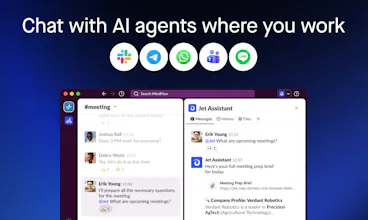
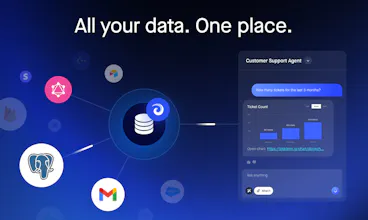
Jet AI Agents is the AI builder that lets teams create business apps and AI agents on top of 200+ tools — without code. Work with agents like teammates directly in Slack, WhatsApp, or Telegram.
Marketing, sales, operations, and support teams use Jet to build AI agents, AI workflows, and apps that don’t just display data — they take action.
Teams use Jet to automate the workflows that matter most.
AI agents your team will trust — because they built them themselves.




Free Options
Launch Team / Built With


genuinely curious where the 200 integrations thing breaks down in practice. Every tool says that and then you find out your specific tool is the one that doesn't work. what are the gaps rn?
Jet Admin
@ahmadhajj thanks for question! I believe every service with so many integrations would be missing some tools/parameters/etc. So it is a matter of how fast companies can improve their integrations or provide workarounds. We do both - we are actively improving our integrations (within days thanks to AI) when users ask and there is always Custom HTTP support where you can integrate any API using no-code or AI assistant
Jet Admin
@jenson_chow1 thanks for your feedback and question! After sign up you will see 2-5 steps onboarding which literally takes minutes:
select optional features (integration tools, image generation knowledge base, automations, etc.)
connect integrations your are interested in (usually clicking Sign In + authorizing account access)
(optional) uploading files to knowledge base
(optional) specifying tasks you want to execute periodically or on a schedule
(optional) connect your Slack/Telegram/etc. channel
Agent is ready to use, you can start messaging with it
Then you can continue with other features you might need (setting permission, connecting databases, sharing with team, deploy self-hosted, etc.)
how it is diffrent from n8n not able to get it
Jet Admin
@ashutosh_pandey28 thanks for question! the main difference is learning curve, you need literally minutes to start using it. and UX is suitable for any person, while n8n to mainly for tech
WUPHF by Nex.ai
The knowledge ingestion piece is interesting. When you bring in docs from drives and websites, how does the system handle freshness? Is it a one-time import or does it stay in sync with the source? That feels like the part that makes or breaks trust in agent answers over time.
Jet Admin
@najmuzzaman thanks for question! for Google Drive and Websites you specify sync interval in minutes, for static files it is one-time import.
UXPin Merge
This feels like a solid alternative to stitching together multiple tools. Especially for things like admin panels and client portals. How do you see this fitting into more engineering-heavy stacks?
Jet Admin
@uxpinjack thanks for question! right, we believe that combining different products inside one platform could give new oportunities. For example, on our platform you can even build internal tools / client portals that will use agents to display data or execute workflows, but we are not focusing on this use-case in this PH launch. As for extensibility - we always focus on providing ways to integrate Agents/Apps/Workflows into other environments by providing APIs, custom code embedding or embedding our Apps inside others.
As a founder, I’m tired of asking my engineers to build simple internal automations. If I can connect our BigQuery data to a Slack agent without a ticket, it changes our speed entirely. Grabbing the PH exclusive now to test this out. @f1nal @Jet Admin
Jet Admin
@vikramp7470 thanks a lot for your feedback! feel free to ask any questions