An iOS 26 app to journal on the go. Transcribe long sessions with optional AI features like journaling prompts with context, summaries and more. Include attachments like images, video, and moods. Control the app by voice, for new prompts or ending a session.
Hi y'all. I made this app because I’ve wanted to journal, but found it hard to fit it into my schedule.
What I do often make time for is walks and chores. Before I just listened to podcasts, but now, I also take 5 or so minutes just to think out loud about the day and what’s going on.
All the transcription is on device, using new iOS 26 APIs, but your device doesn’t need to support Apple Intelligence, just iOS 26.
And it has journal prompts built in that is spoken aloud by on-device text-to-speech with dozens of system voices (and you can download more). The prompts can be made by AI, using the current journal entry context, or be from our 150 hardcoded prompts in areas like, daily logging, emotional logging, or creative writing.
And during your session, you can say “Next prompt” to get another prompt/follow up question. And you can end the session by saying “Stop session.” And you can change those phrases (for more prompts or stopping the session) to whatever you want.
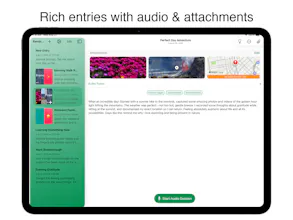
The app also has a ton of attachments you can add:
* Photos
* Videos
* Audio clips you record (sounds in your environment, tunes you thought of, etc)
* Locations
* And moods.
I also integrated the iOS Journal API, which means you can pick memories and activities that have happened on your phone recently :pictures you took, workouts you did, places you visited, podcast you listened to and more.
(That part preserves privacy by design, because we can’t import those for you hands free, you have to bring up the journal suggestion picker yourself, which is how it should be).
I have a bunch of AI features but all of them can be disabled to keep things completely private:
* Automatically generate bullet points summarizing your ramble.
* Automatically generate a title for your entry.
* Automatically detect the mood of an entry.
(You can also edit the bullet point summary to be whatever you like).
The text itself also supports rich text, so you want change the size, color, and more. Which is also part of iOS 26.
What’s more is that you can also export your entries individually or in bulk if you want to get them out of the app and over to something else, including all of the attachments.
I’ve made the app feature rich and I have really fun plans to set it apart from the native journaling app, but for now, the hands free part has finally gotten me journaling consistently.
Planning on launching Tuesday (or as soon as the app is approved and I can release it).
The app has a $2.99 monthly subscription, $19.99 yearly subscription, and also a reasonably priced lifetime pay-once price of $39.99.
I hope you enjoy!
Report
No reviews yetBe the first to leave a review for Journal, Diary: Rambler



3D Scanner: Sapling