
Launching today

LocalPDF.io
Process your legal/medical/financial documents locally
36 followers
Process your legal/medical/financial documents locally
36 followers
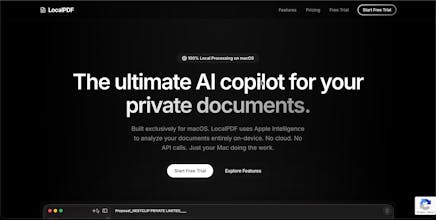
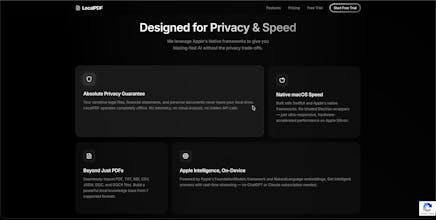
Processing sensitive data shouldn't mean compromising privacy. With cloud AI platforms raising trust concerns and compliance hurdles, privacy-centric firms need complete control. LocalPDF lets you analyze legal, medical, and financial documents 100% locally on your device. Zero data leaves your machine, ensuring enterprise-grade security compliance without relying on OpenAI, Gemini or Anthropic.


LocalPDF.io
@Y Combinator @aaron_epstein I am launching LocalPDF.io can you please checkout,
Thanks.
LocalPDF.io
Product Hunt
LocalPDF.io
Hey@curiouskitty Here is exactly what we built and where it still breaks:
How we made extraction reliable:
Scanned & Messy Layouts: We try native extraction first. If the file is scanned, or if our app detects the layout is mangled (e.g., averaging >300 chars per line), it automatically falls back to Apple's Vision AI. It renders the page at 2x scale and reads the text visually.
Mixed File Types: We don't force everything into a PDF parser. We built dedicated native extractors for different formats (.docx, .md, .csv, etc.) before passing them to the AI pipeline.
Safe Indexing (Chunking): We don't chop text blindly at a character limit. Our chunking algorithm actively searches backward to split only at natural paragraph (\n\n) or sentence (. ) breaks, with overlapping text so context is never lost.
Our honest failure modes:
Multi-Column Layouts: Our OCR currently sorts text strictly by the Y-axis (top-to-bottom). So on a 2-column academic paper, it mistakenly reads straight across the page (left-to-right), which jumbles the text.
Tables: We extract the text, but the grid structure gets completely flattened to plain text. If you ask the AI to "compare row 3 and 4," it struggles to understand the spatial formatting.
We are actively working on a layout-aware X/Y sorting update to fix columns and tables!