
Launching today

Masko Code
A mascot that watches Claude Code for you
199 followers
A mascot that watches Claude Code for you
199 followers
You run Claude Code agents. You alt-tab 50 times a day to approve permissions. You lose your place. You miss prompts. Masko Code puts a mascot on your desktop that watches your agents in real time. Permission needed? Speech bubble. Press ⌘1. Done. Also: ⌘M jumps to the right terminal. Double-tap ⌘ to switch sessions. Tracks everything at a glance. Ships with Clippy and other mascots. Community adds new ones daily. Or generate your own at masko.ai. Free. Open source. MIT. 100% local.


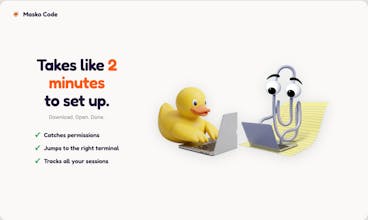
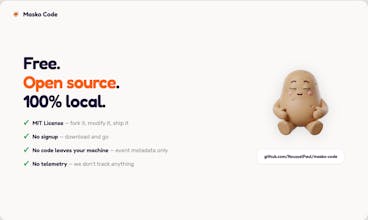
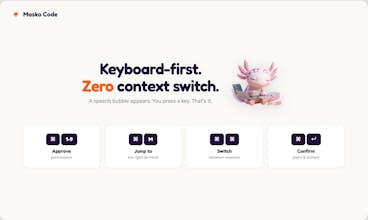


This is genuinely clever, @paulroussel. The ⌘1 to approve permissions without leaving your editor.... that one detail alone saves so much broken focus.
And the interrupt detection (knowing when you stopped Claude mid-task), most tools ignore that completely. So that's the kind of thing only someone who actually runs agents all day would think to build.
Free + MIT + 100% local is the right move too. Congrats on the launch, man.
@taimur_haider1 Thanks Taimur! This is that, the interrupt detection came from running agents all day and realizing I needed to know when something stopped without checking every tab. Appreciate the kind words.
The permission request bubble is super helpful for staying focused. Love that it's open source and local . Any plans to add support for other tools like Cursor or Copilot ?
Love the double-tap ⌘ for switching sessions. Does it support custom sounds per agent? Building that audio intuition across 4 terminals would be huge...:)
THIS is DELIGHTFUL! Thanks for the awesome project, is been a while since I've been hooked into something fun. Submitted a PR so folks can use it with GitHub CLI as well.
I’m tired of alt tabbing every time a prompt pops up. Definitely going to give this a try...
@zoe_baker2 You're going to love it. Let me know how it goes!
Labescape
@ricoboost Thanks Rico! Which mascot would you want me to add next?
I've tried a ton of SaaS products, and this one definitely ranks among the best for user experience
@brent_kom3344 That means a lot, thank you! The whole point was to make it feel invisible until you actually need it