
Launched this week

Mokkit
Turn any screenshot into a scroll-stopping animated visual
306 followers
Turn any screenshot into a scroll-stopping animated visual
306 followers
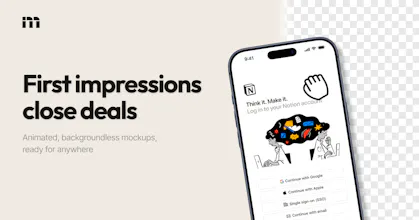
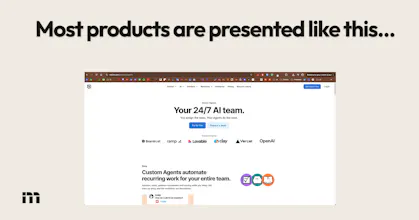
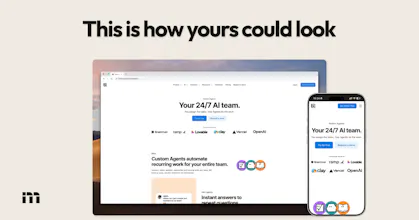
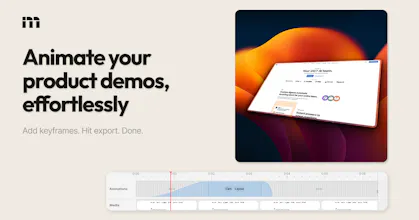
Transform your static screenshots into high-converting animated device mockups within seconds. Create transparent visuals that enhance your marketing materials without requiring any prior design skills. Perfect for showcasing software, apps, or websites in a professional and engaging way.


Clipboard Canvas v2.0
I really like the idea of Mokkit! Turning static screenshots into animated mockups can totally elevate presentation quality, especially for those of us who've struggled with the visual elements in marketing materials. I’ve faced challenges with making my app stand out post-launch, so I'm curious: what’s the plan for adapting animations across different platforms and screen sizes?
Mokkit
@trydoff Hey, thank you for your comment! I'm not sure I follow though... Mokkit lets you export animated mockup scenes as MP4 or WebM format, you can also pick the video's aspect ratio, so technically they can fit anywhere!
Clipboard Canvas v2.0
@ugo_builds I meant more from a responsiveness standpoint. Do animations/layouts adapt automatically for different screen sizes (like mobile vs desktop), or do we need to create separate versions for each format?
Mokkit
@trydoff You can always use CSS constraints to properly dimension any exported image or video into the viewport. We just create the videos in 1080p, then it's up to the user to fit it.
Or maybe you were asking about the input media: any media can fit in any device frame or browser mockup, it really depends on what you want to do and on the size of your assets!
Animated mockups from screenshots without jumping into Figma is the right level of effort for quick product updates and changelogs. The thing I always get stuck on is aspect ratio when the same visual needs to go to Twitter, LinkedIn, and a deck at the same time. Does Mokkit let you export the same scene in multiple formats in one go?
The irony of a Product Hunt launch where the product helps you make better Product Hunt launches. It's PH inception. 🎬
Mokkit
@ilya_lee In a nutshell yes! It's surprisingly hard to show how a PH launch can be improved, on PH launch demo images...
The overall feel of the product is quite good, but I feel animations are bit limited, I hope you will add more animations down the line
Mokkit
@nayan_surya98 Thank you for your feedback, we're currently crafting a template library to make it much faster and easier to create animations!
I've been using screen recording tools for my product demos but they all end up looking kind of the same and a bit boring. I also tried generating animations with code but getting the quality right took way more time and effort than expected. This looks like it could save me a lot of that pain. Definitely going to try it for my next launch. Congrats on shipping, Ugo!
Mokkit
@ray_artlas Thank you it means a lot! I'd say that what works the best (engagement-wise) is placing already-animated product demos or screen recording inside static mockups
@ugo_builds That's a great tip, thanks for sharing! I'll try combining a screen recording with a static mockup for my next launch. Looking forward to seeing how Mokkit evolves from here.
panda{·}etl (YC W24)
@ugo_builds this is extremely useful. Love the VP. Good job! Eager to test extensively
Mokkit
@gdc Thank you Giuseppe!
Replay: Life Timeline
Absolutely love the editor's design. It's easy to know what's going on and clearly there's a lot of thought put into it. Great job! Best of luck to your launch!
Mokkit
@enhancedjax Thank you for the kind words, let me know if there are things we can improve!