
Nexvion Copilot
The AI screen guide that never needs a tutorial.
5.0•14 reviews•27 followers
The AI screen guide that never needs a tutorial.
5.0•14 reviews•27 followers
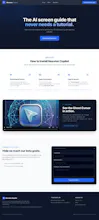
Nexvion Copilot is a zero-shot visual AI guide built as a lightweight Chrome extension. Instead of switching tabs to read outdated documentation or scrub through videos. Our smart Ghost Cursor visually highlights exactly where to click next across any web dashboard in real time—with strict single-tab privacy.


Free
Launch Team / Built With


ClarifyThe Full-Stack AI CRM that replaces 5 tools
Promoted


Hi Product Hunt! 👋 I'm Masoom, and along with my teammate Aman, we are the makers behind Nexvion Copilot.
We built this for the DoraHacks 2.0 hackathon because we were frustrated by the friction of tab-switching and watching long video tutorials just to navigate complex web apps and dashboards.
Nexvion Copilot is a lightweight, real-time visual AI screen guide. Instead of just telling you what to do in a separate chat window, it looks at your screen directly and uses visual cues to point, explain, and guide you through unfamiliar software in real time.
We are officially live today and would love your honest feedback, feature ideas, and suggestions to help us improve! 🚀
Let us know what you think in the comments below!
@masoom_sakina wow! so no 20-minute video tutorials!
what's required for nexvion copilot to work? does it run entirely locally in the mv3 extension?
@masoom_sakina @mohsinproduct You just need to add our Chrome Extension in your browser. And then pin it, and then you are free to use it. On the backend, its connected to a Live Server, so it gets a continuous Live Server Engine from there.
Thanks a lot for taking the time and seeing our product.
Hey Product Hunt community! 👋
We’re thrilled to introduce Nexvion Copilot, built by Masoom Sakina and Muhammad Aman Ghouri for the DoraHacks 2.0 Hackathon.
Why are we still learning modern software by switching back and forth between 20-minute video tutorials, outdated documentation, and messy dashboard tabs?
We built Nexvion Copilot to eliminate that cognitive friction entirely. Instead of generating long walls of text in a disconnected sidebar, it brings zero-shot visual AI directly into your active browser tab.
🎯 What makes it different:
• Ghost Cursor: Real-time visual overlays highlight the exact button, dropdown, or input to click next—without hijacking your mouse.
• Tri-Modal Interaction: Seamlessly switch between Guide Mode (step-by-step visual navigation), Screen Mode (context-aware layout questions), and Chat Mode (instant definitions).
• Privacy by Design: Strictly scoped to your selected tab—your background windows, passwords, and private tabs remain 100% untouched.
• Zero-Shot & Lightweight: Operates natively via Chrome MV3 across any web dashboard without pre-recorded scripts.
We would love your honest feedback, critique, and feature ideas! What SaaS dashboard or developer console gives you the biggest navigation headache? 👇
Love how much of the complexity is hidden behind a simple interface.
@dora_dao Thanks a lot for appreciating our work.
Indeed, the majority of our build time was spent on the backend Brain Server powering the LLM and all the functionalities you see on the user interface.