Turn your MacBook notch into a live control panel for 13 AI coding agents (Claude Code, Codex, OpenCode, Gemini & more): approve tool calls, answer questions, watch output in real time. The iPhone & Apple Watch companion extends it beyond your desk ā remote conversations over iCloud, remote commands, Dynamic Island progress. Agent-agnostic, open source, works with the CLIs you already use.
No reviews yetBe the first to leave a review for NotchDeck
Maker
š
Hi PH! š
I built NotchDeck because I kept losing focus to my terminal. Running Claude Code or Codex on long tasks, I'd switch windows every minute to approve a tool call or answer a question ā and when I left my desk, the agent just sat there waiting.
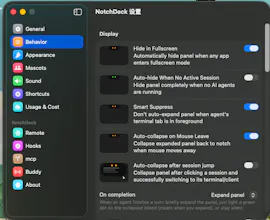
NotchDeck puts a live status panel in your MacBook notch: you see what the agent is doing, approve/deny tool calls, and answer questions without leaving your flow. It's agent-agnostic ā one panel for Claude Code, Codex, OpenCode, Gemini, and 9 more CLIs, so you don't need a different tool per agent.
The companion app (iPhone + Apple Watch) is what makes it different from agent-specific tools:
⢠Remote conversations over iCloud ā message your Mac's agents from anywhere
⢠Remote commands ā focus a session, answer approvals, even when you're not on the same Wi-Fi
⢠Dynamic Island Live Activity ā agent progress right on your lock screen
It's open source (MIT), all data stays in your own iCloud, and it works with the CLIs you already use ā no lock-in.
Would love your feedback on what features you'd want next!