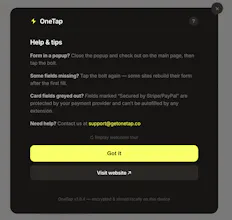
OneTap fills any checkout form instantly. Addresses, cards, contact details, on any site. AI-powered field detection, AES-256 encryption, stored securely on your device.
No reviews yetBe the first to leave a review for OneTap Checkout
Maker
📌
Hey PH! I'm Rudy, a 17-year-old high school student. I primarily built OneTap because I got tired of typing my address and card details on every single checkout page. On a less serious note, I also got tired of watching my parents abandon checkouts because they couldn't be bothered to type everything out. If I wanted that new gadget, I needed checkout to be faster too. 😅
OneTap uses AI to detect form fields on any website and fills everything in one click. Your data is encrypted locally, so nothing ever touches a server.
I built OneTap entirely from scratch over about six months of daily work, taking it from an idea to what I'm launching today.
I'd love any and all feedback so I can make this useful for others!
So here's my question: What would make you actually use this daily? If you wouldn't use it, why not?
Report
Honestly been annoyed by checkout forms for years, so this is kind of a dream. It filled my address and card details on a couple random sites without me even nudging it, which honestly surprised me.
Report
Maker
@armandhammer This genuinely made my day, thank you! The fact that it worked on random sites without any nudging is exactly what I built it for. The AI field detection is designed to handle weird form layouts that normal autofill breaks on, so hearing it actually worked in the wild means a lot.
If you ever hit a site where it doesn't work or does something weird, please shoot me a message (I fix those fast). And if you're feeling generous, a quick review on the Chrome Web Store would be huge for a solo student builder.
Cheers!!!
Report
Love how it works silently across sites without those clunky browser popups you usually see. The local AES-256 storage is a really thoughtful choice too, feels much safer than yet another cloud sync.
Report
Maker
@seneca_xu Really appreciate that! The "no clunky popups" thing was a deliberate design choice. I wanted it to feel invisible until you need it, then just work. And yeah, keeping everything local was non-negotiable from day one. Your card details shouldn't live on someone else's server just so you can skip a form.
Thanks for taking the time to try it out, means a lot coming from a real user!




Honestly been annoyed by checkout forms for years, so this is kind of a dream. It filled my address and card details on a couple random sites without me even nudging it, which honestly surprised me.
@armandhammer This genuinely made my day, thank you! The fact that it worked on random sites without any nudging is exactly what I built it for. The AI field detection is designed to handle weird form layouts that normal autofill breaks on, so hearing it actually worked in the wild means a lot.
If you ever hit a site where it doesn't work or does something weird, please shoot me a message (I fix those fast). And if you're feeling generous, a quick review on the Chrome Web Store would be huge for a solo student builder.
Cheers!!!
Love how it works silently across sites without those clunky browser popups you usually see. The local AES-256 storage is a really thoughtful choice too, feels much safer than yet another cloud sync.
@seneca_xu Really appreciate that! The "no clunky popups" thing was a deliberate design choice. I wanted it to feel invisible until you need it, then just work. And yeah, keeping everything local was non-negotiable from day one. Your card details shouldn't live on someone else's server just so you can skip a form.
Thanks for taking the time to try it out, means a lot coming from a real user!