
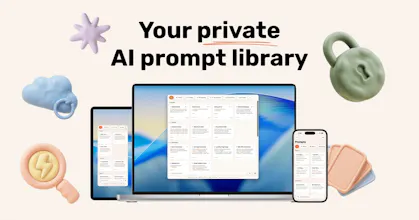
PromptPaste is a native Apple app that saves your AI prompts across Mac, iPhone, and iPad. Hit ⌘⇧P from the Mac menu bar to copy any prompt instantly. Build dynamic templates with {{variables}}, organize by folder, and share collections with a link. No account - your prompts stay on your device.


What's great
Didn't realize how much time I was wasting rewriting the same prompts until I tried PromptPaste. Menu bar access, iCloud sync, dynamic templates... it's the kind of app that quietly makes your whole AI workflow faster. Privacy-first with no sign-up required is a huge bonus. Simple, fast, genuinely useful.
Ratings
Ease of use
Reliability
Value for money
Customization
Report
29 views
Thanks! Glad you love it! I'd appreciate any feedback you have.
Report
Hey Product Hunt 👋
I'm Ivan, maker of PromptPaste.
Like a lot of people here, my best AI prompts were scattered - half in
Notion, half in Notes app. Every time I needed one, I'd either dig for five
minutes or just rewrite it from memory (usually worse than the original).
Every prompt manager I tried was a Chrome extension or a web app, which
meant another account, another tab, and my prompts sitting on someone
else's server.
So I built PromptPaste: a private prompt library that lives in your Mac
menu bar and syncs to iPhone/iPad via iCloud.
What it does:
- ⌘⇧P anywhere on Mac → pick a prompt → it's on your clipboard
- Dynamic prompts with {{variables}} - fill the blanks, copy the result
- Folders, search, favorites
- Share a collection with a link (the only thing that ever touches a server, and only if you choose to)
What "private" actually means:
No account. No sign-up. No telemetry. Your prompts live on
your device and sync through your own iCloud - I never see them. If
PromptPaste shut down tomorrow, your library would still be on your Mac.
Pricing:
7-day free trial, then $59.99/yr, or $149.99 lifetime.
Two things I'd genuinely love feedback on:
1. Where do your prompts live today? (Notion? Notes? Chat history? A Google Doc?)
2. What's the one prompt you wish was always one click away?
Thanks for taking a look 🙏
The local-first, no-account approach is the right call for a prompt library. Prompts are increasingly part of someone's actual intellectual workflow — the way they think, research, and create — and handing that to a cloud service feels like more exposure than most people want.
The folder + variable template system is what makes this genuinely useful rather than just a clipboard manager. For anyone creating content in a specific niche, reusable structured prompts with swappable variables is a huge time saver.
I run a YouTube channel on financial modelling called Mod3Loop (https://www.youtube.com/@Mod3Loop) and a good chunk of my content workflow is prompt-driven — research, script structuring, thumbnail briefs. Having those templates locally organised and instantly accessible from the menu bar would fit that workflow perfectly. Does PromptPaste support syncing across devices via iCloud, or is it intentionally kept device-local only?
@samir_asadov
Thanks, you nailed it. Prompts are becoming how people actually think and work - that shouldn't live on someone else's server by default.
To your question: yes, iCloud sync is built in. Your prompts move between Mac, iPhone and iPad through your own iCloud account, not our servers. Apple handles it, we never see any of it.
Your Mod3Loop workflow is exactly what PromptPaste is for, reusable templates with variables like {{topic}} or {{hook}}, one shortcut away (Cmd+Shift+P). There's also an iOS share extension and a home screen widget for the prompts you reach for most.
Thanks again for the thoughtful feedback, really appreciate it.