rivva
AI schedule & planner based around your energy
432 followers
AI schedule & planner based around your energy
432 followers
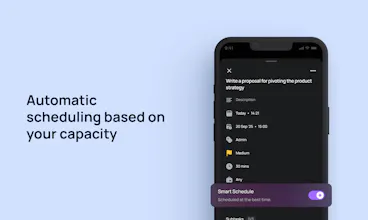
rivva is an AI task manager and calendar planner that organises your day around how well you can actually think and work, so demanding tasks land when your focus is strongest. Most productivity tools only model activity; they track tasks and meetings, but ignore the limits of human attention. rivva works from a fuller picture by combining what you need to do with how much capacity you have to do it, using your tasks and calendar alongside signals from sleep, energy patterns, and cognitive load.




Free Options
Launch Team / Built With


Tried rivva when it was in beta and the approach to time and energy management is quite unique.
Congrats to the team on the launch. This is a thoughtful take on productivity that respects attention, and not just activity.
@realjaymes James! Thank you so much
Migma AI
The shift from time management to energy management is so needed - really resonates with the burnout story behind founding this. Most schedulers just treat us like machines that can context-switch infinitely. Curious about the learning curve: does Nia start with wearable data from day one, or does it learn your patterns over time through manual input first? Also wondering how it handles the unpredictability - like when a surprise meeting tanks your afternoon focus.
@adam_lab Great question, Adam.
We start with wearable data from day one, rather than waiting to learn everything manually. During onboarding, if you connect Apple Health, we look at your sleep history over a couple of weeks to establish a baseline energy pattern. That gives Nia an initial view of when you are typically sharper versus when energy dips. From there, the baseline gradually adjusts as new data comes in and you make changes to your schedule.
In terms of unpredictability, today we treat meetings as a hard constraint. If a meeting appears on your calendar and conflicts with a scheduled task, the task is automatically moved. Similarly, if you add a higher-priority task or something with a tighter deadline, lower-priority work is rescheduled to make space.
The goal right now is not to perfectly predict every bad afternoon, but to reduce the amount of manual replanning you have to do when the day inevitably changes.
Dokably
congrats! can you tell more about what kind of use cases do you cover? is it for personal use or work?
@sasha_dikan Right now, rivva is mainly used for work. People use it to capture tasks from emails, view everything planned alongside the planner, and have Nia, the AI assistant, schedule your work into the week based on your availability and energy, rather than manually deciding when to do it.
A typical flow looks like this: tasks come in from email or are added in chat, rivva looks at your meetings and your energy patterns, and then suggests when to do focused work versus lighter admin and schedules it on your planner in one click.
You can also ask the chat to batch similar tasks into a time block, e.g., all work around "rivva launch into my Thursday afternoon" or move work around when the day changes.
Some people include personal tasks, but the core use case today is reducing planning effort and decision fatigue around work, not tracking habits or life admin.
Love the energy-based approach! Burnout is real, and most planners ignore it completely.
When Nia auto-schedules tasks, does the user get a chance to review/approve the plan before it's set? Or does it just go straight to the calendar?
@virtualviki love this question. You always approve. If you send Nia a dump of stuff you need to do this week, it'd generate a plan, you approve with a click, and it schedules it all at once. You can timeblock all or selected tasks on your primary calendar as well.
Also, if we can't find a time, you'd see a notification in your task manager.
Scheduling around energy patterns instead of just time blocks is smart. How long does it take rivva to learn your rhythm? Can it differentiate between temporary disruptions (bad sleep week) versus actual pattern changes?
@klara_minarikova
This is such a good question.
How long does it take rivva to learn your rhythm? We start with wearable data from day one, rather than waiting to learn everything manually. During onboarding, if you connect Apple Health, we look at your sleep history over a couple of weeks to establish a baseline energy pattern. That gives Nia an initial view of when you are typically sharper versus when energy dips. From there, the baseline gradually adjusts as new data comes in and you make changes to your schedule.
Can it differentiate between temporary disruptions (bad sleep week) versus actual pattern changes? Yes. The system is designed to avoid overreacting to short-term changes. A few nights of poor sleep or a single disrupted week will not immediately shift your energy rhythm. We look for consistency over time before adjusting the baseline, so changes only happen when a new pattern has clearly emerged rather than reacting to one-off disruptions.
Afterpage
Congrats on the launch, y'all! I love any tools that help you find when your peak times are for work. How does rivva determine what my peak energy/productivity levels are? Can I categorize the "kind" of work a task is so it gets scheduled during an appropriate time? For example, for me, "low energy" tasks could be replying to e-mails or updating work tasks, "high energy" tasks would be heads-down coding tasks or other deep work.
Awesome work! I look forward to checking it out!!
@thisismiked Hi Mike,
If you use the task manager, you can choose to categorise your tasks as you create them. low energy tasks = admin, high intensity = deep work, chores & habits = personal work etc and rivva uses that categorisation to match the task to the right energy zone.
If you use Nia, the AI Assistant, she will infer the task type when you share and use that to schedule. Happy to answer more questions