

Stamp: The AI Secretary
The AI Secretary that handles your work for you
235 followers
The AI Secretary that handles your work for you
235 followers
Stamp is the first AI Secretary -- it handles your emails and your calendar for you, even when you're not using it. When you return, all you have to do is approve Stamp's changes and delegate your remaining workloads.
This is the 2nd launch from Stamp: The AI Secretary. View more
Stamp
Launching today
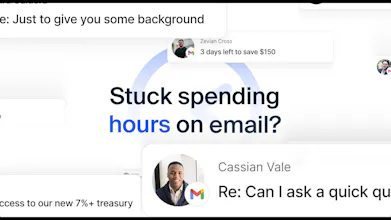
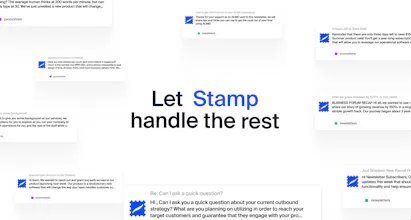
Stamp is the AI Secretary that thinks, writes, and works like you.
Stamp handles your email and calendar for you by learning your preferences, using your style, and operating with your context.
Get started with Stamp for free, available everywhere you use email!
Free Options
Launch Team / Built With


The approval step is the right design choice - fully autonomous email agents that just send things are a liability. The interesting UX problem is what happens when you come back after 8 hours and Stamp has queued 40 changes. Does it batch them into a review flow or show them one by one?
Stamp: The AI Secretary
@mykola_kondratiuk Hi Mykola! Stamp only queues emails that have been marked as priority in Stamp Mode, so most emails you receive over the course of a day will not require any approval at all!
Moreover, if you feel you have too many emails to review, you can simply exit out of StampMode and read your emails manually, since reading a priority email marks it done in Stamp Mode!
That solves the review overload nicely - priority filtering does the heavy lifting so you are only approving things that actually matter. Good call.
Stamp: The AI Secretary
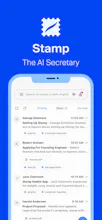
Stamp is the AI Secretary that handles your email and calendar for you.
It does so through several ingenious features, namely:
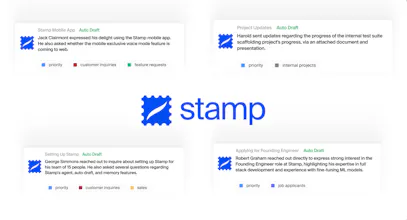
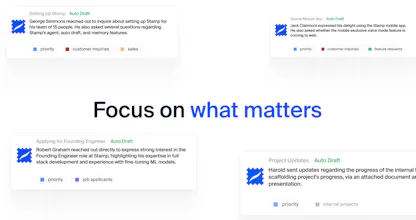
1. Stamp Mode: As soon as you receive an email, Stamp prioritizes, summarizes, extracts todos, and drafts a reply. When you return to your inbox, simply "stamp" the changes and blaze through your emails
2. Memories: Stamp creates memories with every interaction, which it uses to learn your preferences, style, and context. These memories are then used every time Stamp works on your behalf
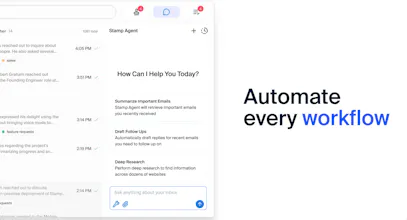
3. Agent: Stamp Agent can automate any workflow -- it's capable of browsing webpages, organizing your inbox, bulk drafting outbound, performing deep research, and enriching leads, all in a matter of minutes!
4. Voice Mode: On mobile, use Voice Mode to summarize, triage, and reply to emails hands free anytime, anywhere
5. AI Labels: Define labels in plain English and teach Stamp how to handle them (ex. always draft replies to customer support emails or always treat demo meeting invites as high priority)
In short: Stamp thinks, writes, and works like you. Email was built to make us more productive, and Stamp is the first solution to deliver on that promise.
Stamp is available to try for free right now, everywhere you use email (Web, iOS, and Android)!
Which feature are you most excited to try first?
Interesting concept of an AI secretary! How well does Stamp adapt to a user’s writing style over time?
Stamp: The AI Secretary
@sachin_madhukar Hi Sachin! Stamp has several methods of adapting to users' writing styles:
Memories: Stamp creates and maintains memories over time, learning the user's writing preferences and relationships to contacts. This helps Stamp always use the right tone for the given context. Moreover, the user can also manually edit or create new memories for Stamp to use!
Context: Stamp draws in your previous interactions with the email recipient(s) as well as similar email threads. It uses your past replies to infer your preferred writing style and applies it to the emails it drafts
AI Edits: Any issues with reply content or tone can quickly be edited simply by highlighting the text and issuing a prompt to Stamp!
A genuinely interesting concept, but what is the method that is used to train it to write like us?
Stamp: The AI Secretary
@nayan_surya98 Hi Nayan! Stamp has several methods of adapting to users' writing styles:
Memories: Stamp creates and maintains memories over time, learning the user's writing preferences and relationships to contacts. This helps Stamp always use the right tone for the given context. Moreover, the user can also manually edit or create new memories for Stamp to use!
Context: Stamp draws in your previous interactions with the email recipient(s) as well as similar email threads. It uses your past replies to infer your preferred writing style and applies it to the emails it drafts
AI Edits: Any issues with reply content or tone can quickly be edited simply by highlighting the text and issuing a prompt to Stamp!