
Tab Haven
Save and restore your tabs, organized and 100% local
9 followers
Save and restore your tabs, organized and 100% local
9 followers
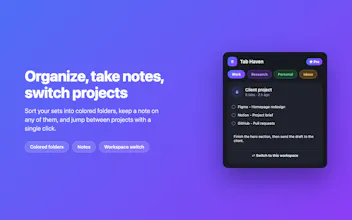
Tab Haven saves your open tabs with one click and brings them back whenever you need them, exactly as they were. Search across everything, sort into colored folders, keep your tab groups and pinned tabs, and stay 100% local. No account, no server, nothing leaves your device.


Love how everything stays local, that was a dealbreaker for me with other tab savers. One thing I'd love is a keyboard shortcut to instantly reopen a saved session without clicking through menus, something like Cmd+Shift+R that pulls up a searchable list right away.
@physicalproduct
Thanks, Sawyer! Keeping data 100% local was non-negotiable for me, so I’m glad that resonates!
A global command palette shortcut (Cmd+Shift+R) to instantly search and restore sessions without touching the mouse is a phenomenal idea (or an option to manually set the keyboard shortcut to whatever is most easy and convenient for you) . Adding this to the top of my roadmap for the next release. Thanks for the great suggestion!"
Super useful idea, the local-only approach is what sold me on it. One thing that would be amazing though is a scheduled auto-save so I don't have to remember to click it before closing the browser, maybe every X minutes or when tab count crosses a threshold.
@clive_chatham
Thank you, Clive,
Really glad the local-only approach clicked for you, that was the whole reason I built it.
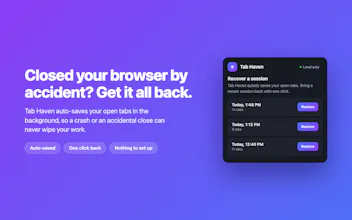
Good news on the auto-save: Tab Haven already keeps automatic background snapshots, and you can bring a session back any time from the Recover button, even if you forgot to save before closing. Your ideas make it even better though. A configurable interval and a "save when tab count crosses a threshold" trigger are both smart, and I'm adding them to the roadmap. Really appreciate the thoughtful feedback.