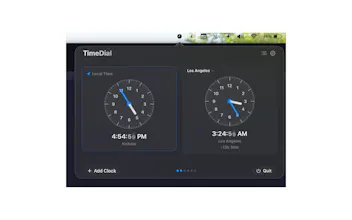
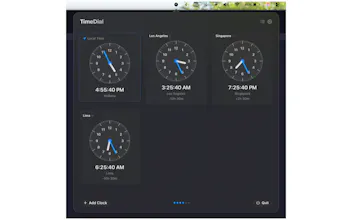
Hey Product Hunt! 👋 I built TimeDial to fix a daily headache: coordinating across time zones. No more "wait, what time is that for you?" moments. TimeDial lives in your Mac menu bar and lets you compare up to 6 clocks (1 local + 5 timezones). Drag one clock hand, and all clocks sync instantly. Favorite frequent timezones, right-click to copy time details, and move faster with keyboard shortcuts. Built to feel lightweight, smooth, and private: no account, no tracking, no cloud dependency.
Hey Product Hunters!
I’m Shubham, creator of TimeDial, and I'm excited to share this with you.
The story:
I work with people across multiple timezones, and I kept hitting the same friction every day: opening world clock apps, doing mental math, and still double-checking "what time is that for you?" before scheduling. Existing tools felt either too heavy or too hidden in system settings.
So I built TimeDial:
a lightweight macOS menu bar app designed for fast, visual timezone coordination.
What makes TimeDial different:
- Menu bar first: always available, no full app window workflow.
- Visual conversion: drag one analog clock hand, and every clock updates instantly.
- Multi-timezone planning: compare up to 6 clocks at once (1 local + 5 additional).
- Fast actions: right-click a clock to copy time, copy time + timezone, or remove it.
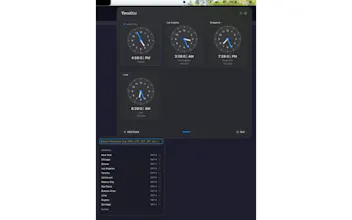
- Favorites and quick selection: save frequent timezones and switch faster.
- Keyboard-friendly: Cmd+N to add clock, Cmd+, for settings, Cmd+R to reset.
- Built for smoothness: reduced CPU usage, cleaner animations, and better popover behavior.
- Privacy-first by default: no account, no tracking, no cloud dependency for core use.
Current status:
TimeDial v1.1.0 is live, with improvements focused on performance, stability, and UX polish.
If you try it, I'd really value honest feedback. I’ll be here answering questions about product decisions, implementation details, and roadmap plans.
Report
No reviews yetBe the first to leave a review for TimeDial