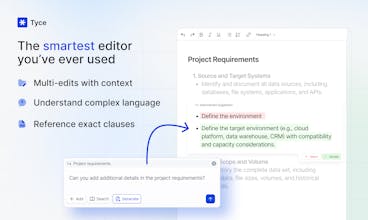
Tyce is highly praised for its ability to transform document management with its AI-native editor. Users appreciate its efficiency in automating professional writing tasks, such as contracts and reports, by enabling quick searches, generation, and refinement of content. The tool is noted for its speed, accuracy, and context-awareness, making it invaluable for professionals dealing with complex documents. Tyce's seamless integration and ability to adapt content to different contexts are particularly highlighted, saving users significant time and effort.


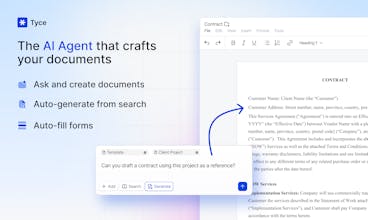


I actually really like the UI. It's almost like Canvas outside of ChatGPT. Seems like a good word editor. Looking for something to replace Google docs.
I'd probably say this needs to be a little more "agentic" before I'd call it an agent, though. Y'know how Canvas combs through your doc multiple times and makes edits as it goes along (Claude artifacts does this too). I'd like to see a feature like that here as well.
I also like in Beehiiv how you can " / " (backslash) to trigger commands, could you add a similar feature here to easily add images or lists? Also, a model picker to select your model would be nice in case you need to do some intelligence heavy work. Of course you could generate in GPT then pull to Tyce, but better if you could do it all in Tyce. Cool stuff!
Another thought: could you also add easy agentic formatting? The other day I was trying to create a resume for a friend, and I was able to write it quite easily w/ AI. But then when I wanted to add a lil' graphic design on top, there was no easy tool that I could use to easily add formatting and design to my doc. It would be great if the agent could add design over the document at the end of the process? Maybe pull the doc into another window? Might be a longer project, but would be cool to see one platform let you take a doc from generated text to finished design (like for resumes, e-books / PDFs that needs graphic design).
Tyce
Tyce
@gneuron_grant Hi, for `/` do you want to just select the formatting "inline" in the Editor (like in Notion too)? or generate images?
Another idea we've thought about is enable editing in the user message compose box, e.g. when prompting users would be able to create a table or nest bullet lists, maybe to show as few shot prompting.
The whole point of our tool is that AI is integrated with a Document Processor and can do any sort of formatting.
@techie_ux_guy @lyliadp Love that you're already thinking about this stuff!
On the slash commands: Both! Inline formatting like Notion is clutch for speed, but using "/" trigger for any quick actions (image embeds, lists, formatting) would be very useful. The less time scrolling and swiping through menus to find the formatting option you want, the better. Seems like you're on the right track!
Hello everyone!
We are so excited to launch our AI-native document editor — built from the ground up to supercharge how teams think, write, and collaborate.
It’s fast, minimal, and deeply integrated with AI to help you brainstorm, rewrite, summarize, and stay in flow without ever switching tools. Would love your feedback and support!
Congrats on the launch 🚀
Tyce looks like a huge time-saver for sales, legal, and ops pros drowning in documents. I love the AI-powered editing and generation features. We work with a lot of documents, and I just signed up.
You should share this launch on businesshunt.co/opportunities. Founders, teams, and consultants there will find it super useful and can help support your journey.
Keep building! 💪📄
Tyce
@juoemeka Thank you - let us know what you think, we're always trying to improve! Will definitely share on business hunt 🙌
great product @lyliadp .
If I were to pitch this to CEO at my organization, what would that one problem I should talk about? How much time do you think it will save for a 50 member sales team?
Tyce
@ayush_agarwal3 Love the question! It depends on what type of organization... i.e. do you get revenue by responding to RFP and producing a lot of documents to respond to them / does your business run on critical infrastructure that relies on lengthy manuals to maintain important equipment? The answer is the efficiency is there - it depends on where and how you use Tyce! Happy to chat more.
Congratulations on the launch! Is Tyce domain-specific, or is it versatile across all industries?
Tyce
@david_zhou11 Thanks David! Tyce is versatile across industries - we have particularly spent time with infrastructure and professional services companies with a lot of paperwork!
@lyliadp I truly appreciate the team’s hard work 🙌, and I’ve really enjoyed using this personal AI-based online notepad — it’s impressive! 💡 As a UI/UX designer 🎨, I’d love to suggest one thing. It would be helpful to have a credits usage status indicator at the top of the new document page instead of keeping it in profile page — is there a reason it’s not included currently?📝 This could gently remind them to consider upgrading to the premium plan once they run out of credits. 💡✨
Tyce
@jayapalreddy Thanks Jaya! We'll keep that in mind. The reason why credits isnt so visible in the document is that as writers (speaking for myself lol) when I draft a document I am focused on the intellectual strain of drafting and don't want to be distracted by credits or anything that doesn't have to do with the productive action I'm taking.
Tyce
Hi everyone! CTO of Tyce here.
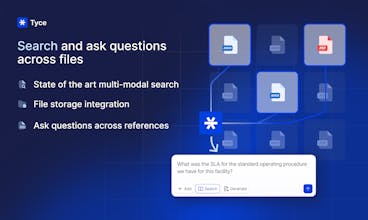
From a technical perspective, our agent has the most deeply integrated tools to a document editor and a file storage. This allows knowledge workers to find information, let AI understand it and synthesize new content and generate it with right format into the editor. And you can still use Tyce with your existing workflow - download from Google Drive, Import and Export to Word or Google Docs! We are just starting here, more features coming soon!