

Veltrix AI
Business intelligence, finally made simple
4.9•10 reviews•88 followers
Business intelligence, finally made simple
4.9•10 reviews•88 followers
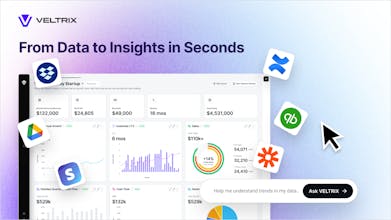
The future of business intelligence is instant and visual. Veltrix lets you visualize & talk to your financial data. Unify QuickBooks, Google Drive, company files & more to ask about any KPIs and domain-specific metrics for clear real-time interactive visuals.


Cal ID
Congrats on the launch!
How does the natural language interface handle complex financial queries across multiple data sources?
@sanskarix thanks for the question!
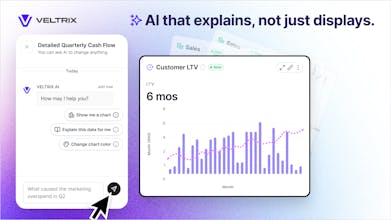
Currently, there's one data source where you upload all your financial data and generate a dashboard from it by simply clicking the buttons. Yes, just in few clicks you will have a generated dashboard with all your financial data! There on the dashboard itself you have a chat on the right-side panel where you can ask different analytical/financial questions and build various charts.
@sanskarix Thank you, Sanskar! It's exactly what Veltrix was built for. You can add multiple data sources, AI will extract all metrics from the data (general ones or domain specific ones), and then you can ask any question about the data. Our AI will base the answer specifically on your data combining multiple metrics and using all the relevant data sources. Give it a try!
Cal ID
@veltrixms @nazar_parashchuk Quite impressive! I'm curious to see this in action, as I was skeptical about how well the system can merge multiple data sources – that too, based on natural language. But Veltrix seems quite promising.
@nazar_parashchuk @sanskarix Glad you think so! Please, give it a try and if you have any feedback - we'll extremely appreciate it.
@veltrixms @nazar_parashchuk @sanskarix Thank you for the support, Sanskar!
looks pretty good! uploaded some pdfs and it generated some cool charts automatically. the chatbot was quite fast, which llms are you guys using?
@vibra_ai Fantastic! We're using different llms and agent flows for different steps of the process. The key feature here is not trying to use one specific llm, but rather use a mixture of llms & agents where they're the most efficient. Thank you for giving it a try!
Looks powerful. What kind of data sources can you connect to right now besides just uploading [a file type, e.g., CSVs]?
@nata_sv Thank you, Nata! You can connect Google Drive or upload directly any PDFs as well. For instance, Income Statements, Balance Sheets, 10k Files, and other financial documents. We're working on QuickBooks and Xero integrations for an upcoming launch, so more to come!
Hi team! I reached my token limit and tried to change the chart type and turn it into a table, but nothing happened. It would be great if the app showed a clear warning message when the token limit is reached. Everything else works nicely - just wanted to share this feedback!
@richar_petross Thank you, Richar! That's good point. We'll definitely implement a warning message. Your feedback is much appreciated.
this looks really clean love how smooth everything feels are you guys maybe planning to add a direct connection for quickbooks that would honestly make it so much easier for our team to keep everything in one place
@alex_bielow Thank you, Alex! Great to hear you love it. Quickbooks integration is already on its way:)
This is a great tool - it really made me think! It would be amazing if in the future the AI could not only answer questions but also find and warn about issues in the data. For example, a message like “The main spending might be related to this thing or that.” Just an idea for the future!
@rom_hunt Thank you, Romir! Totally agree, and we may have something like that already planned for the future. Stay tuned to test it out soon:)
Just tried it out, extremely easy to use, allows you to get a quick overview or perform more in-depth analyses. I'm going to spend more time with it now...
@gunther_kofler Thank you, Günther! Happy to hear you like it. If you have any suggestions or further thoughts - please let us know.