
Hi, hi, hi! In today’s digest, I’m covering a fully bootstrapped tool built by two makers who have decided to rethink how video-editing platforms should work. But first…
The headlines:
🎙 Overcast, the popular podcast app, has been totally rebuilt in its latest update.
🍎 Apple has released the public beta of iOS18 but without any Apple Intelligence features.
🤖 Microsoft has launched Spreadsheet LLM, a new AI built to handle spreadsheets
This fully bootstrapped web app wants to make it easier and faster to edit your videos

Though it might seem like it in today’s AI-driven world, not all tech moves at breakneck speed. Some continue to cling to the past. Video editing software continues to stick with decade old norms despite content creation evolving so much. If it’s not broken, don’t fix it, right?
Well, the founders of Moonshine are hedging a bet that it is broken, and they might have the fix. Moonshine is a web-based video editor that aims to make video editing more human. It takes some of the usual norms like content timelines and media retrieval and flips them on their head.
When you first open the app, you’ll immediately notice the timeline is switched around. Moonshine uses a vertical timeline instead of the usual horizontal timeline to better put your content front and center. This helps with finer edits, like cutting a clip by a few frames.
Once you’re ready to start, you might wonder where all your clips are. Moonshine swaps the usual drag-and-drop media bin for a text-based one. You can find clips based on visuals, actions, and dialogue. You can start a story with, say, “skateboarding at night,” and Moonshine will automatically pull in all the relevant clips. If you need more, you can simply tap on a clip, and it will widen its net to find clips with different angles, people, etc,
Moonshine is fully bootstrapped by two makers, Ganesh Pimpale and Harsha Gundala who through their own experiences with video creation decided to see if they could offer something better than the industry standard. If you want to give it shot, it’s currently available to use for free during the beta period.
Your agents stopped answering and started doing
Your agents call tools, write to databases and move money, so a wrong answer is now a wrong action, which is a considerably worse meeting. Arcjet runs policy before every LLM call, tool call, query and API request: prompt injection, sensitive data, bots, rate limits, spend quotas, and your own rules in Rego on top. It reads the OpenTelemetry you already emit, so switching it on is one environment variable, no code changes and nothing to deploy. Each check also reads the earlier steps in the same workflow, so an agent's tenth action gets judged against the first nine and not on its own. JavaScript, Python and Go SDKs all at 1.0, agent framework guards included, free tier to start on.
Daily Top Products


DEVELOPER TOOLS
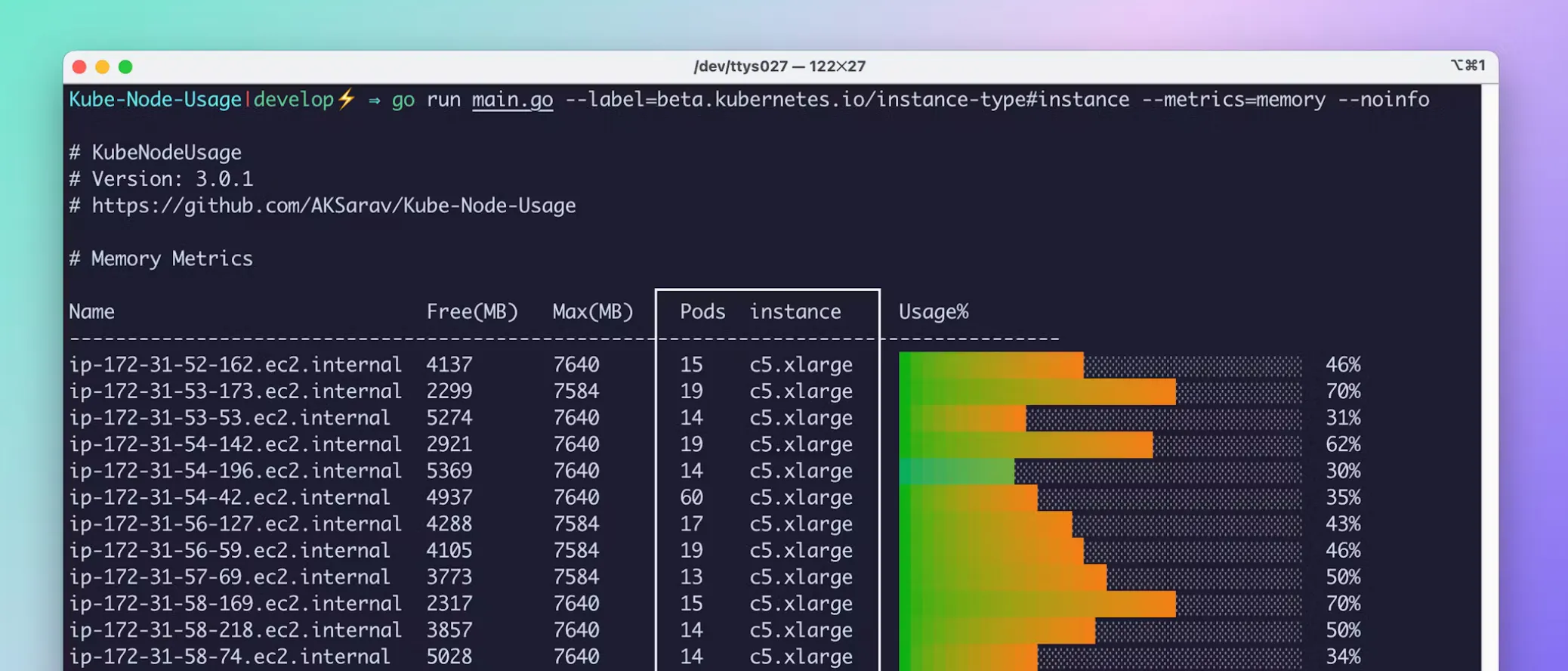
KubeNodeUsage is a terminal-based app designed to help you visualize the Kubernetes node usage of your apps.
HackGATE is a security tool designed specifically for monitoring, controlling, and managing penetration testing, bug bounty, and internal pentest activities.
PRODUCTIVITY TOOLS
Clay's new Notion integration brings your network into your Notion workspace in one click. You can sync contacts from email, calendar, Linkedin, iMessage, WhatsApp, and more.
Reflect New Tab turns your new tab into a dashboard of customizable widgets. You can incorporate productivity-oriented ones like calendar views, task managers, time zones and also widgets like your age in days.
FUN TOOLS
Gradient Synth is an intuitive music creation app for iOS that turns colors into sound. Built for beginners, it offers a playful interface where you create music by interacting with gradients.