

What's new in Magic Patterns: Skills, Opus 4.7, Reports and more...

Hey Product Hunters! Thank you to everyone who supported our Product Hunt Launch last week on Agent 2.0
Here's what's new in Magic Patterns:
Opus 4.7 Available
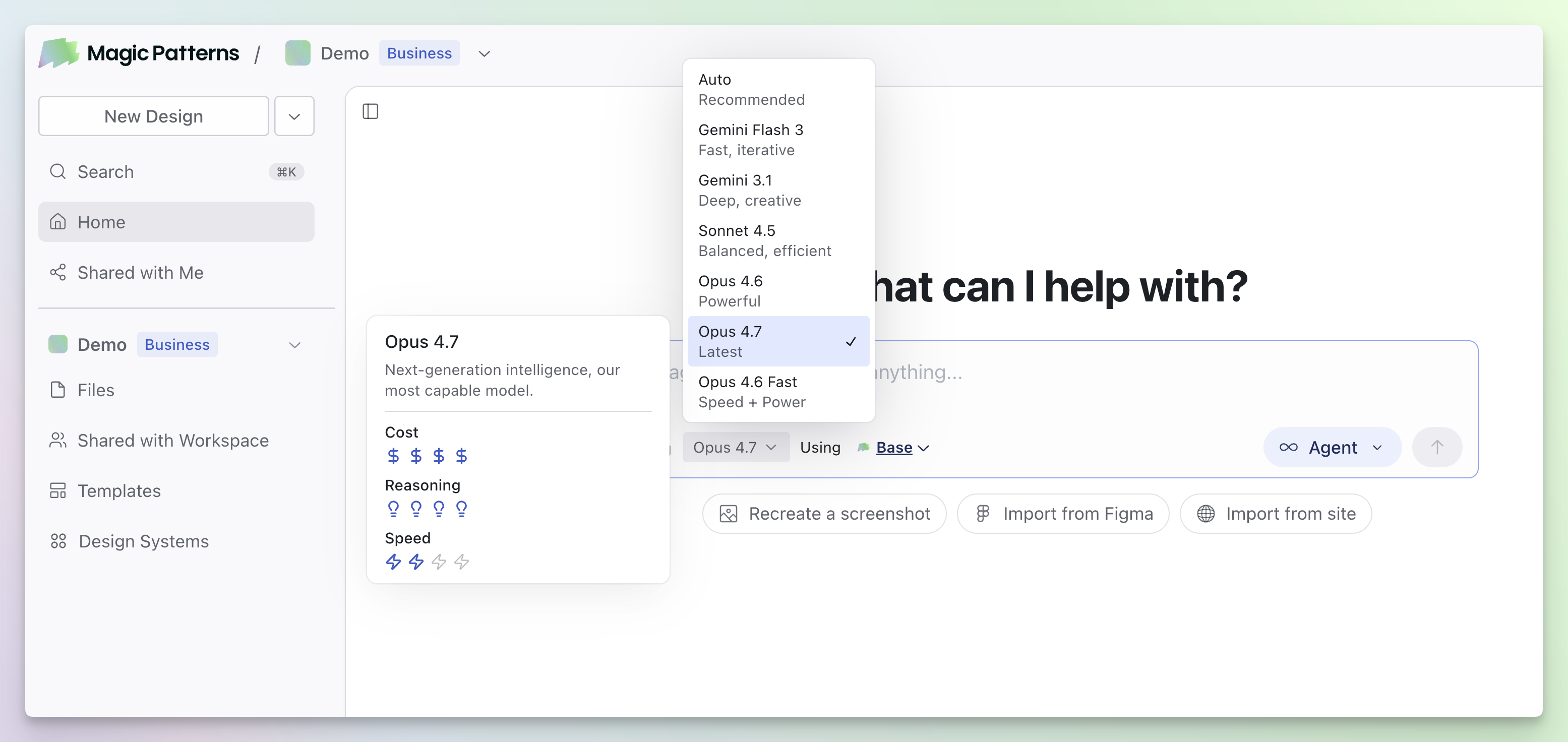
Opus 4.7 is now available in Magic Patterns. It brings two key improvements:
Better vision — Upload a screenshot to Magic Patterns and Opus 4.7 performs better relative to other models.
Fewer errors — Opus 4.7 tends to verify its output before finishing, resulting in more reliable generations.
Skills
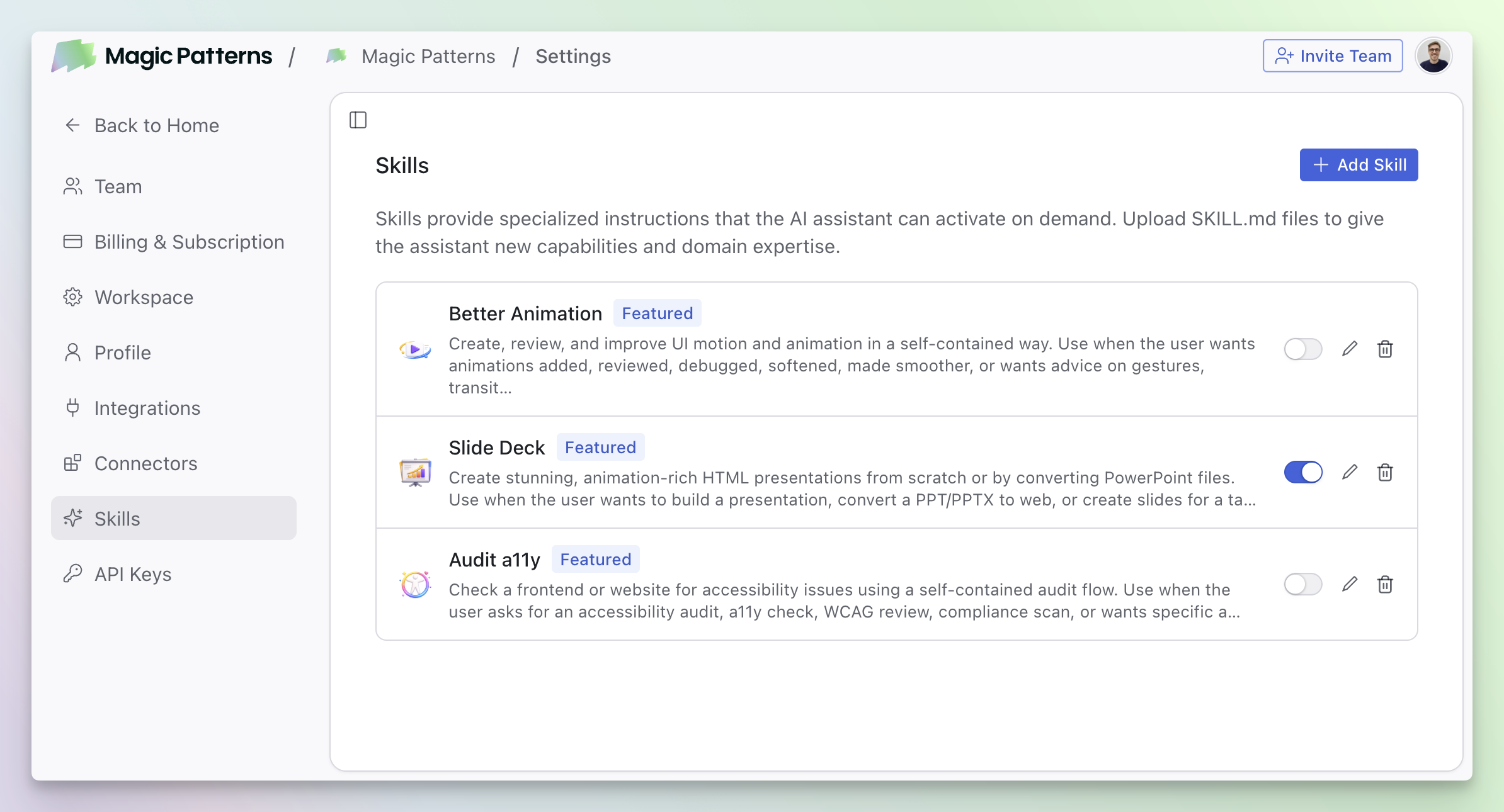
A simple, open format for giving the Magic Patterns agent new capabilities and expertise. Skills are folders of instructions, scripts, and resources that the agent can discover and load on demand to do real work more accurately and efficiently.
Access Skills at Settings > Skills
Improved Agent
Our agent just got a significant upgrade across the board for all models:
18% less credits — More efficient generations mean your credits go further.
10% faster — Reduced latency for quicker iterations.
12% more intelligent — Better understanding of your prompts and more accurate designs.
Learn more about the Magic Patterns Agent
Model Picker
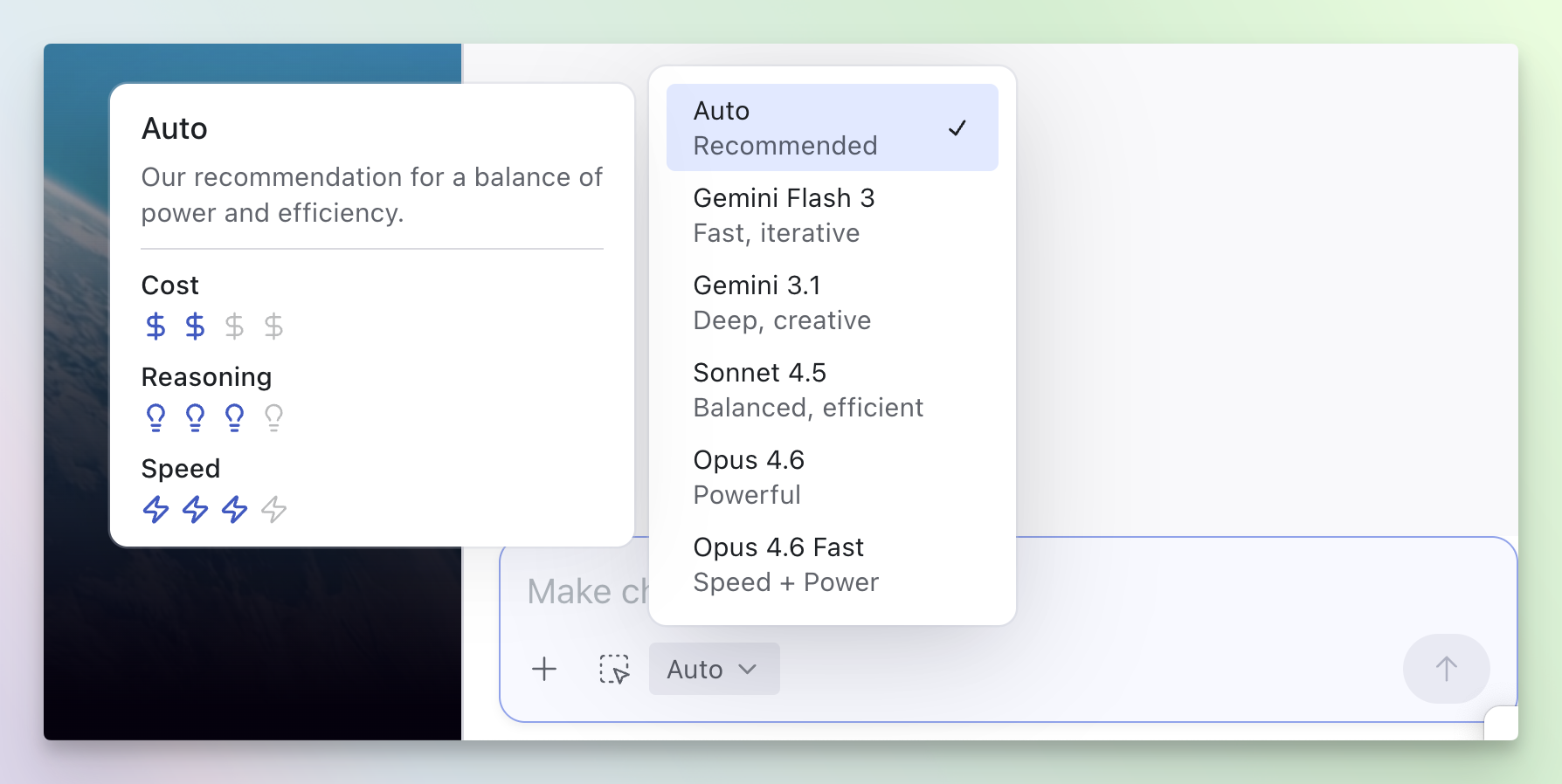
You can now choose which AI model works best for you, depending on the task. Different models have different strengths: some are better for quick iterations, while others excel at complex design challenges.
Hover over each model option to see how they compare, including credit usage per generation.
Learn how to pick the best model
Build your own chatbot
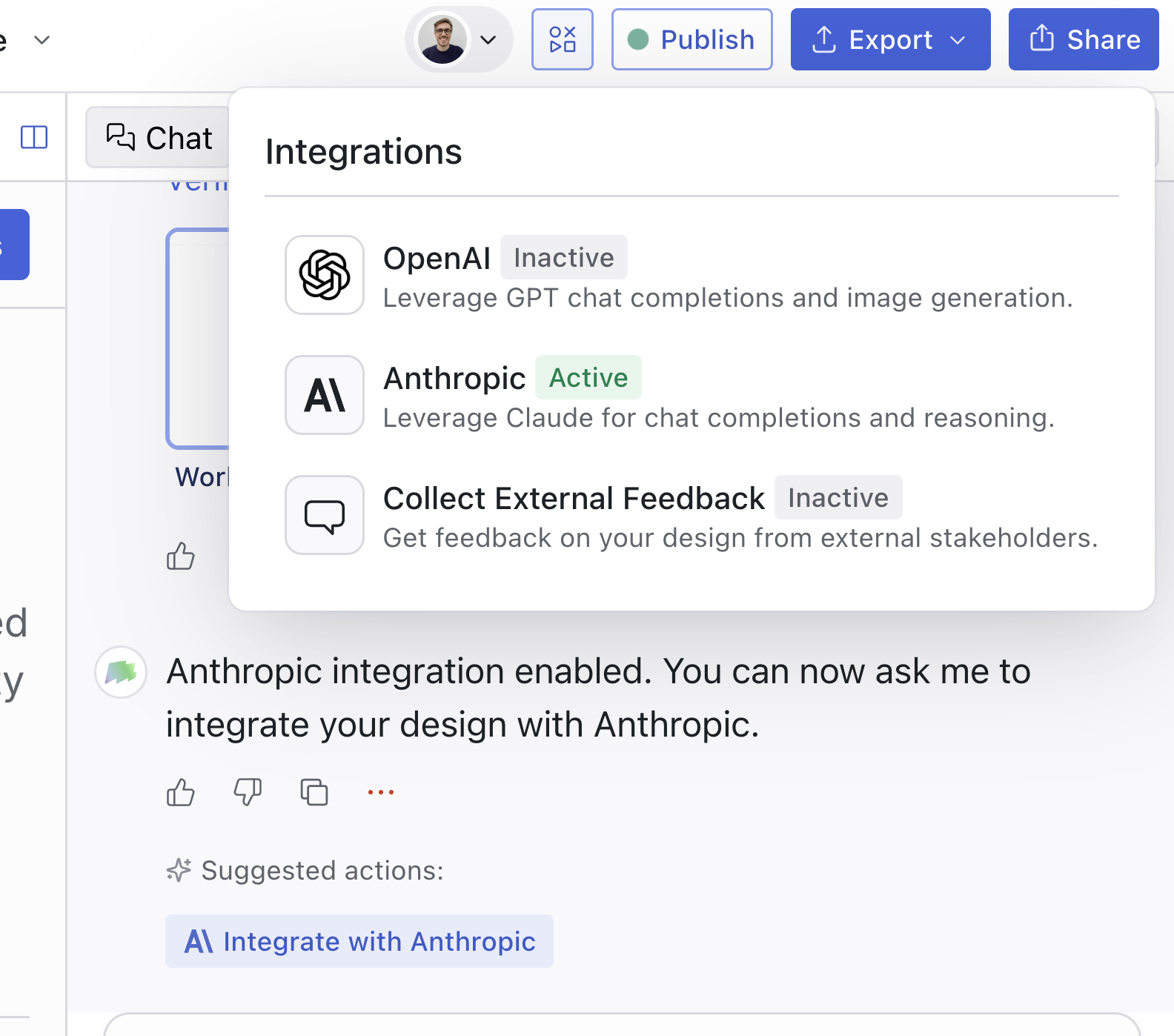
We noticed people like designing chatbots. You can now use the Anthropic API directly in Magic Patterns. Use it to create a working chatbot or support other AI-powered features directly in your Magic Patterns design.
We also support an OpenAI integration, so you can choose the AI provider that works best for you.
Cross-Project Referencing
You can now reference and merge designs across projects.
This works out of the box by using Magic Patterns as a Connector within Magic Patterns.
Simply connect the Magic Patterns MCP as a Connector, then share any Magic Patterns link in your prompts.
Learn more about Cross-Project referencing.
Usage Reports
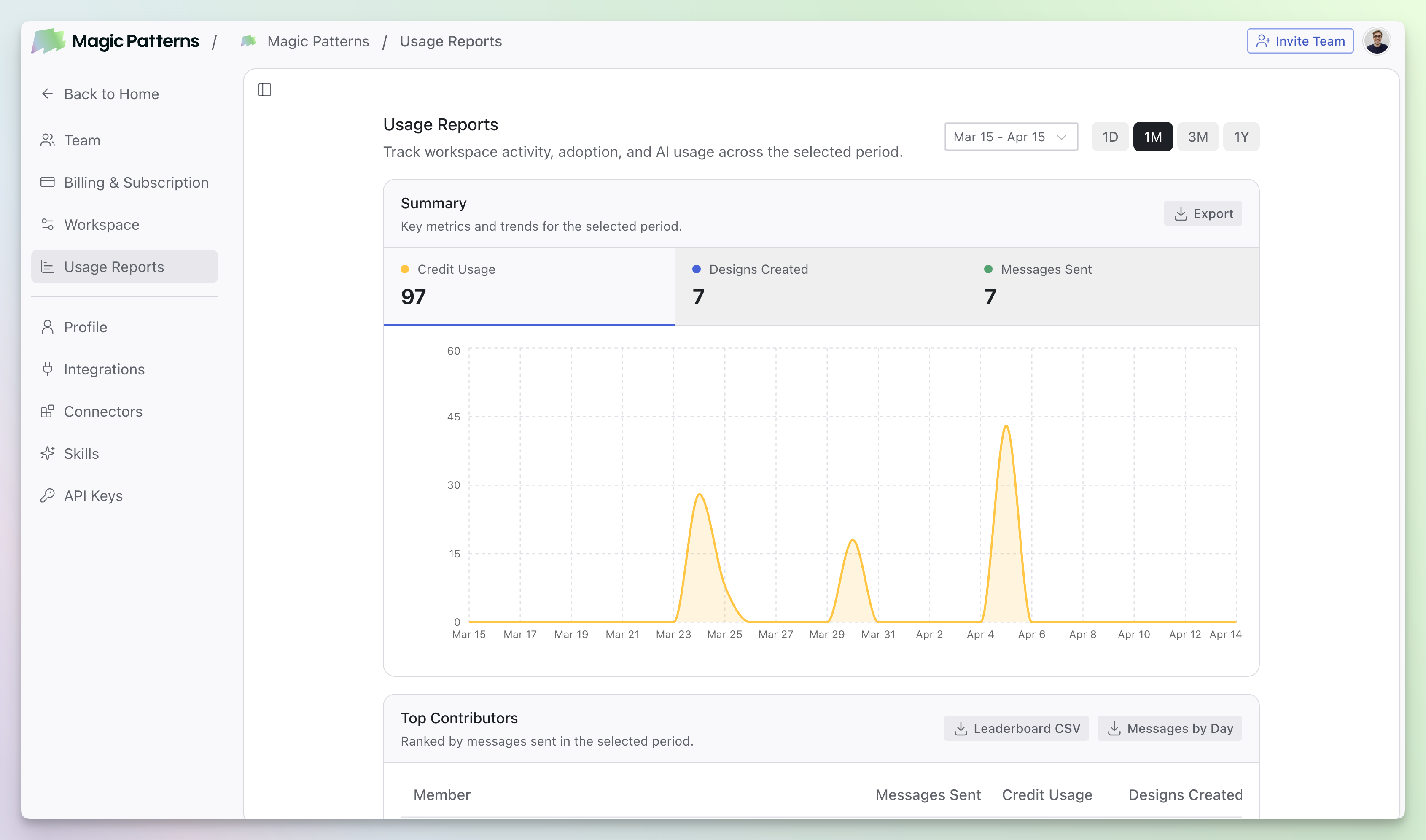
Business and Enterprise workspaces can open Usage Reports at Settings → Usage Reports to track adoption, compare activity on a team leaderboard, and review time saved.
Learn more about tracking usage.
Check it out on Magic Patterns!
Thankful for this community and all our Product Hunter followers.
Replies
Ocular AI
Amazing product and congrats on the launch!!!