

🔔 Approve Claude Code, join meetings and quit runaway apps from your notch

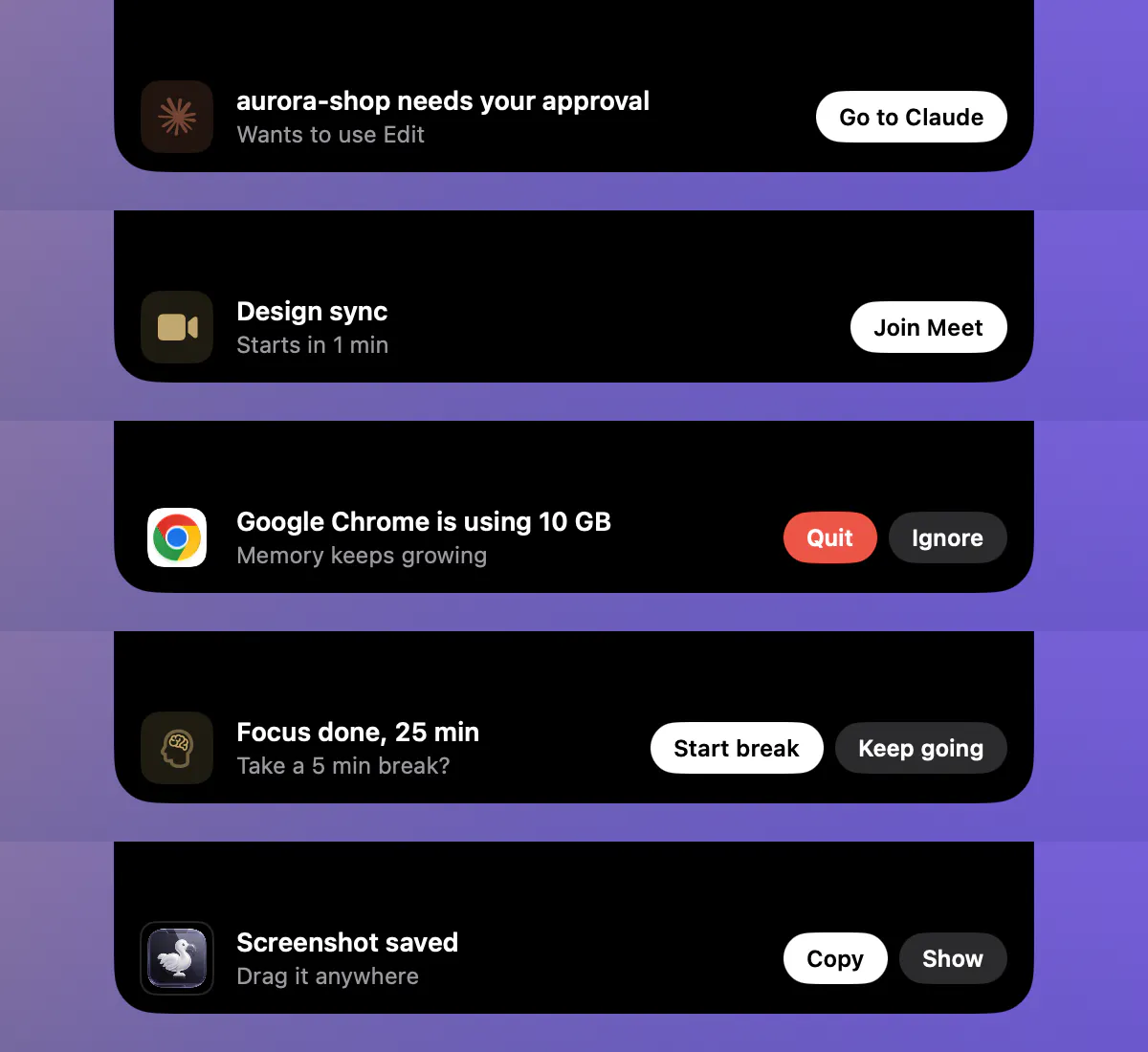
Most Mac alerts slide in from the corner, fight for attention and disappear before you can act. In the new update, the notch grows into a small banner right under your camera with a button you can press right there.
What drops down:
Claude Code needs your approval → Go to Claude
Meeting in a few minutes → Join (Meet, Zoom, Teams)
An app is eating your CPU or memory → Quit or Ignore
Focus session done → Start break or Keep going
Timer finished → Restart
Battery at 10% → Battery Settings
Download finished → Open, or drag the file straight from the notch
Screenshot taken → Copy, or drag it into Slack or a mail
How it stays polite:
One banner at a time, the rest wait their turn
Hover over it and it stays until you move away
Stays quiet in full screen, during calls and while the notch panel is open
Each banner type can be turned off in Settings
Opening and closing the notch also got smoother. It uses a softer spring, and pages slide in from the side you tapped.
Everything still runs on your Mac. No account, no tracking.
Which moment should drop down next? I'm choosing the next banner from the replies.
Replies
Be the first to reply
Have a question or a thought to share? Add a comment above to start the conversation.