

Release Notes: April 8, 2026 - Browser extension side panel and listen mode available in extension

We’ve just released an update to the browser extension.
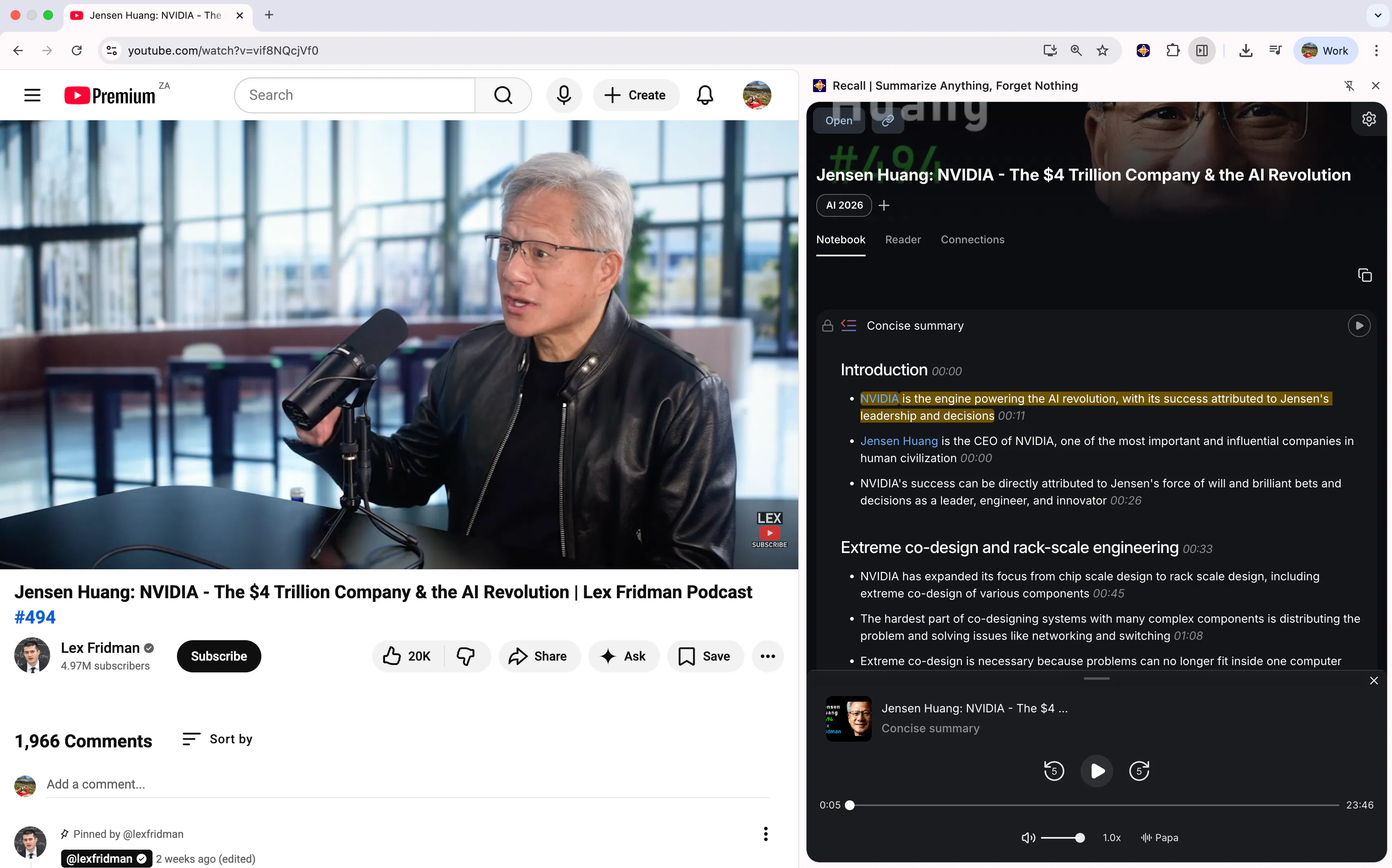
The extension now opens in the browsers side panel, which means it will no longer cover part of your search. The extension also remains open as you search, so feel free to switch between tabs and pages as you’re doing your deep dives. Plus, we’ve integrated Listen Mode into the extension. So now, you can listen to your content in that familiar voice you’ve grown accustomed to over the past week!
What’s included
Browser extension side panel:
The extension now opens in the browser's side panel instead of a popup overlay. It stays open as you navigate between pages and no longer covers page content. Supported on Chrome, Edge, and Firefox.
Listen Mode in the extension:
Listen back to your content from the browser extension, including speed control, playback position saving when closing the panel, and proper timing synchronization.
Reader content extraction:
Significantly improved the quality and accuracy of content extracted from web pages, with better handling of images, tables, code blocks, and links
UX improvements:
Fixed numbered lists being cut off in chat, made chat fully responsive on small screens, added descriptions to connection preview cards, and fixed image loading for connections and wiki pages
Bug fixes
Improved reliability when saving TikTok videos
Items created from PDFs now display the extracted title instead of the filename
Shift+Enter now correctly adds a new line in chats
What’s next
We’ve got some really exciting updates on the horizon! We can’t wait to share what we’ve been working on with you.
Replies
Be the first to reply
Have a question or a thought to share? Add a comment above to start the conversation.