

DESIGN:OS Studio v0.7.7: no more narrow-window crash, plus OKLCH, OKLAB and new mask types
DESIGN:OS Studio is a high-quality, FREE Figma alternative built for AI. It is free to download and use, and source-available under PolyForm Shield 1.0.0.
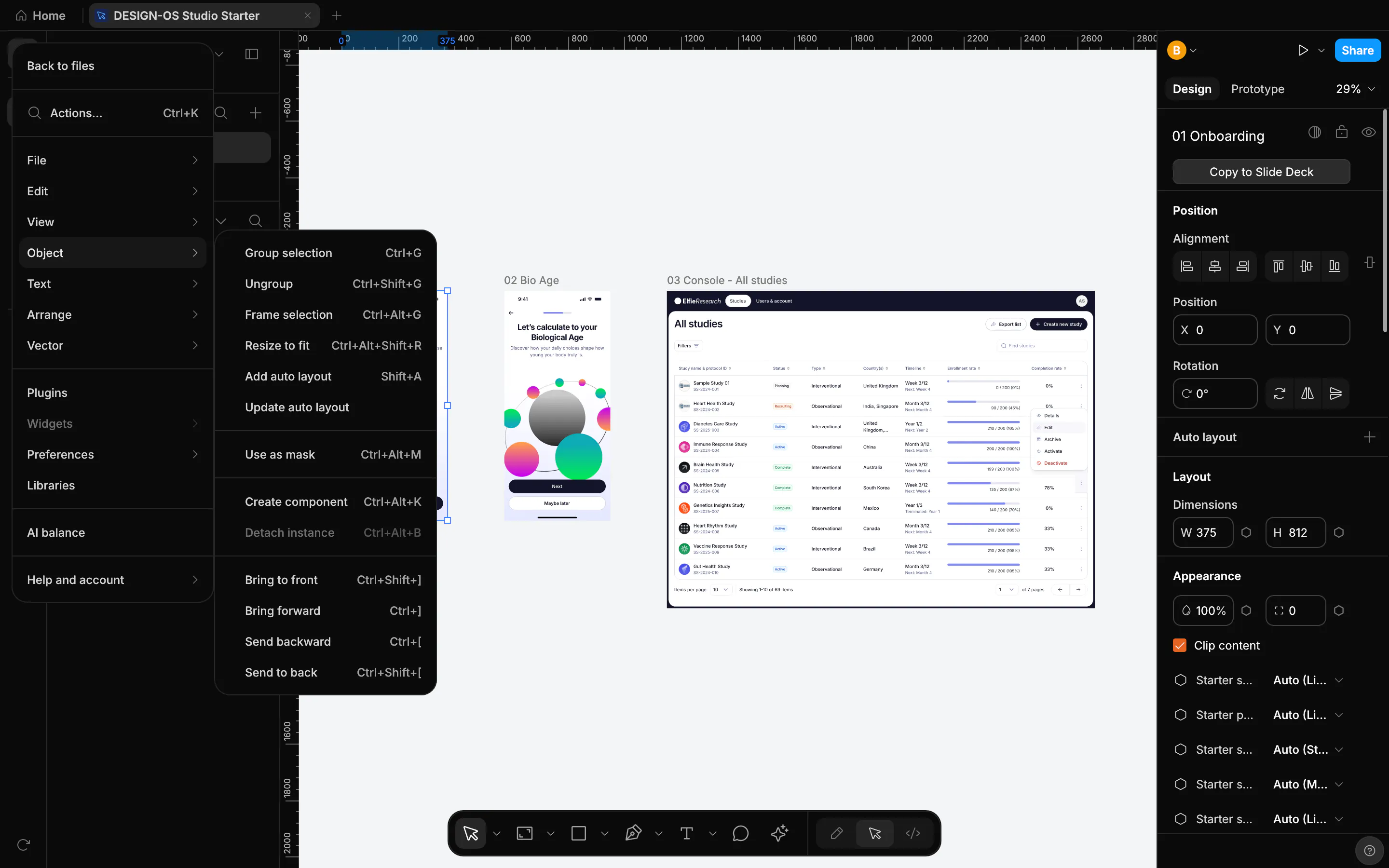
v0.7.7 fixes the crash from v0.7.6 and adds more everyday basics from Figma: OKLCH and OKLAB, Resize to fit, and Alpha, Vector and Luminance masks.
What's new
• Crash fix: opening the Agents panel in a narrow window no longer crashes Studio (#1462, #1483). This fixes the known issue from v0.7.6. If you send another prompt while an agent is waiting, it is queued behind the waiting one instead of replacing it (#1437).
• Canvas: when you zoom out and the view is still, Studio now draws enough detail, so frames no longer lose text and small content (#1485). Click selects layers from the outside in, like Figma, and Shift-click adds the matching layers (#1489).
• The color picker has OKLCH and OKLAB (#1451). The Object menu has Resize to fit, and Paste to replace keeps its own shortcut (#1488). Masks now include Alpha, Vector and Luminance (#1492). Flatten and Outline stroke turn text into vector paths (#1491).
• Inspector: the bind variable icon always shows on fields that can be bound, and Typography has a place to bind a variable (#1452).
• .fig: instances keep their own color style for fill and stroke overrides, and gradient swatches from the Untitled UI kit are no longer drawn purple (#1484). Saving a .fig keeps an instance's size and opacity overrides (#1505).
• Export, layout, MCP: native SwiftUI, UIKit, Compose and Android XML code places grid children by the layout solver's tracks (#1450). Wrapped Fill-width text re-measures its height after the width changes (#1360). designos_apply_batch with set_slot fills the right slot of an instance (#1515).
Known issues: text stroke does not follow stroke alignment yet (#1504). Group bounds still include hidden children (#1503).
A question for people who work in color: when you build a palette, which model do you reach for first, OKLCH, OKLAB, HSL or plain hex? And which mask type do you use most?
Release notes and downloads for macOS, Windows and Linux: https://github.com/jangtrinh/design-os-studio/releases/tag/v0.7.7
#DESIGNOS #FigmaAlternative #FreeDesignTool #AIDesign #DesignSystem
Replies
I'm a server engineer by background, not a designer, so I usually just start from hex. What I do care about is that my pages look right in both dark and light mode. I use dark mode on every device myself. Does OKLCH make it easier to build matching dark and light pairs? That's the one thing that would get me to switch.