

Snapr – Custom cursors for better screen recordings
by•
Hey everyone 👋
One small detail I always found frustrating when recording demos was the cursor.
It’s either:
- too small to see
- jittery and distracting
- or just... boring
So I added a custom cursor feature to Snapr.
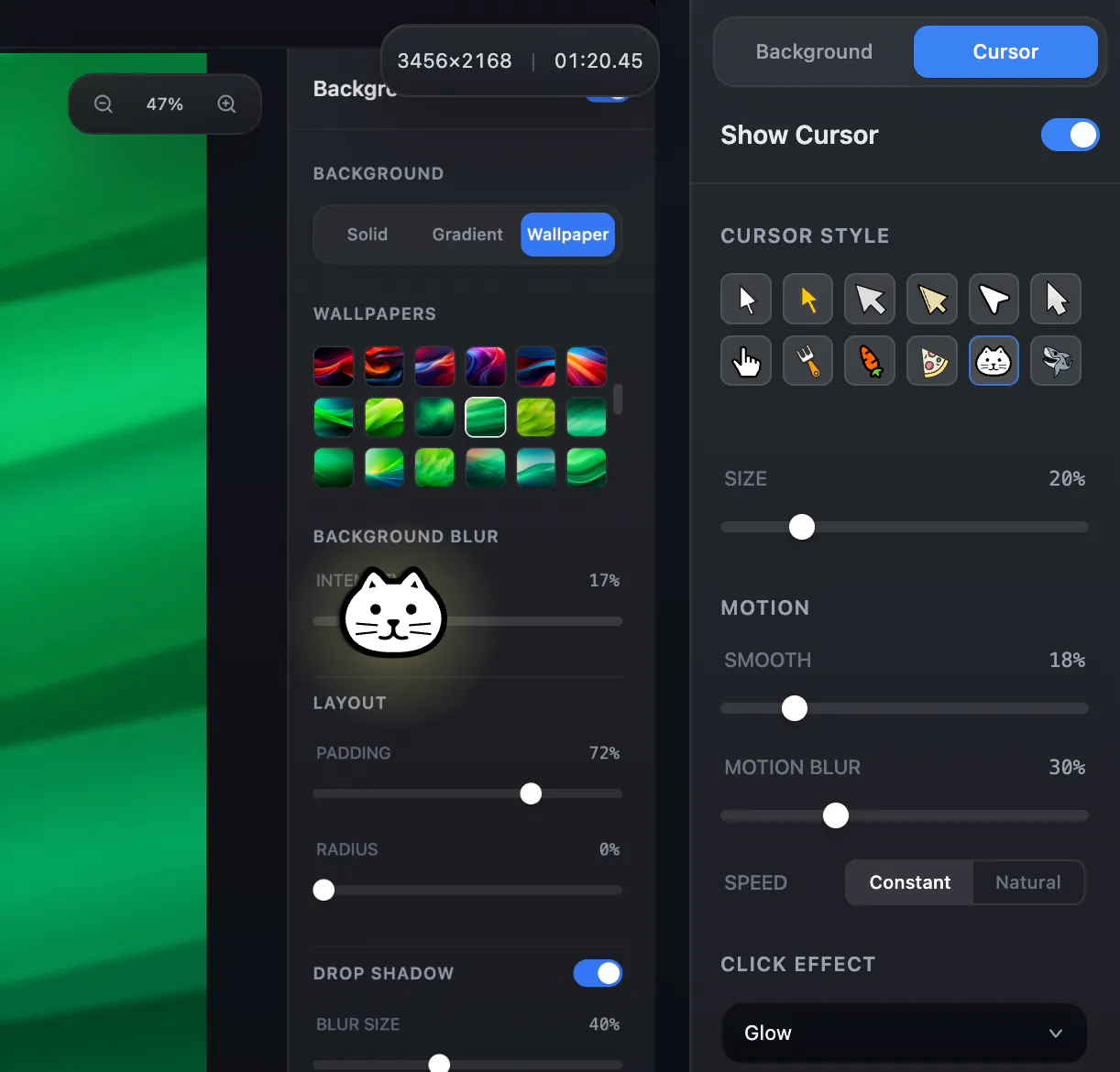
Now you can:
• Use different cursor styles and adjust size
• Smooth out cursor movement (no more jitter)
• Add motion blur trails
• Add click effects for better clarity
The goal wasn’t to make it flashy —
but to make recordings easier to follow.
Especially for tutorials, product demos, and presentations.
Would love to hear your thoughts:
What makes a “good” cursor in recordings for you?
Also… yes, you can turn your cursor into a cute cat 🐱
Not essential, but hard to resist.
75 views
Replies
Be the first to reply
Have a question or a thought to share? Add a comment above to start the conversation.