


Job Driver — Beat ATS & Get More Interviews with AI-Powered Resumes
Searching for a job should feel exciting — a step forward in your career journey. Job hunting today feels broken — you spend hours tailoring resumes, tracking applications, and trying to outsmart ATS robots that reject 95% of candidates before a human even looks. I know the struggle. That’s why we built Job Driver — an AI-powered Chrome extension that turns LinkedIn job hunting from a full-time job into a fast, smart, and stress-free process.
Why Job Driver?
Most tools help you polish your resume or track jobs separately — but Job Driver actually saves you time and boosts your chances by combining:
AI resume tailoring
AI Cover letter writing (coming very soon)
Instant job description summaries
Automated application tracking
How it works:
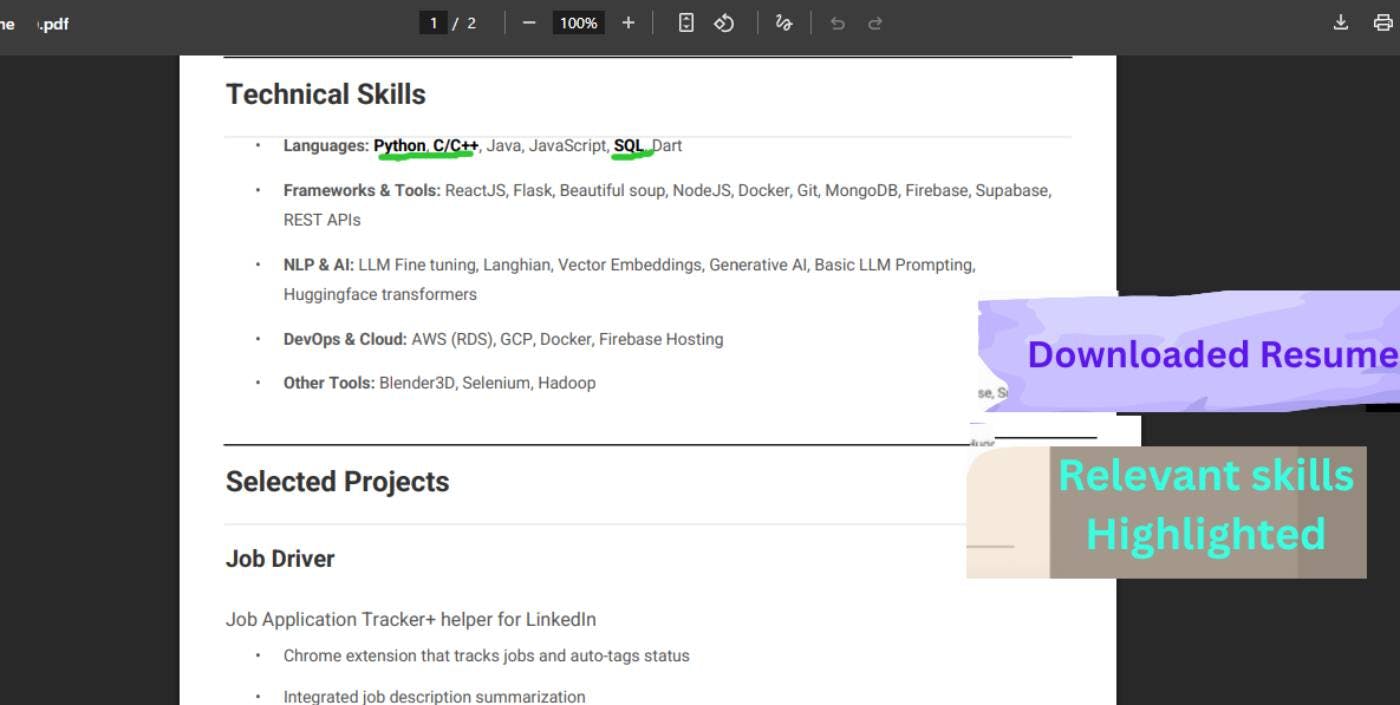
Create Tailored, ATS-Optimized Resumes — Customize your resume to each job in seconds, with keyword alignment and formatting designed to beat ATS filters.
Generate Job-Specific Cover Letters — AI crafts personalized cover letters that highlight your fit for every role, saving you hours of writing.
Understand Job Requirements Quickly — Job Driver breaks down complex job descriptions so you know exactly what employers want.
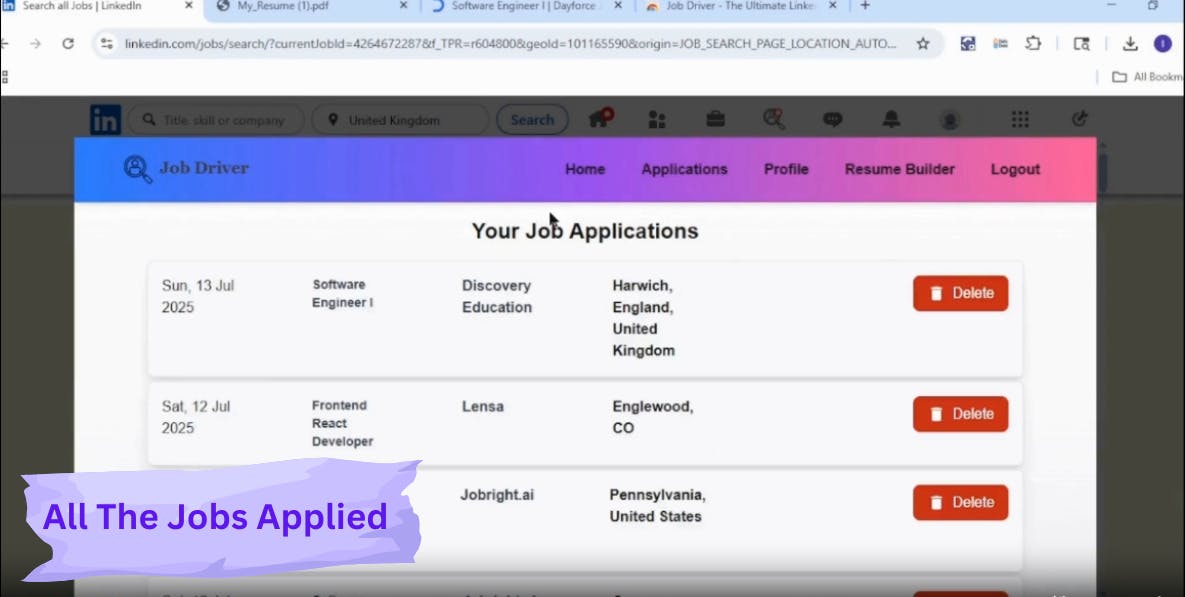
Automate Application Tracking — No more messy spreadsheets. Track all your applications and statuses from one centralized dashboard.
Analytics Dashboard: See which applications are getting traction and make smarter job search decisions.

| Task                        | Manual Time   | Job Driver Time | Saved     |
| ----------------------------| ------------- | --------------- | --------- |
| Reading job description     | 4–6 minutes   | ~30 seconds     | 3.5–5.5 min|
| Tailoring resume            | 15–30 minutes | ~15 seconds     | 14–30 min  |
| Tracking job info           | 2–3 minutes   | 0 seconds       | 2–3 min    |
|Switching tabs & copying info| 1–2 minutes   | 0 seconds       | 1–2 min    |
---------------------------------------------------------------------------
| Total per application       | 22–41 minutes | ~45 seconds     | 21–40+ min |
Total time saved per application: 21 to 40+ minutes!
👉 Check it out on the Chrome Web Store:
https://chromewebstore.google.co...
Replies