


Multi Prompt Builder for Production-Ready AI Conversations
While building AI agents with customers at Famulor, we noticed another recurring problem:
As soon as conversations become non-linear, prompts break down.
People try to:
Stuff complex logic into one giant prompt
Explain branching behavior in long paragraphs
Maintain “if / else” logic inside plain text
The result?
Prompts that are hard to understand, impossible to maintain, and risky to change.
That’s why we built the Flow Builder.
🧩 Flow Builder
Instead of writing long, fragile prompts, you can now design conversations visually — structured, scalable, and production-ready.
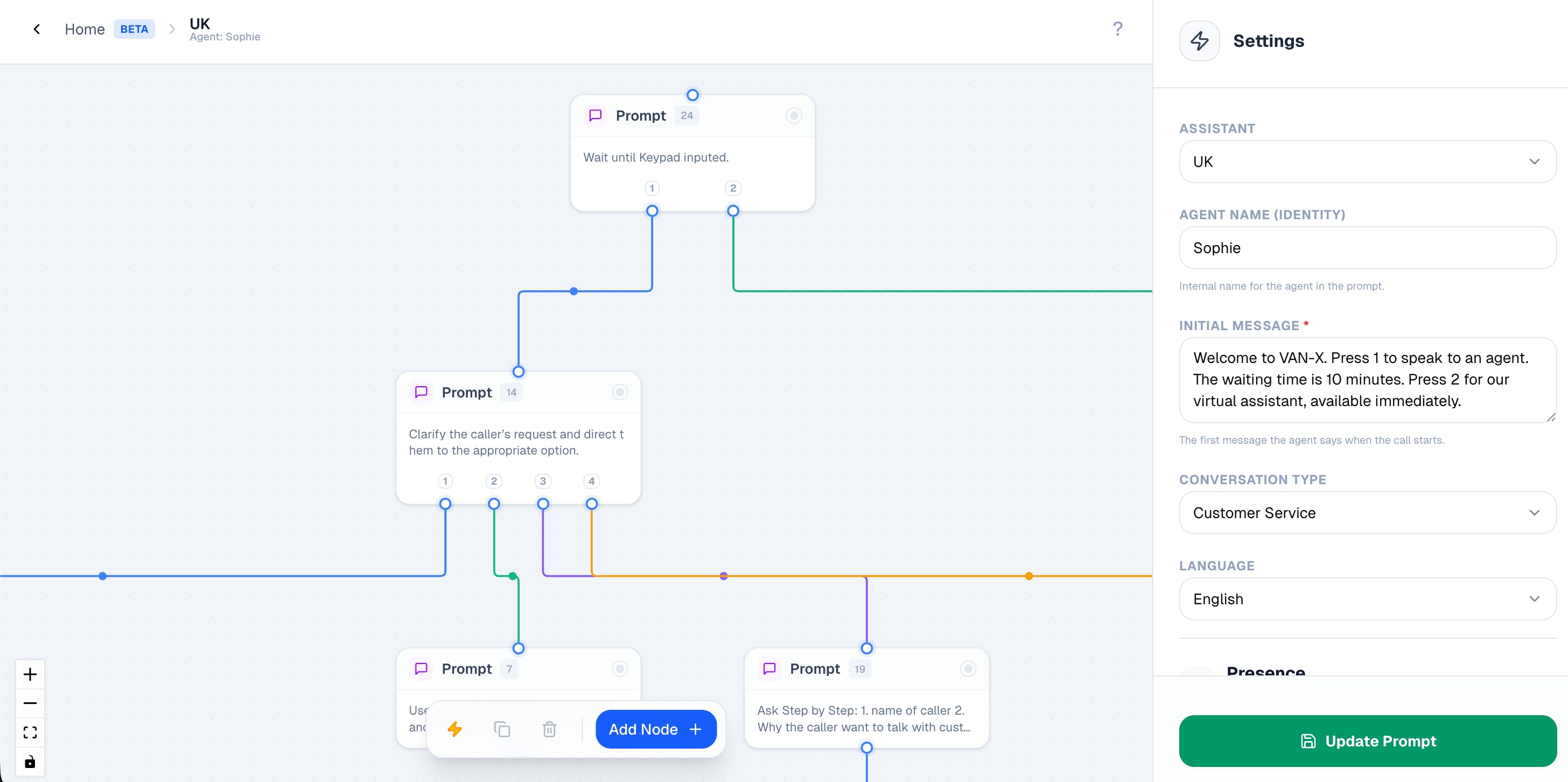
What it lets you do:
Visual drag-and-drop builder
Design conversation flows like a diagram — clear, readable, and easy to reason about.Node-based system (5 node types)
Start
Speak
Prompt
Action
End
Branching logic made simple
Build multi-path conversations like:
Interested / Maybe / Not Interested
Each path leads to a clear outcome.Per-flow settings panel
Customize agent behavior per flow:
name, language, assertiveness, humor, and more.Auto-layout
One click to neatly organize even complex flows.Import / Export JSON
Share flows across assistants, environments, or teammates instantly.
Why this matters
We learned that complex AI conversations don’t belong in giant prompts.
They need:
Structure instead of text walls
Visual clarity instead of guesswork
Collaboration instead of copy-paste
With the Flow Builder, teams can build complex, multi-branch AI conversations without writing long prompts —
faster iteration, cleaner structure, and easier collaboration.
Curious to hear how you’re building AI conversations today 👋
Replies