

Best Activity Monitor Alternative for Mac: Vitals Is Live on Product Hunt 🎉

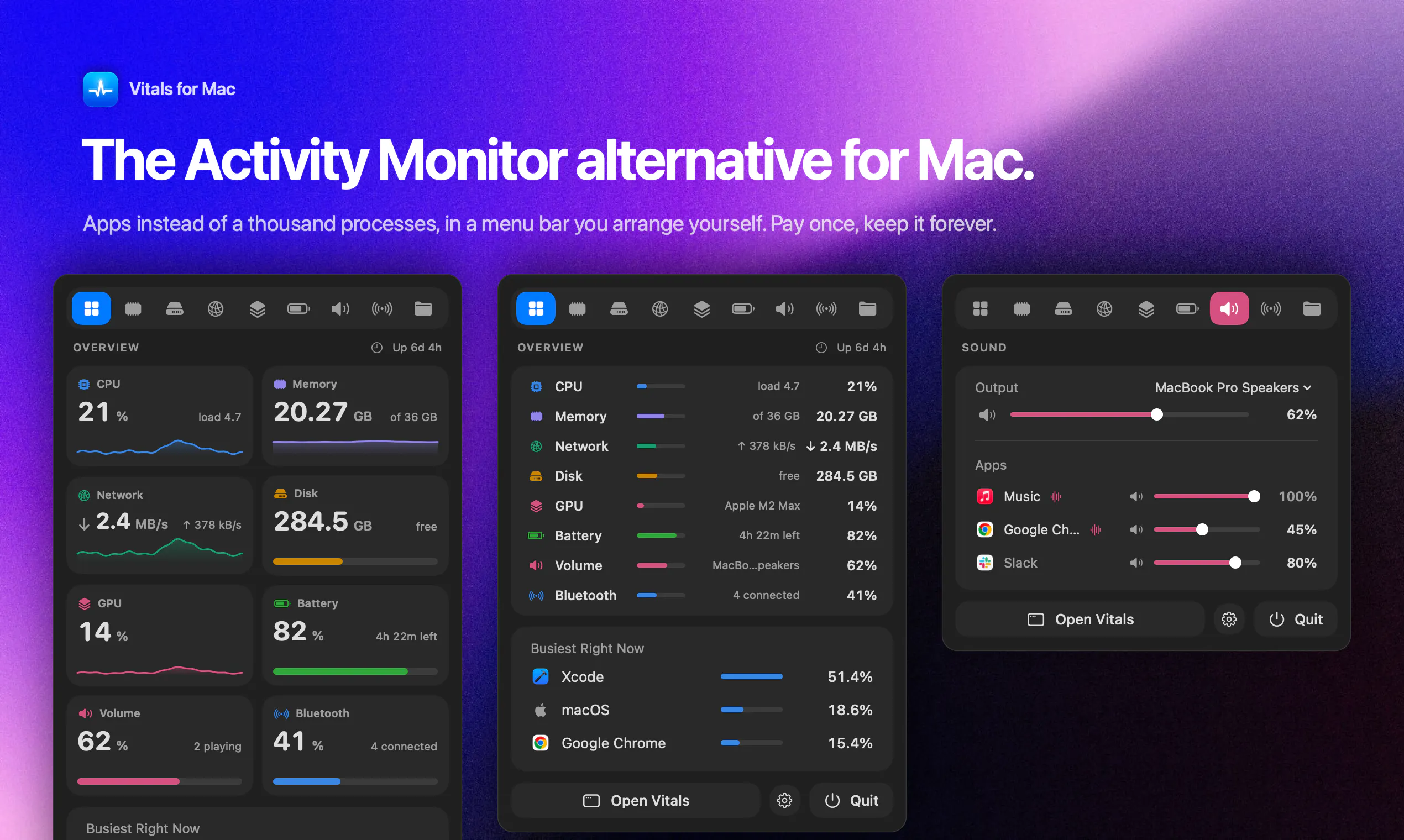
Vitals is live on Product Hunt today. It's an Activity Monitor alternative for Mac that shows you 60 apps instead of 1,000 processes, and in its first week, close to 830 licenses have sold. This is the story of why I built it, how it works, and why I think it's the best way to see what your Mac is actually doing.
Why Activity Monitor isn't enough
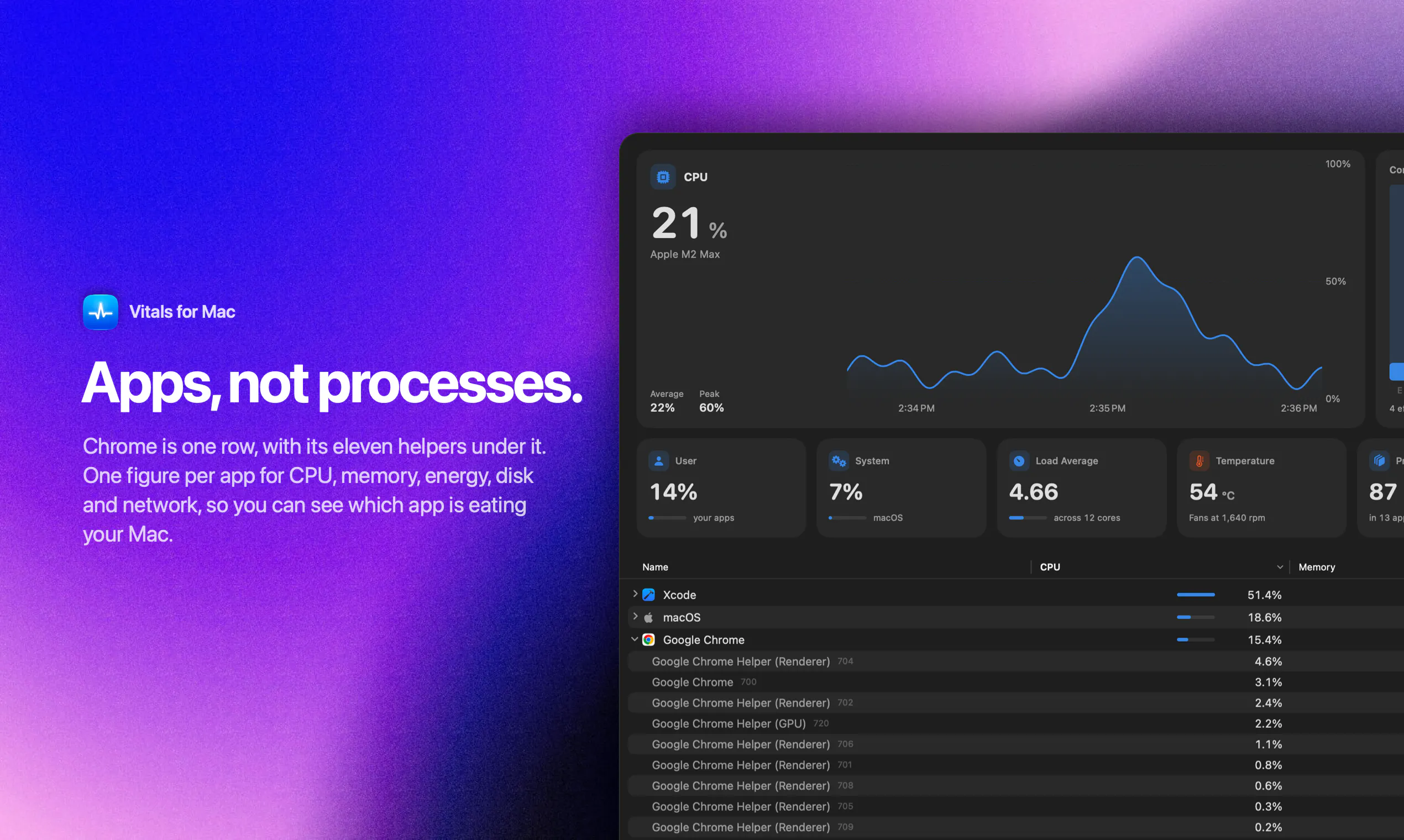
You know the moment. The fans spin up, the Mac feels slow, and you open Activity Monitor. It shows you 1,041 processes. 96 of them are some version of "Google Chrome Helper": Renderer, GPU, Plugin, Network. The one question you opened it to answer, which app is doing this, is the one question it can't answer. You end up adding memory figures in your head.
I'm a developer, so there was a second problem on top. I usually have a few Node and Python servers running that I forgot about days ago, each holding a port and a few hundred megabytes. Activity Monitor calls every one of them "node", with no idea which project it belongs to.
What makes Vitals different
Vitals starts from the app. It adds every helper process to the app that launched it, so Chrome is one row with one figure each for memory, CPU, energy, disk, and network. A typical Mac goes from about 1,000 processes to about 60 apps, and the answer is at the top of the list.
From there:
Click any app and a drawer opens with everything about it: memory and CPU over the last minutes, power, GPU, disk and network, every process under it, and Quit.
30 days of history, per app, so you can see when your Mac slowed down and which app did it.
Alerts when an app keeps using too much CPU, memory or disk.
Projects: the dev servers you left running, grouped by project folder, with their ports and how long they've been idle. Stop them one by one or all at once.
The menu bar: every readout can be its own item, a value, a graph or both, in the order you drag them.
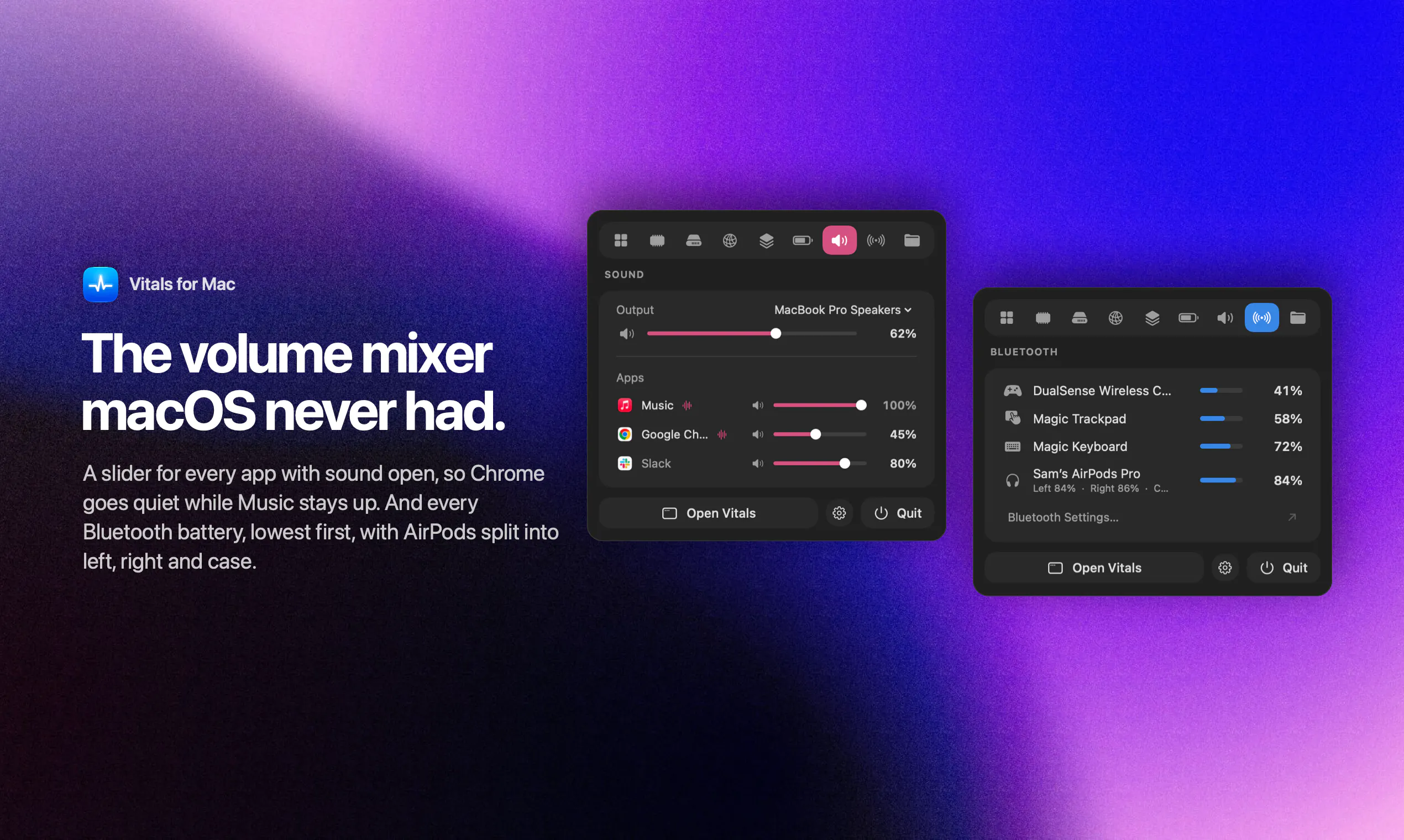
Sound: a volume slider for every app with sound open.
Bluetooth: every connected device and its battery, lowest first.
Hardware: temperatures, fans, battery health, and power per app.
Vitals vs Activity Monitor, iStat Menus and Stats
There are good tools out there, and I used most of them before building this.
Activity Monitor and the terminal tools (htop, btop) show you processes and leave the adding up to you.
The menu bar monitors (iStat Menus, Stats and the rest) are great at showing how busy your Mac is, with gauges and graphs, but not which app is behind it.
Vitals starts from the app, and it's built to feel like one native Mac app across the window, the panel, and the menu bar, not a dashboard.
If you want the detail, I keep an honest, product by product comparison here: vitalsmac.com/best-activity-monitor-alternatives
How Vitals is built
Vitals is a native Mac app, written in Swift and SwiftUI. No Electron, no web view. It reads what macOS already knows about your processes and keeps everything on your Mac: your history, your app list, and your project names never leave it. It only goes online to check for updates and your license. It runs on Apple Silicon and Intel, macOS 15 or later.
A system monitor should never be the thing slowing your Mac down, so Vitals shows up in its own charts, and one of the first updates halved the work its window does every second.
I built it on my own, with Claude as a pair programmer for the app, the website, and even the launch video, which is rendered from code.
Launch week in numbers
I launched it on X first. The post was seen over 120,000 times, 170 licenses sold in the first four hours, 600+ in the first 48, and it's close to 830 today. Since then I've shipped seven updates in five days, from Force Quit in Projects and a Keep in Dock option to today's 1.1 with the arrangeable menu bar, Sound and Bluetooth.
A few things people said, which meant a lot:
"Best $5 I ever spent." Steve Chazin
"macOS Activity Monitor is horrible when I'm juggling dev projects and local AI. Vitals is so much better." Knowix
"Finally, CPU usage with actual context." Yaser Abbass
"Now I find myself stealing quick glances at the menu bar, instead of taking another sip of coffee." Ed Wiseman
Pricing
$5 right now, the launch price, then $29. One payment for lifetime updates, no subscription, no account, and a 14-day refund if it's not for you. The site shows the live price and how many launch licenses are left.
What's next
A Homebrew tap is the most asked-for thing, and it's coming. After that, I'd love to hear from you: what do you want Vitals to answer that it doesn't yet? I'll be in this thread all day, and if you're trying it for the first time, an upvote on the launch page helps more than you'd think.
Replies