If answering that means digging through Jira, GitHub, and your calendar, you already know it takes longer than it should.
Worktrace builds that answer for you. It reads only the metadata from tools you already use and turns it into a clean daily timeline, no timers, no manual entry, nothing read from your actual work.
If Wednesday already has you guessing, you are not alone. That is usually where the details start slipping.
Worktrace builds your daily work log automatically from the tools you already use, no timers, no manual notes, no one reading your messages or code. By midweek, the record is already there.
Most people can't, and that's not a memory problem, it's a tooling problem. Worktrace traces the metadata from your calendar, GitHub, Jira, and more to build a daily log automatically, so every switch is already recorded by the time you go looking for it.
No timers. No manual notes. No messages or code ever read.
Worktrace does not wait for you to reconstruct last week from memory. It quietly logs your calendar, tickets, and commits as you go, so by Monday morning the record already exists. You just review and confirm.
Worktrace keeps the receipts for you. It quietly builds a daily work log from the tools you already use, calendar events, tickets, commits, so every hour you bill has something real behind it. No timers to start, no manual notes to keep.
You review it, you edit it, you send it. Free at worktrace.io. #productivity #timetrackingapp #timetracker #devtools #softwareengineering #contractor #contractorlife #freelancing #freelancerlife #developer #developers #developerlife
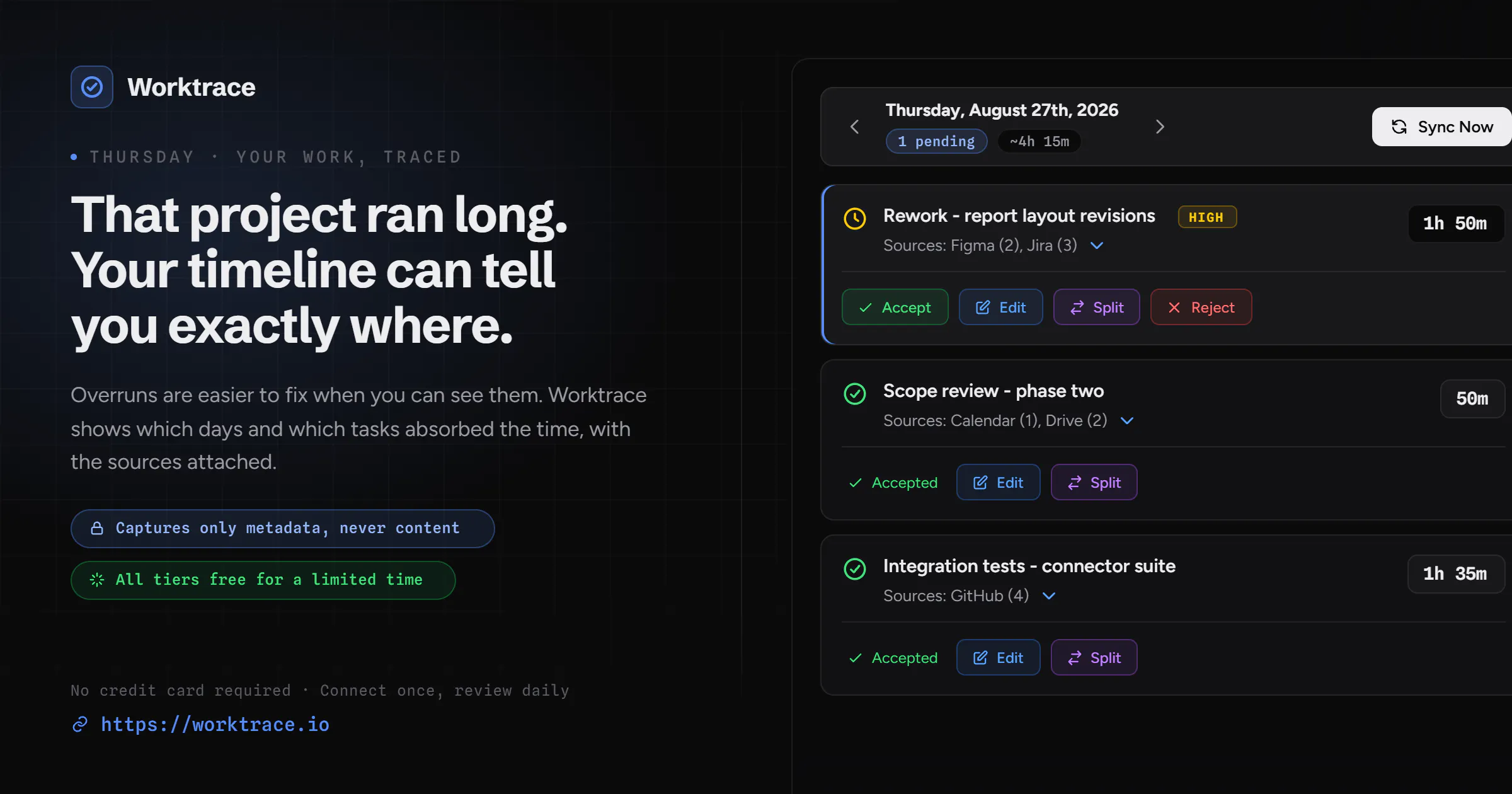
Worktrace builds a daily timeline from the tools you already use, calendar, GitHub, Jira, Drive, so when a project overruns you can actually trace where the extra days went instead of piecing it together from memory in the retro.
If you bill by the hour, you know the pain of trying to reconstruct a week after the fact so the numbers hold up. Worktrace traces activity across your calendar, GitHub, and Jira into a daily log automatically, no timers, no manual notes, no one reading your messages or code.
Review it, edit it, send an invoice you can actually stand behind.
That gap is normal, meetings run over, priorities shift, fires need putting out. The problem is nobody tracks the difference, so by the time review or invoicing rolls around, you're stuck guessing.
Worktrace quietly builds a daily log from the tools you already use (calendar, GitHub, Jira) so you can see the plan and the reality side by side. No timers, no manual notes, no one reading your messages or code.
Worktrace has already been keeping track. It pulls activity from Google Calendar, GitHub, Jira, and the other tools you use daily, and turns it into a clean work log, no timers, no manual notes, no digging through your inbox on a Friday.
You just review it, tweak anything that needs it, and close out the week in minutes.


 p/general
 p/vibecoding
 p/ama
 p/introduce-yourself
 p/self-promotion
 p/meridian-16
 p/slay-3
 p/runevr
 p/retainiq-2
 p/google-cloud-platform
 p/producthunt
 p/shape-5
 p/many-displays
 p/reso
 p/overads-io
 p/flamigo
 p/kodlo
 p/leantake
 p/murror
 p/statefold-2
 p/bublr
 p/gatrends
 p/scrimba
 p/dots-7
 p/contral