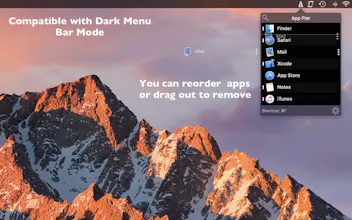
App Pier for MacOS is keyboard-centric fast app launcher and switcher for MacOS with strong touch bar support. Features: * See and open running apps together with your pinned apps. * Search and launch any application from Application Folder * Open your favorite folders * Focus Mode: Hide other app's windows when an app is launched * Touch Bar
No reviews yetBe the first to leave a review for App Pier for MacOS
Things this approach misses: no app badges, no drag and drop of files onto launched or non-launched apps, no download/recents folders, and at my number of open apps and pinned ones, I have to scroll like a madman.
@legerdemain Thanks Mikka for your comment. It is true that it cannot provide all features that MacOS Dock has. Some missing features are due to sandboxing requirements or API limitations. Regarding scrolling too much, you can start typing name of the app and most of the time even first letter will be enough to select the app so that you do not have to scroll to find the app. I will be working on a better search too.
@legerdemain With version 1.2, App Pier has better type to select performance. Now, multiple word app names will be selected by typing a few letters too. I also added app search. This way you can launch apps from your Applications folder too.
Hello Hunters,
Thanks to your feedbacks, I added a few important features in v1.2
* Launch applications from your Applications Folder
* Hide Others / Show All options in right-click menu
* Better type-to-select performance
Best,
Zafer
Another feature for App Pier. With 1.4, I added Favorite Folders feature. Now you can add your most frequently used folders and reach them from Touch Bar and Menu Bar Window easily. In addition keyboard shortcuts, Option + 1 to 5 opens that folders too.
Penjo
Penjo
Penjo
Penjo
Penjo