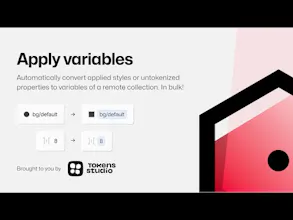
Already have your variables set up and want to bulk apply them to your work? You can swap styles with variables or apply variables that match raw number values to elements in any file with access to your variables collections!
No reviews yetBe the first to leave a review for Apply Variables
Hunter
📌
I know a lot of folks are struggling with Figma's variables, and when I came across this new plug-in shared by Sam and Jan on Twitter, I felt I should share it here. Check out the problems they are trying to solve:
"The plugin allows you to one-click switch over to Variables in a non-destructive way. If you had a style named bg/default and you have a Collection that has a variable named bg/default, we'll apply the Variable in place of the style - all in bulk ✨
Another option is to apply variables to untokenized properties! This enables you to transform all your raw values into actual Variables. For an AutoLayout layer with a gap of 4, we'll apply a variable with a value of 4. Again, in bulk! 🚀" - @Six7
"You can BULK Apply Variables with just a couple of clicks. The best part? Your variables can live in a different library altogether! 🤯
💡 Workaround for the 4 mode limit for folks with 5+ color libraries of variables
💡 Self QA for missed variables after manually applying them to designs
💡Rapid ideation on past designs " - @SamIam_Designs



Practical UI