APX Terminal
Encrypted terminal and SSH client with built‑in AI assistant
98 followers
Encrypted terminal and SSH client with built‑in AI assistant
98 followers
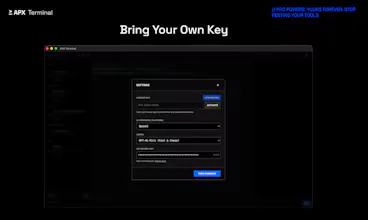
Stop Googling commands. APX Terminal is the modern, GPU-accelerated terminal for macOS, Windows & Linux. Seamlessly control Localhost & SSH servers using natural language. Context-Aware AI (It reads your logs & errors), Model Agnostic (Bring your own keys: OpenAI, Gemini, DeepSeek, Groq), Native Performance. The Terminal. Perfected. Don’t just command. Talk. An industrial-grade terminal & SSH client engineered for precision. Local encryption. Neural intelligence. Perpetual license.


APX Terminal
The context-aware AI reading the terminal buffer is the killer feature here. Copying error logs into a browser tab to debug has always felt broken.
Curious about the BYOK setup - when switching between providers (say OpenAI for one task, DeepSeek for another), does it remember which model works best for different types of errors? Or is it manual switching each time?
APX Terminal
@kxbnb Glad you vibe with the context feature! It really changes the flow once you get used to it. Right now, switching is manual but instantaneous via a dropdown. We found that most devs prefer explicit control, using cheaper/faster models (like DeepSeek/Groq) for daily driving, and bringing out the 'big guns' (GPT-4o) only for nasty, obscure bugs.
But automatic model selection based on complexity? That sounds like a dream feature. Noted! 🚀
The fact that the AI can actually read my logs and errors to give me context-aware advice is huge. I wonder if it can suggest specific fixes for complex deployment errors, or if it just explains what the error means in simpler terms.
APX Terminal
@theaxx It definitely suggests specific fixes! That was a must have for me. If you get a deployment error (say, a Docker container crashing or a cryptic Nginx config issue), the AI will analyze the log and typically output the exact command or code snippet to resolve it. You can often just copy-paste the solution.
It goes beyond 'This is a 502 error' and leans more towards 'Here is the missing line in your nginx.conf'. Give it a shot on your next broken build!
The ability to broadcast and execute commands on multiple servers simultaneously is a total efficiency game-changer for daily maintenance, making cluster management far more convenient. When performing such batch operations, how does it clearly display and aggregate execution results to allow for quick verification that all hosts have completed the task successfully?
APX Terminal
@qwang_dazee Spot on. Managing clusters requires a bird's-eye view, not just raw logs. You can verify 20 servers in a glance just by looking for the absence of red dots. If one fails, you click it to isolate that specific terminal buffer and debug.
Using natural language to let the AI analyze logs or execute tasks truly eliminates the hassle of looking up commands, making it feel highly intuitive. However, when my requirements are described vaguely, how accurate is its comprehension? Could you provide an example of it successfully handling a complex task?
APX Terminal
@long_wang4 Great question! This is where the 'Terminal Context' shines. Even if your prompt is vague (e.g., 'Find the IP attacking me'), the accuracy is high because the AI scans your current screen buffer or log file to understand what data it's looking at.
I recently had a messy Nginx access log. I simply typed: "Show me the top 5 IPs hitting the login endpoint with 404 errors."
Instead of me struggling to write a complex grep | awk | sort | uniq -c chain, the AI generated the exact one-liner instantly. It understood the log format, filtered for 'POST /login', checked for '404', and aggregated the IPs. It turned a 5-minute Regex struggle into a 5-second query.
Having a graphical user interface (GUI) guide for operations like port forwarding is far more intuitive than memorizing command parameters, especially for beginners. Does this visualized tunnel feature support advanced custom mapping rules to meet more complex development or debugging scenarios?
APX Terminal
@peng_ye2 Yes, and the biggest game-changer for complex scenarios is 'Tunnel Persistence'. In CLI, if you have a complex setup (e.g., forwarding 3 different microservices + a Redis instance), your command becomes 200 characters long.
In APX, you map these rules once and save them to the Host Profile. The next time you connect, you can toggle that entire complex mapping group on or off with a single click. It turns complex topology into a simple dashboard.
The design of encrypting SSH keys and AI conversations locally puts me completely at ease about privacy and security, allowing me to use the tool with no worries. I’d like to learn about the backup and recovery mechanism for this local encrypted vault; is it easy to migrate when reinstalling the operating system?
APX Terminal
@ironliuyi Glad the local-first approach resonates!
Since we don't lock your data behind a cloud account, migration is currently done by simply copying your data directory (e.g., ~/.apx-terminal or %AppData%/apx-terminal).
You own the raw database files. Just copy that folder to your new machine's directory, and it will restore your keys, history, and configs exactly as you left them. We are adding a one-click 'Export to File' UI in the next update to make this even smoother!