
Claude Code Voice Mode
Speak your prompts into Claude Code
673 followers
Speak your prompts into Claude Code
673 followers
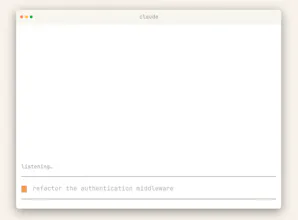
Voice mode enables natural, hands-free conversations with Claude — speak prompts and hear responses instantly. Switch between voice and text, use hands-free or push-to-talk, and productive while multitasking, learning, or brainstorming on the go.




Free Options
Launch Team

Render: Get up to $100K in startup creditsThe fastest way to launch and scale your startup in the cloud
Promoted
Claude’s voice mode has been around for a few weeks, but I wasn't using it enough. I was surprised how much time I could save by enabling it. Hence I am showcasing it today!
It is a full two-way spoken interface that lets you talk to Claude and hear natural voice replies on web and mobile, while still being able to switch back to text in the same chat when you need to type something precise.
It solves the “hands are busy, mind is free” problem by enabling complete spoken conversations for planning, learning, creative thinking, prep, and quick idea capture when typing would slow you down.
What’s different here is the combination of continuous hands-free listening for natural pauses, an optional push-to-talk mode for noisy environments, seamless text–voice switching with preserved context, and built-in safety measures like limited preset voices and strict policy enforcement.
Key features:
Hands-free listening that reacts to natural pauses.
Push-to-talk for noisy environments and precise control.
Preset voices with adjustable speaking pace.
Voice chats auto-saved as text transcripts in history.
Counts against your regular plan usage limits.
It’s ideal for busy knowledge workers, builders, and learners who want to plan their day, learn on the go, brainstorm creatively, rehearse interviews or tough conversations, and capture ideas the moment they appear, all through natural speech.
P.S. I hunt the latest and greatest launches in tech, SaaS and AI, follow to be notified → @rohanrecommends
@rohanrecommends I was super looking forward to CC's voice mode, but it has been buggy ever since I tried it. The most often error is that upon holding the Space key to talk, it just doesn't record anything:
When it worked, it was pretty hit or miss in terms of output. Did they improve anything in the past week?
@rohanrecommends working remotely, will no noise around, voice feature over any platform feels natural, quick and easy, and that what I opt for with other LLMs. This will really fit naturally within my workflow, thanks team!
Voice as an input layer for coding tools feels like an obvious next step, but surprisingly few products actually make it usable in practice.
The switch between voice and text is key here.
How do you see people balancing the two in real workflows rather than just demos?
I've been using Claude Code since it first launched over a year ago. A few months after I first started using CC, I found@Wispr Flow and it was a game changer. I especially like the fact that I can use snippets for shorthand and save recent messages in case i need to get back to those later. Interested to try CC's native /voice and see how that's different.
I've been using Claude Code daily to build a macOS app (Rust + SwiftUI).
Voice mode while reviewing diffs or planning architecture would be a game-changer — hands on keyboard, thinking out loud. Trying this today.
My setup is Claude Code on a remote server, I SSH into it for all my dev work — shipped a whole product this way. Genuinely curious about voice mode though. Does it need a local machine with a mic, or can it somehow work through an SSH session? I've been dealing with garbage system dictation for months, would switch in a heartbeat.
We use Wispr flow today and it works great across all clients. Specifically for claude code, it would be helpful if we are able to embed other language words. We work with remote teams that don't speak English fluently and would find that feature very useful
The "hear responses instantly" part — what's the TTS quality actually like for code-heavy output? When Claude's response is 80% a code block with variable names and syntax, does it read that aloud verbatim or does it summarize? Because "hearing" a 200-line diff spoken back to you sounds like a nightmare.