

Clipboard Remote
Copy & paste between PC, Mac, iOS and Android
170 followers
Copy & paste between PC, Mac, iOS and Android
170 followers
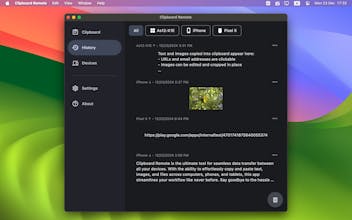
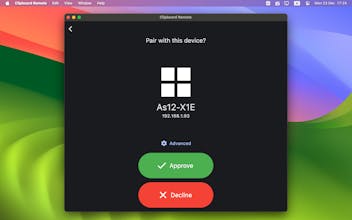
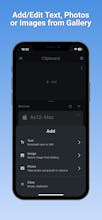
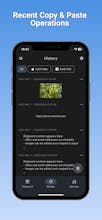
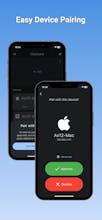
Cross-platform app for instant clipboard sharing between desktop and mobile devices. Clipboard Remote lets you effortlessly send text, URLs, and images from one device to another—delivering content directly to your clipboard for immediate use. FREE & NO ADS.








Just what I needed - now I dont have to open sendanywhere for just a short url or something! It'll be really helpful Thanks!
This is just what I was looking for! I bet many others have been needing this feature as well. Thanks for sharing this product. Congrats on the launch !🎉
Equip AI Interview
This is an interesting concept! However, I’m curious about the adoption—given that users can already share messages and files seamlessly across multiple devices using apps like Slack, WhatsApp, or even Gmail. What unique advantage does Clipboard Remote offer that would make users prefer it over these existing solutions?
It's really useful product! Congrats on the launch
Chance AI: Curiosity Lens
Oh wow Alexander, this is exactly what I've been looking for! The fact that it works across PC, Mac, iOS, AND Android is huge - most solutions I've tried are either Apple-only or miss mobile completely.
Free AND no ads? That's seriously generous! Really curious about how you're handling the security aspect of clipboard sharing between devices - that's usually the tricky part.
Love that it works with images too, not just text. As someone who's constantly moving content between phone and laptop, this could save so much time. The instant clipboard sync is 🔥
Clipboard Remote
@xi_z All data transferred between devices is protected with RSA encryption. Thank you for your support!
Permit.io
Super useful for quickly moving stuff between devices without relying on the cloud. Love the local-only approach for privacy, plus the ability to edit before sharing is a neat feature. Nice work!
Clipboard Remote
@gemanor Thanks, Gabriel! Happy to help.
Hello, I'm having some issues using Clipboard Remote. When copying screenshots from macOS Sequoia to Windows, I can't directly paste the images into Windows. I need to click "copy" in the Windows Clipboard Remote before I can paste the images elsewhere in Windows.