

Code
A CLI that understands your browser. Sign in with ChatGPT!
27 followers
A CLI that understands your browser. Sign in with ChatGPT!
27 followers
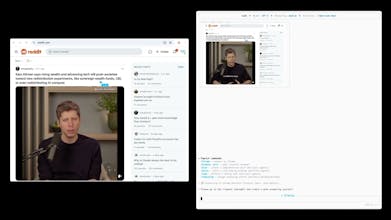
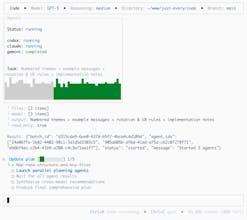
Fast, effective, mind-blowing, coding CLI. Browser integration, multi-agents, theming, unified diffs, and reasoning control. Orchestrate agents from OpenAI, Claude, Gemini or any provider. npm install -g @just-every/code code // or coder if you have vscode



Chargedesk
NoteUX Chrome Extension
@zemaj Great work James keep it up (Y)
Chargedesk
@nabeel_khan Thanks!
I love the concept of unified diffs and theming it definitely makes debugging a lot cleaner. Is there a way to save and share custom themes or diff setups for the team?
Chargedesk
@harper_young
Thank you for the kind words! You can absolutely create your own themes. Code’s theme system lets you start from a base theme and override colours or build an entirely custom palette via your `~/.codex/config.toml`. To share with teammates, you can commit your theme section into your repo and have others copy it into their `.codex` directory. Diff display settings live in the config too; there’s no built‑in cloud sync yet, but we’re exploring easier ways to share presets.
Does the CLI allow real-time collaboration between agents or is it designed more for executing tasks one after the other?
Chargedesk
@olivia_johnston1 Right now Code is focused on single-developer workflows. There isn't a real-time collaboration mode between human users; the multi-agent commands run GPT-5, Claude and Gemini together on your machine but don't sync sessions across developers. For now you share diffs via version control. Real-time collaboration is on our radar.
Can the CLI be fully integrated into CI/CD pipelines or is it primarily meant for local development?
Chargedesk
@juan_smith1 Yes! Code includes a non-interactive mode for CI/CD. You can pass prompts directly with flags such as --no-approval or --quiet to run it headless. The docs include an example GitHub Action that updates changelogs or runs tests in a pipeline.
This CLI looks super versatile with its multi agent orchestration. Can you link reasoning across different providers like OpenAI → Claude → Gemini all in one workflow?
Chargedesk
@scytalelabs_marketing Definitely. Code is built for cross‑provider orchestration. You can install Claude and Gemini adapters alongside Code and then use multi‑agent commands to coordinate them. For example, `/plan` asks GPT‑5, Claude and Gemini to build a shared plan, `/solve` runs a race between them and picks the fastest valid answer, and `/code` applies their consensus before making changes. We’re still working on deeper context passing, but multi‑provider workflows are supported today.
This is absolutely brilliant. Is it possible to set up which agent automatically manages specific file types or tasks?
Chargedesk
@aye sha_akram4 Thanks! Right now you choose the model with a flag or multi-agent commands. There's no way to auto-assign by file type yet, but you can run tasks separately. Assigning models to file types is a great suggestion we're exploring.
I'm impressed with the unified diffs but does it allow for real time collaboration?
Chargedesk
@brooklyn_campbell Thanks! Right now Code is focused on single‑developer workflows, so there isn’t a real‑time collaboration mode between human users. The multi‑agent commands run GPT‑5, Claude and Gemini together on your machine but don’t sync sessions across developers. For now you can share diffs via version control; real‑time collab is on our radar.