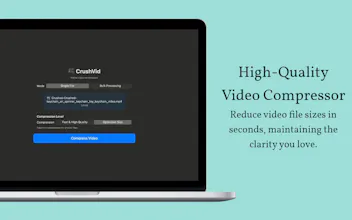
CrushVid is a fast, lightweight Mac app to compress videos without quality loss. Supports bulk mode, works offline, and is optimized for Apple Silicon. Free to use, with no watermark for Pro users. Just drag, drop, and crush your videos in seconds!
No reviews yetBe the first to leave a review for CrushVid -Video Compressor for Mac
Maker
📌
👋 Hey Product Hunt!
I'm excited to share CrushVid, a simple and powerful video compressor built specifically for Mac users.
I made CrushVid because I got tired of bloated apps, online tools with upload limits, and long wait times just to reduce video size. With CrushVid, compression happens fast and locally, your files never leave your Mac.
🚀 Features:
✅ One-click compression – drag and drop simplicity
📦 Bulk mode – compress multiple videos at once
🖥️ Offline & private – nothing gets uploaded, ever
⚡ Optimized for Apple Silicon (M1/M2/M3)
💎 No watermark for Pro users
The free version is fully functional for occasional use. If you compress videos often, the Pro version adds bulk processing and watermark-free exports.
Whether you're a content creator, student, or just cleaning up storage, I hope CrushVid saves you time (and disk space)!
I'd love your feedback, ideas, or questions, drop them below. Thanks for checking it out! 💬👇
Report
@siddharth1india Does it work with all the major video formats like .mov, .mp4, and .avi, or are there some restrictions?
Report
Maker
@harriet_langley Yes, CrushVid works with all major video formats including .mov, .mp4, and .avi.
Report
This is just what Mac users have been waiting for. A lot of tools either lower quality or are stuck online. Can Pro users tweak the compression settings, or is it all automatic?
Report
Maker
@zara_whitmore Currently it offers two type of compressions. One which keep high quality and compress at moderate level. One for extreme compression. I think for most non-tech users, keeping minimal settings makes more sense.
Report
@siddharth1india Is there a queue manager or a progress bar for handling large batch compressions?
Report
Maker
@millie_prescott Yes, there is progress bar for tracking progress. Also it is very fast.
Report
I love this tool. Are there any plans for a Windows or Linux version in the future or is it going to be Mac-exclusive for a while?
Report
Maker
@harriet_langley Currently I am working on iOS app for same. If I get enough user interest, I will launch for other platforms too.
@siddharth1india Does it work with all the major video formats like .mov, .mp4, and .avi, or are there some restrictions?
@harriet_langley Yes, CrushVid works with all major video formats including .mov, .mp4, and .avi.
This is just what Mac users have been waiting for. A lot of tools either lower quality or are stuck online. Can Pro users tweak the compression settings, or is it all automatic?
@zara_whitmore Currently it offers two type of compressions. One which keep high quality and compress at moderate level. One for extreme compression. I think for most non-tech users, keeping minimal settings makes more sense.
@siddharth1india Is there a queue manager or a progress bar for handling large batch compressions?
@millie_prescott Yes, there is progress bar for tracking progress. Also it is very fast.
I love this tool. Are there any plans for a Windows or Linux version in the future or is it going to be Mac-exclusive for a while?
@harriet_langley Currently I am working on iOS app for same. If I get enough user interest, I will launch for other platforms too.