
Drifty - Context Aware AI Time Tracker
Bring Visibility to your Focus
94 followers
Bring Visibility to your Focus
94 followers
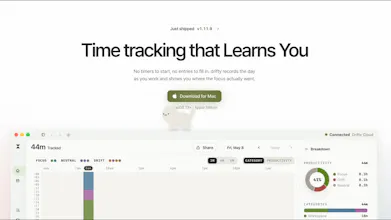
Drifty is an AI time tracker that shows where your workday actually goes. Automatically track your work with no timers or manual tracking. AI understands the context behind your activity, separates focus from distraction, visualizes your daily workflow, and helps you understand your attention patterns. Need a little help staying focused? Drifty detects sustained distractions and gently nudges you back to work. Runs locally for privacy, with the option to use the cloud when you want.
This is the 2nd launch from Drifty - Context Aware AI Time Tracker. View more

Drifty for Windows
Launching today
Drifty is a private AI time tracker that learns how you work. It tracks your day automatically, with no timers or manual entries, and separates focus from distraction based on context. The more you use it, the better it knows you, as your work profile, what you did before and after each activity, and every correction you make shape how it reads your day. Local mode is completely free, your data never leaves your device, and no screenshots or recordings are ever stored.


Free Options
Launch Team / Built With


hey, i’m ari, co-founder of drifty.
we launched drifty for mac here in july,
and since then the question we’ve heard most is “when is windows coming?”
it’s here now, with everything the mac app has.
what makes drifty different from other time trackers comes down to two things.
it learns how you work.
a youtube video can be research for one person and a break for another, so instead of fixed rules, drifty learns from your work profile, what you were doing before and after each activity, and the corrections you make along the way. the more you use it, the better it understands your day.
it’s private by design.
a time tracker sees almost everything you do, so we built drifty to work fully on your own computer. in local mode, it runs on free local AI and your data never leaves your device. no screenshots or screen recordings are ever stored.
a few other things it does:
→ automatic tracking, no timers to start or stop
→ focus vs. distraction based on context, not just the app
→ a companion that nudges you back when you drift
would love to hear how it reads your day, and what you’d want it to learn next.