

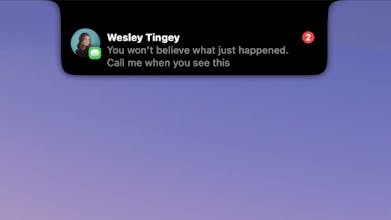
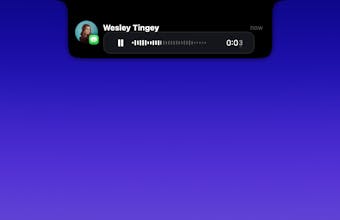
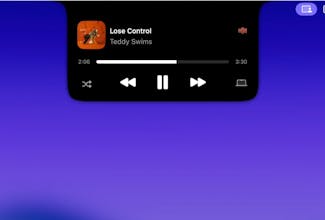
DynamicLake brings the Dynamic Island to Mac, featuring music controls, weather, calendar, FaceTime notifications, and message notifications from several apps (iMessage, WhatsApp, Telegram, Slack)
It also supports drag and drop actions and more all with a fast, interactive, native design.
This is the 2nd launch from DynamicLake. View more
DynamicLake
Launched this week
DynamicLake - Dynamic Island for Mac · Notificaitons · Drag and drop · Converter · Calls · Airdrop · Timer · and more

Payment Required
Launch Team / Built With


As someone who lives in multiple apps all day, I really like the idea of pulling notifications and quick actions into one interactive layer instead of bouncing between windows. The drag-and-drop interactions look especially useful. Curious how you decided which integrations to prioritize first (Slack, WhatsApp, etc.) and whether more app integrations are on the roadmap?
DynamicLake
@danielleralstonndhiveHi,
My goal is to bring notifications from all your apps into DynamicLake. Since macOS doesn’t make this easy, I’m working on finding the best and most reliable way to support more apps. Slack support was added just a few weeks ago, and more apps will be supported soon
@aviorprod thats amazing!! I can't wait to see what else you add soon
DynamicLake
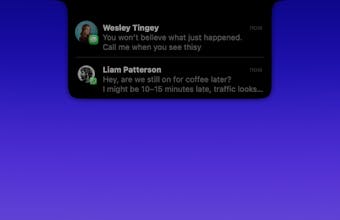
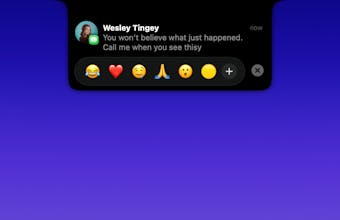
Bringing Dynamic Island to Mac fills a genuine UX gap — macOS notifications have felt stale for years while iPhone's Dynamic Island became genuinely useful. The multi-app notification support across iMessage, WhatsApp, Telegram, and Slack with inline replies means this could replace the need to constantly check separate apps. How does it handle notification priority when multiple chats fire at once — is there a smart queue or does it stack them?
DynamicLake
@svyat_dvoretski Hi!
As shown in the second screenshot, when multiple notifications arrive they appear stacked. If several notifications come from the same sender, they are grouped into a single notification
I’ve had a notched MacBook for a while and never thought about that black bar — until DynamicLake. Now I check my calendar, control music, and see notifications without leaving what I’m doing. The design is clean and doesn’t feel like a third‑party hack. For me it’s one of those “why didn’t this exist before?” tools. If you use a notched Mac every day, it’s worth trying.
DynamicLake
@yu_zhou8 Thank you! I'm glad you're enjoying DynamicLake
Great idea! Dynamic Island on Mac feels very natural.
How's the performance impact on older MacBooks?
DynamicLake
@alex_calderon_trujillo Hi,
I’m not sure what you consider an old MacBook, but up until version 1.5 the app was developed on a 2015 MacBook Pro :)
The lake metaphor is perfect - I'm already picturing notifications flowing like water around my notch. Does it handle the case where I'm screen-sharing and the island needs to stay hidden? Haven't seen anyone solve that elegantly yet.
DynamicLake
@lliora Hi,
Yes! DynamicLake have feature to disable notifications during screen sharing
DynamicLake
@manovah Hi,
Yes it's works on no notch MacBook